15
Loading Paper Roll and Ink Ribbon
Chapter 2 Preparations
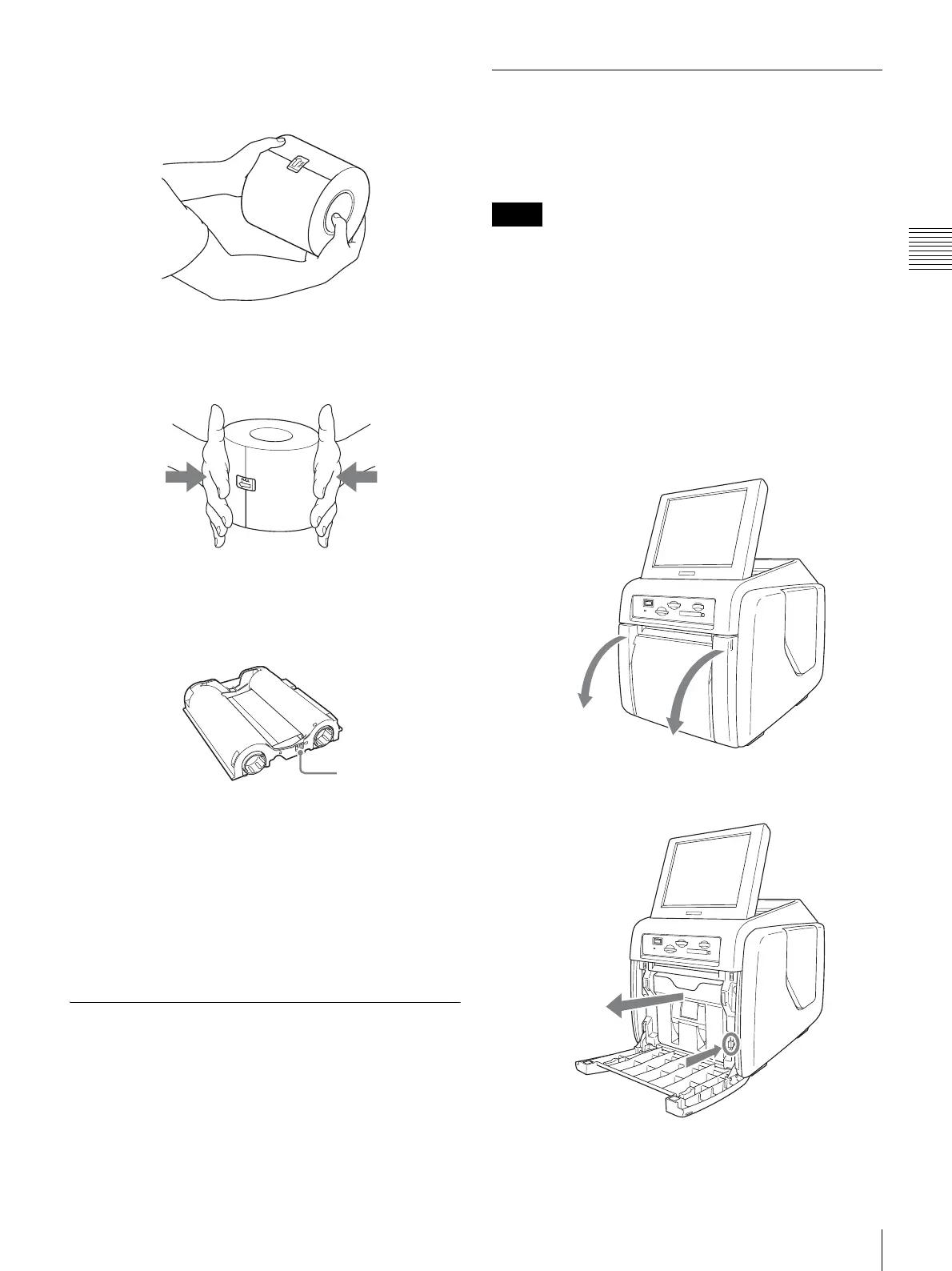
• Hold the paper roll with both hands so that you do not
drop it, because it is heavy. Dropping may result in an
injury.
• If inserting the paper core into the paper roll is difficult
when loading the paper roll, squeeze the roll from both
sides to restore its shape.
• An IC board is incorporated in the ink ribbon cartridge.
Do not touch the terminal of the IC board with anything,
including your fingers or metallic objects. Also, do not
strike, bend, or drop the IC board.
Notes on storage
• Avoid placing where subject to:
– high temperatures
– high humidity or dust
– direct sunlight
• After opening the bag, use the ink ribbon and the paper
as soon as possible.
• When storing after partial use, put the ribbon and the
paper back in their bags.
Before Loading the Paper Roll and
Ink Ribbon
Clean the thermal head and rollers regularly, whenever
you load a new paper roll and ink ribbon. For detailed
information on cleaning, see “Cleaning the Interior” on
page 45.
Loading the Paper Roll and Ink
Ribbon
When using the printer for the first time, you must first
load a paper roll and ink ribbon.
• Always use a designated print pack.
• Always replace the paper roll and ink ribbon together as
a set.
Attaching adaptors to paper holder
Paper roll widths vary according to the print pack. When
using the 2UPC-C14 series or 2UPC-C48 series print pack,
attach an adaptor to the paper holder to compensate for the
width difference.
1
Open the front door.
2
Press the paper holder release button and pull the paper
holder out.
Hold the paper roll with both hands.
Squeeze from both sides.
IC board
Notes



 To Next Page