18
Loading Paper Roll and Ink Ribbon
Chapter 2 Preparations
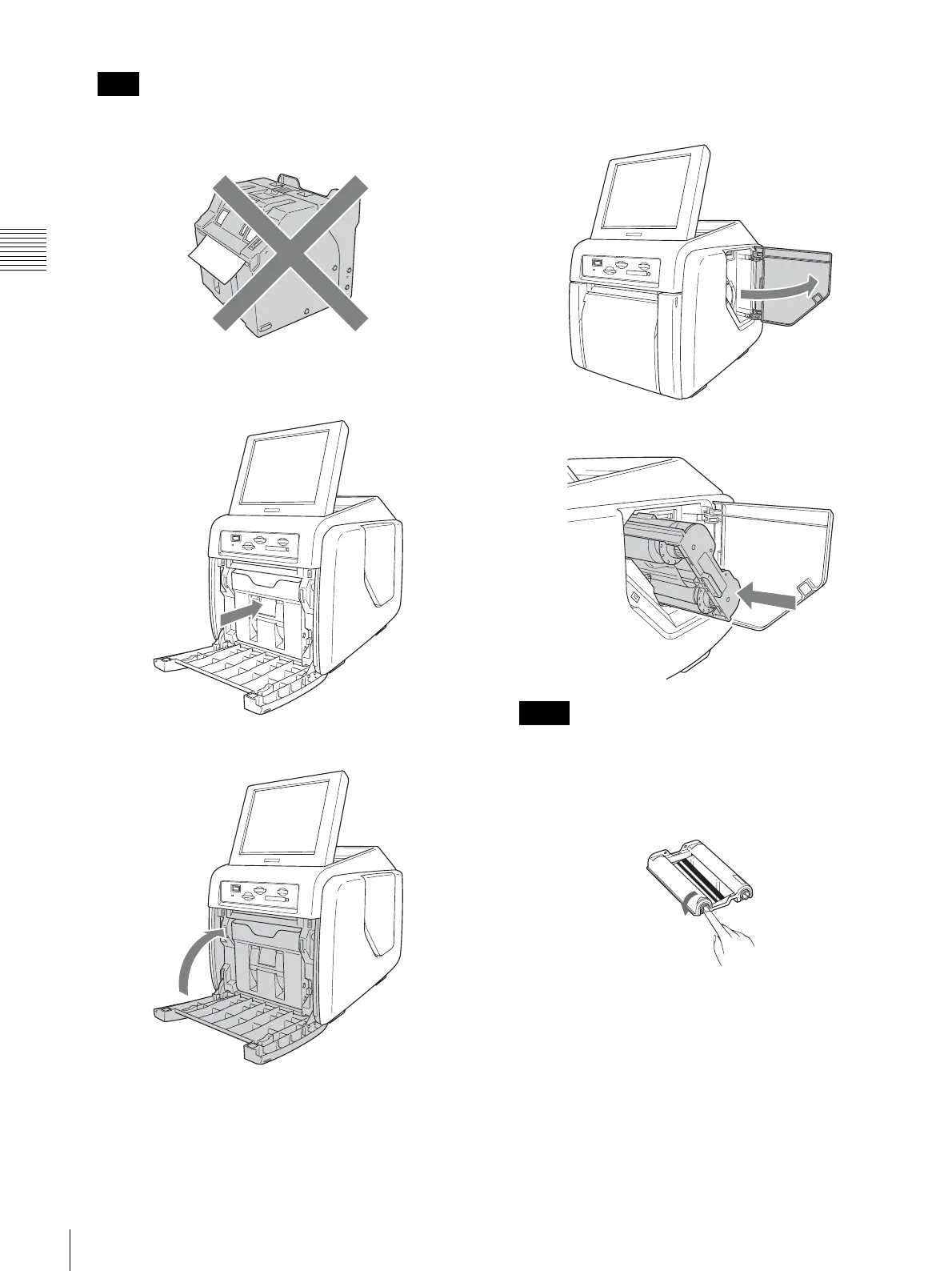
When closing the paper holder, take care that the
leading edge of the paper roll does not stick out of the
paper feed opening.
8
Return the paper holder into the unit.
Insert the paper holder until you hear a sharp click.
9
Close the front door.
Loading the ink ribbon
1
Open the side door.
2
Insert the ink ribbon cartridge completely.
• If it is difficult to insert the ink ribbon cartridge,
remove it and try inserting it again. Reduce the
ribbon slack by turning the cartridge spool in the
direction of the arrow only if the ink ribbon cartridge
cannot be inserted due to slack in the ribbon.
• Do not rewind the ink ribbon cartridge for reuse in
printing. Printing will not be performed properly,
and it may cause a malfunction to occur.
• Do not try to replace the ink ribbon cartridge while
printing is in progress.
• Immediately after printing, the thermal head inside
the unit will be hot. When loading a cartridge, do not
insert your hand into the ink ribbon access opening,
to prevent the risk of burns.
Note
Notes



 To Next Page