19
Loading Paper Roll and Ink Ribbon
Chapter 2 Preparations
3
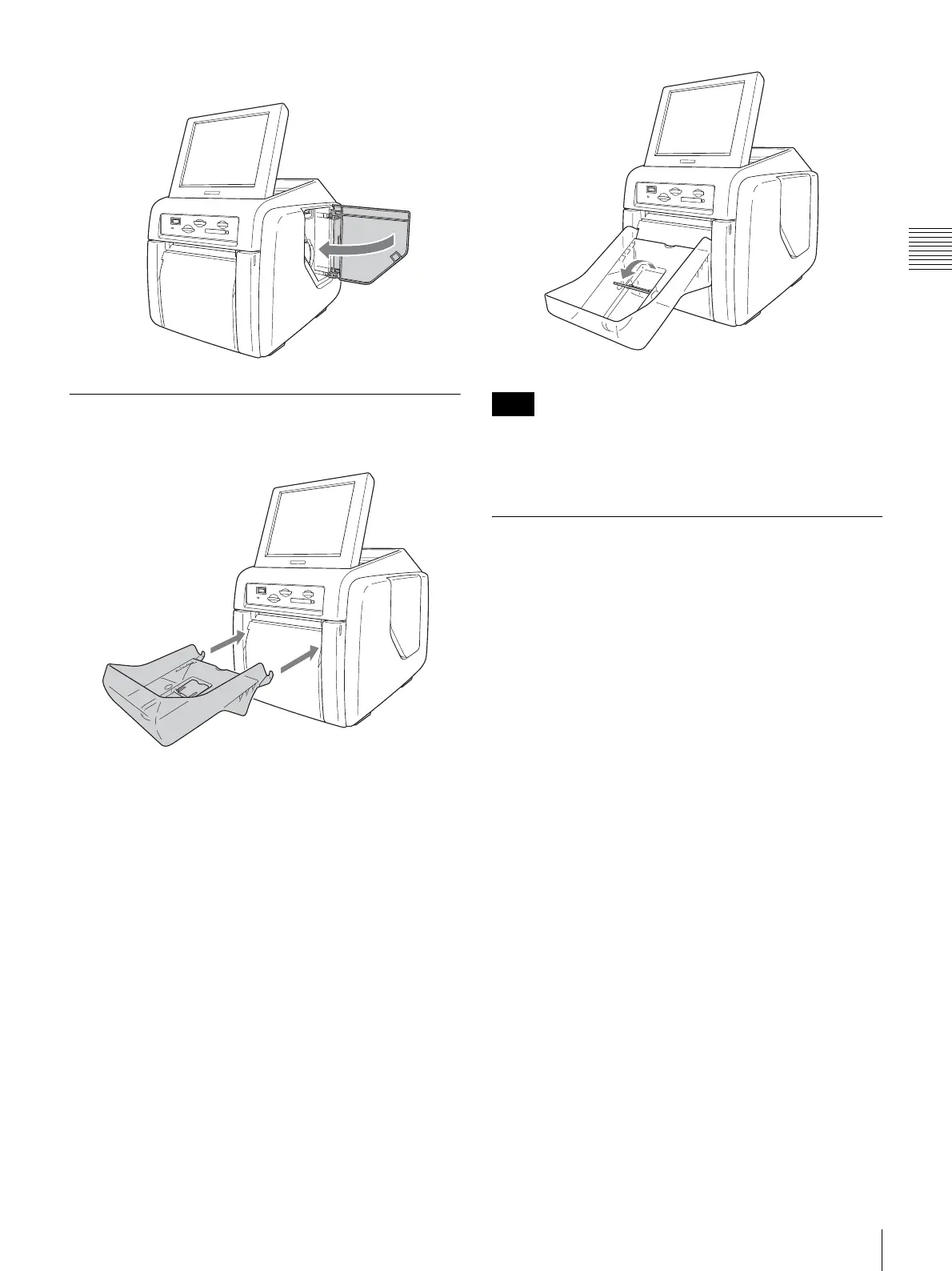
Close the side door.
Attaching the Paper Tray
Attach the supplied paper tray.
About 50 sheets of printouts can be left on this paper tray.
However, the number of printouts which can be
accumulated on the paper tray changes according to the
environment condition where the printer is used or the
printed image. Remove the printed sheets accumulated on
the paper tray as soon as possible.
Raise the paper eject stopper when printout size is small.
Do not touch the printouts until they have been ejected
from the printer. If a printout gets stuck in the eject slot,
remove it from the slot immediately.
Checking the Ink Ribbon Remainder
You can turn on the POWER switch and check the
remainder of the ink ribbon in the Start Guide screen.
For details, see the section “Checking the Remaining Ink
Ribbon” on page 23.
Note
Raise the eject paper stopper.



 To Next Page