45
Cleaning
Chapter
Chapter 5 Maintenance
5
Maintenance
Cleaning
Cleaning the Interior
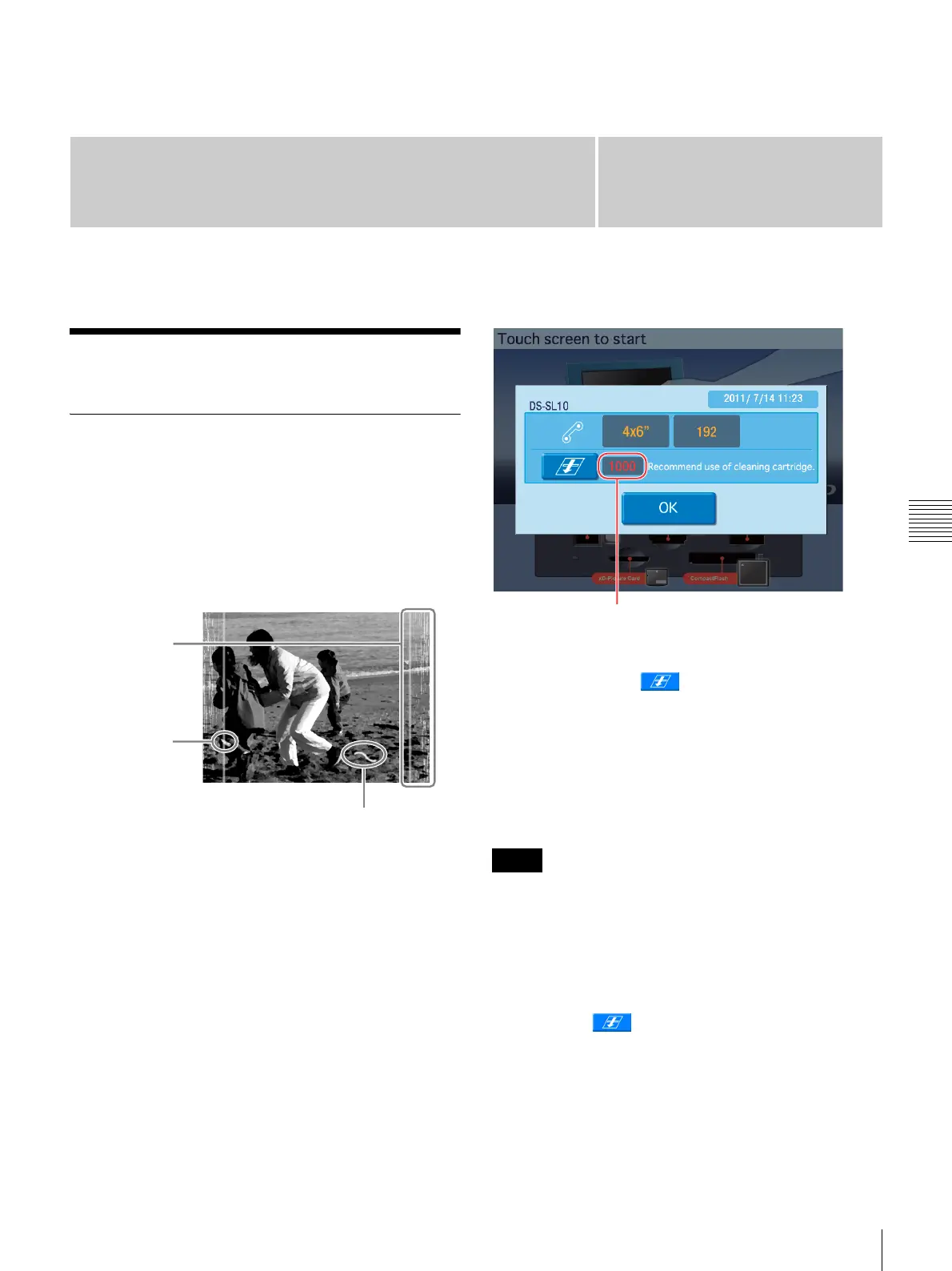
If defects such as white stripes, fading, or scratches begin
to appear in printouts, you may need to clean the thermal
head and rollers. In particular, white stripes and lines tend
to appear when using the 2UPC-C14 series or 2UPC-C48
series printing pack after printing a large quantity of prints
with the 2UPC-C13 series or 2UPC-C15 series printing
pack.
You can check whether cleaning is necessary in the
confirmation screen for the remaining ink ribbon. To
display the confirmation screen for the remaining ink
ribbon, touch the top right corner of the Start Guide screen
twice in succession.
When the total number of prints exceeds a fixed value, a
message indicating that cleaning is necessary appears. If
this occurs, touch the button to begin cleaning.
The following items are necessary to perform interior
cleaning.
• The cleaning cartridge supplied with the printer
• The cleaning sheet (Cleaning Sheet) supplied with the
printing pack
• Print paper
• The cleaning cartridge is reusable. Do not throw it away.
• As the cleaning sheet in not reusable, discard it after the
first use.
• If there is insufficient print paper remaining, an error
may occur. If this occurs, replace the print paper and
begin the cleaning process again.
1
Touch the button.
2
Enter the administrator password.
3
Remove the paper tray.
4
Check the remaining amount of print paper.
White stripe or
fading
Speckled
scratch
Threadlike scratch
Notes
Number of prints



 To Next Page