12
Controls and Functions
Chapter 2 Preparations
Controls and Functions
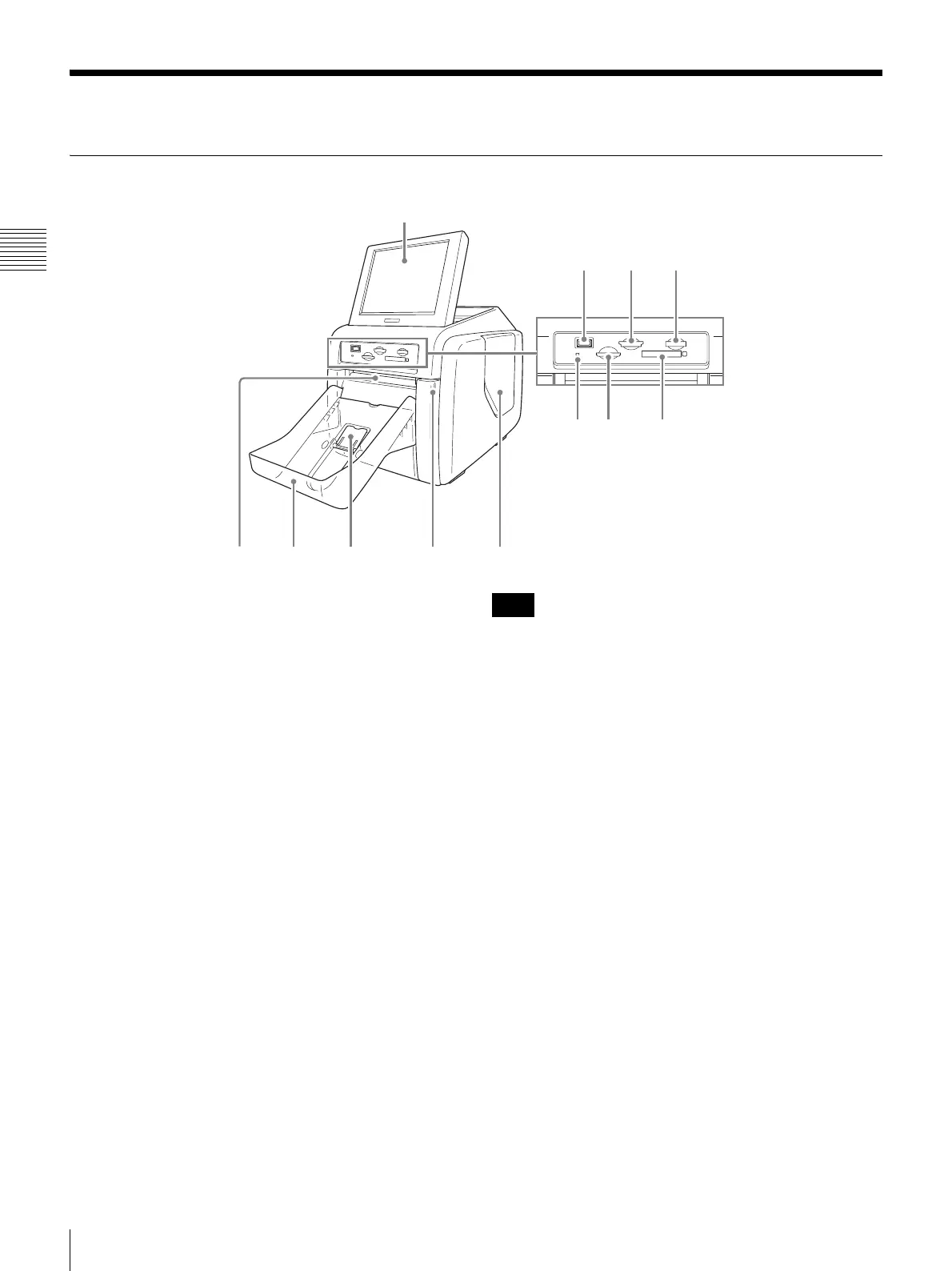
Front
(1) Display
Shows the operation screen. Because the display is a touch
screen, the user simply touches the field for the desired
operation. The angle of the display can be adjusted for best
viewing.
(2) USB port (USB memory) (page 54)
Holds a USB memory device with stored image data.
(3) SD Card/MultiMediaCard slot (page 53)
Holds an SD Card, miniSD Card, or MultiMediaCard with
stored image data.
(4) “Memory Stick” slot (page 53)
Holds a “Memory Stick” with stored image data.
(5) Access indicator
Lights when a memory card is inserted a slot, and flashes
when a memory card is being accessed.
(6) xD-Picture Card slot (page 53)
Holds an xD-Picture Card with stored image data.
(7) CompactFlash card slot (page 53)
Holds a CompactFlash card with stored image data.
To avoid loss of image data or damage to the main unit,
never attempt to insert a “Memory Stick,” SD Card, or
MultiMediaCard into a CompactFlash type adapter set in
the CompactFlash slot.
(8) Eject slot
The printed photo emerges from this slot.
(9) Paper tray (page 19)
Printed photos are collected in this tray.
(10) Paper eject stopper (page 19)
Raise this stopper when printout size is small.
(11) Front door (page 15)
Open this door to change the paper roll.
(12)(11)(9)(8)
(1)
(10)
(2)
(6) (7)
(3) (4)
(5)
Note



 To Next Page