53
Starting Operation
Chapter
Chapter 6 Operation
6
Operation
Starting Operation
J Applicable modes: All operation modes
1
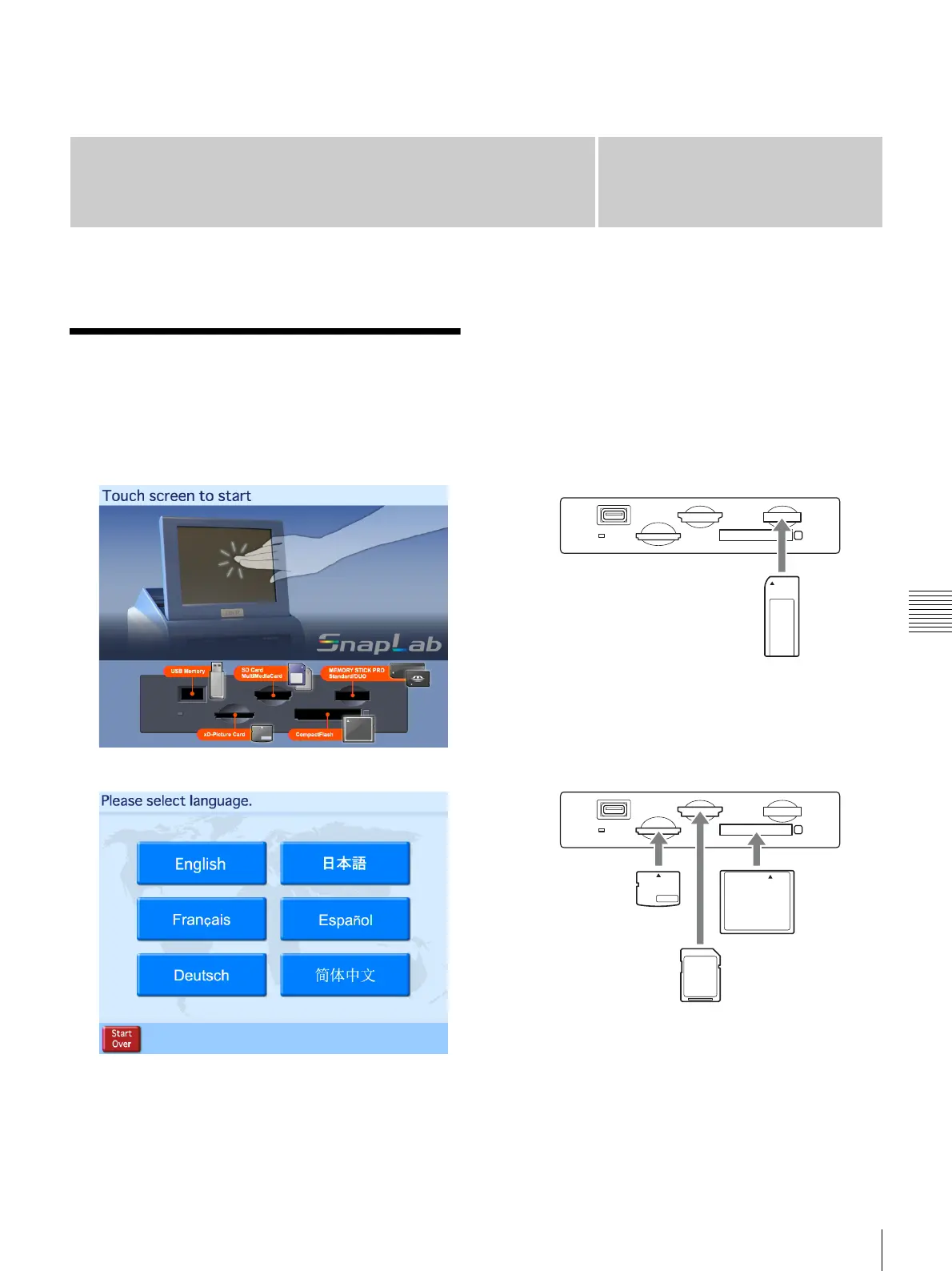
Touch the screen anywhere.
The language selection screen appears.
The above screen will not appear in the following
circumstances.
• When Event mode is set
• When only one language is set for use
2
Touch the desired language.
A notice regarding the use of the unit appears. Read
the notice and then touch the [OK] button.
3
Insert the memory card into the slot on the front of the
unit.
To insert a “Memory Stick”
With the label facing up, fully insert the “Memory
Stick” in the direction indicated by S.
To insert an SD Card, miniSD Card,
MultiMediaCard, CompactFlash Card, or an
xD-Picture Card
With the label facing up, fully insert the card in the
direction indicated by S.



 To Next Page