66
Printing From a Computer
Chapter 6 Operation
Printing From a Computer
When the supplied USB cable is used to connect the unit
to a computer, data sent from the computer can be printed
out using this unit.
When the USB cable is plugged in, the indication “PC
MODE” is shown on the display of the unit. In this
condition, the touch panel is inactive.
Installing the Printer Driver
If the unit is to be controlled from a computer, you must
install the supplied printer driver on the computer before
connecting the unit to the computer for the first time.
For details on installation, refer to the installation guide
and the Readme file on the supplied CD-ROM.
The supplied printer driver does not support printing via a
network.
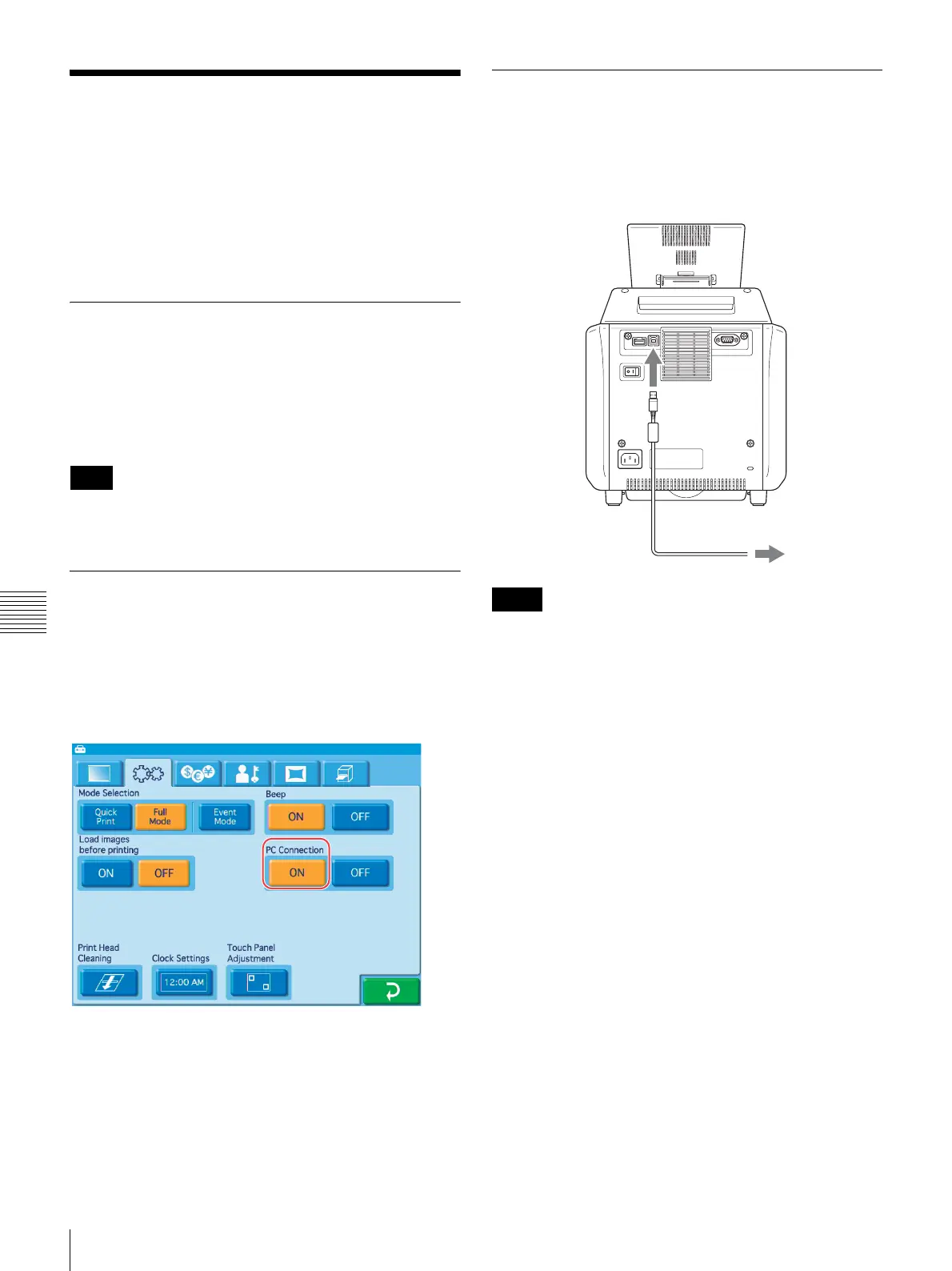
Computer Connection Setting
You can select whether to receive commands from a
computer.
To enable commands from a computer, touch the [ON]
button for [PC Connection] in the System tab of the
administration screen.
When [OFF] is selected, commands from computers
connected to the unit via USB cable will be ignored.
Connecting to a Computer
To print from a computer, you must connect the unit to the
computer using the supplied USB cable. Plug the USB
cable into the USB port (device) at the rear of the unit.
When making the connection, you should also consult the
documentation of the computer.
• Before connecting the computer to the unit, make sure
that the unit is turned off or that the Start Guide screen is
displayed. The computer may not be recognized if it is
connected at any other time.
• If the connection is made via a USB hub, correct
operation is not assured.
Note
Notes
USB cable
Computer



 To Next Page