21
Replacing the Paper Roll and Ink Ribbon
Chapter 2 Preparations
5
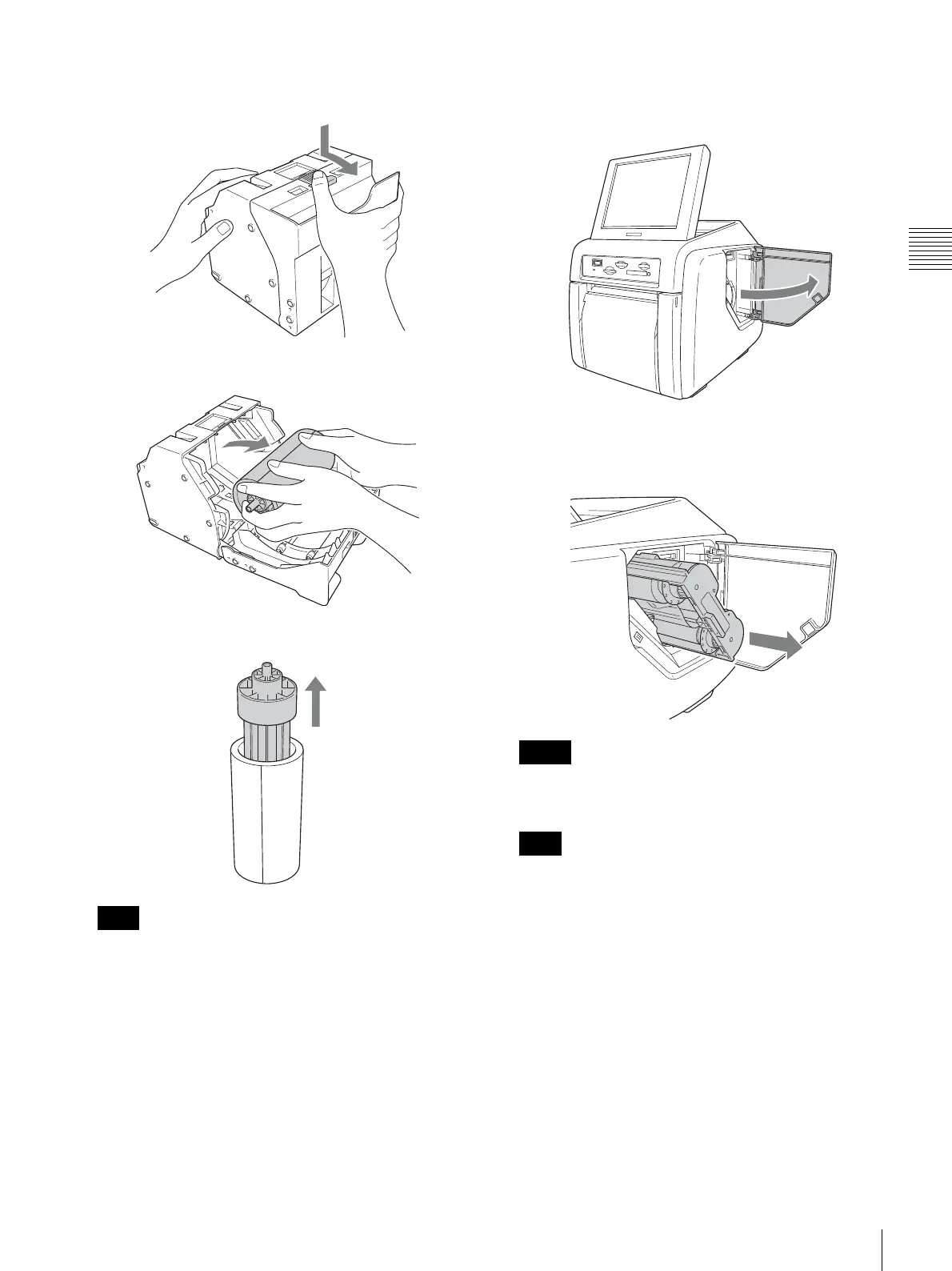
Press the latch on top of the paper holder and open the
holder.
6
Remove the paper roll.
7
Pull out the paper core from the paper roll.
You will need to reuse the paper core. Be careful
not to misplace it.
Removing the ink ribbon
1
Open the side door.
2
Pull back the latch on the ink ribbon cartridge to
release the lock, and then grasp the ink ribbon
cartridge and remove it.
If the ink ribbon breaks, you can reconnect it with a
piece of tape and use the remaining ribbon.
Immediately after printing, the thermal head inside the
unit will be hot. When removing a cartridge, do not
insert your hand into the ink ribbon access opening, to
prevent the risk of burns.
Note
Memo
Note



 To Next Page