Dobot M1 Pro Hardware User Guide
Issue V1.3 (2023-02-02) User Guide Copyright © Yuejiang Technology Co., Ltd
12
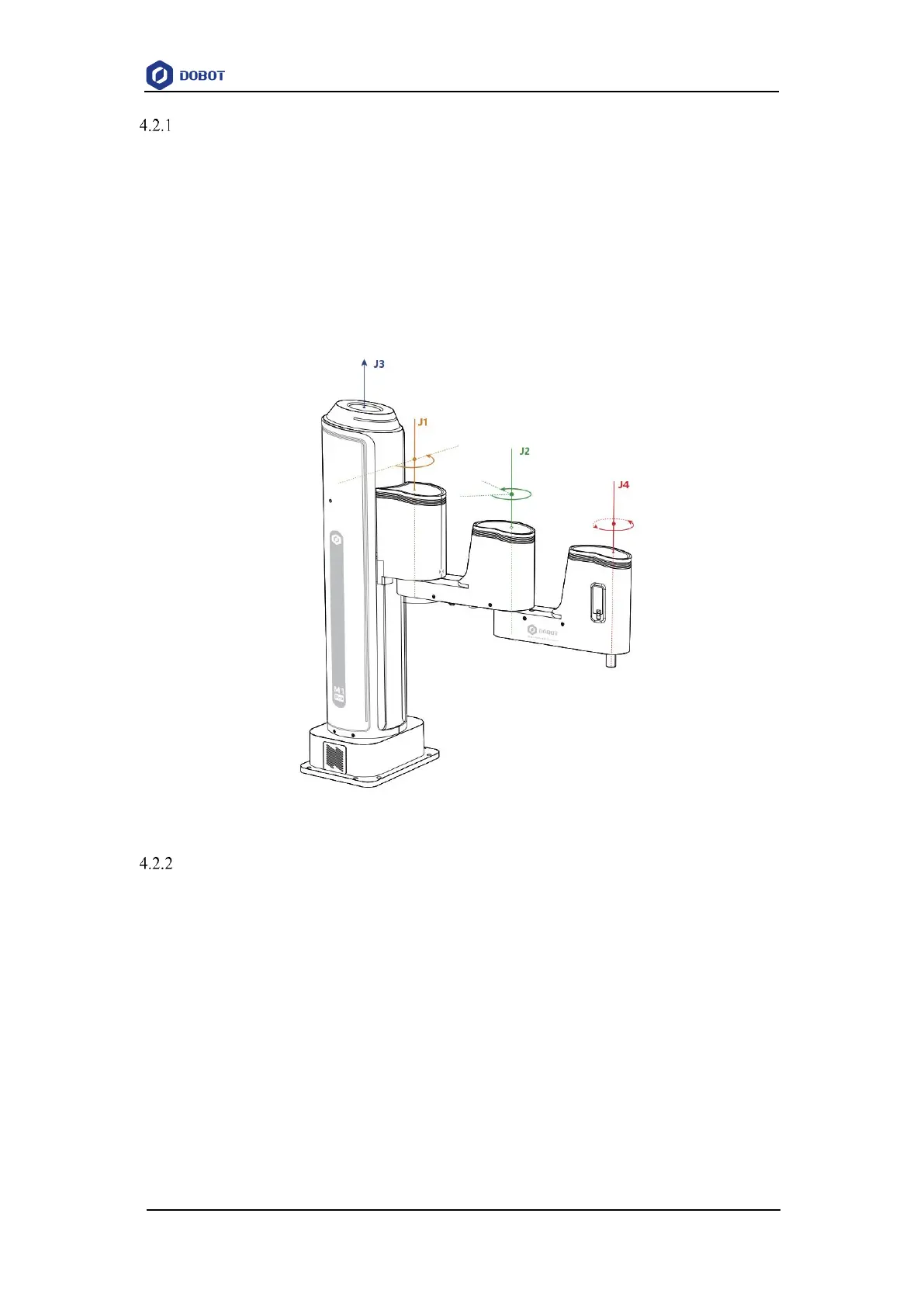
Joint coordinate system
The Joint coordinate system is determined by the motion joints.
Figure 4.3 shows the Joint coordinate system of a M1 Pro robot. M1 Pro contains four joints.
J1, J2, and J4 are the rotating joints, which are located and oriented in the horizontal
plane. And their axes are parallel to each other. The positive direction of these joints
is counter-clockwise.
J3 is the moving joint, which is used for the movement of the end effector in the
perpendicular plane. The positive direction of J3 is vertical upward.
Figure 4.3 Joint coordinate of a M1 Pro robot
User coordinate system
The User coordinate system is a movable coordinate system which is used for representing
equipment like fixtures, workbenches. The origin and the orientations of axes can be defined based
on site requirements, to measure point data within the workspace and arrange tasks conveniently.The
default user coordinate system is a coordinate system is located at the base of the robot, as shown
in the figure below.
The origin is the axes center of the motor of Rear Arm where Rear Arm is dropped
to the bottom of the Z-axis screw.
The direction of X-axis is perpendicular to the base forward.
The direction of Y-axis is perpendicular to the base leftward.
The direction of Z-axis is vertical upward, which is based on the right-hand rule.



 To Next Page