Operation Section
-74-
Playing a USB device
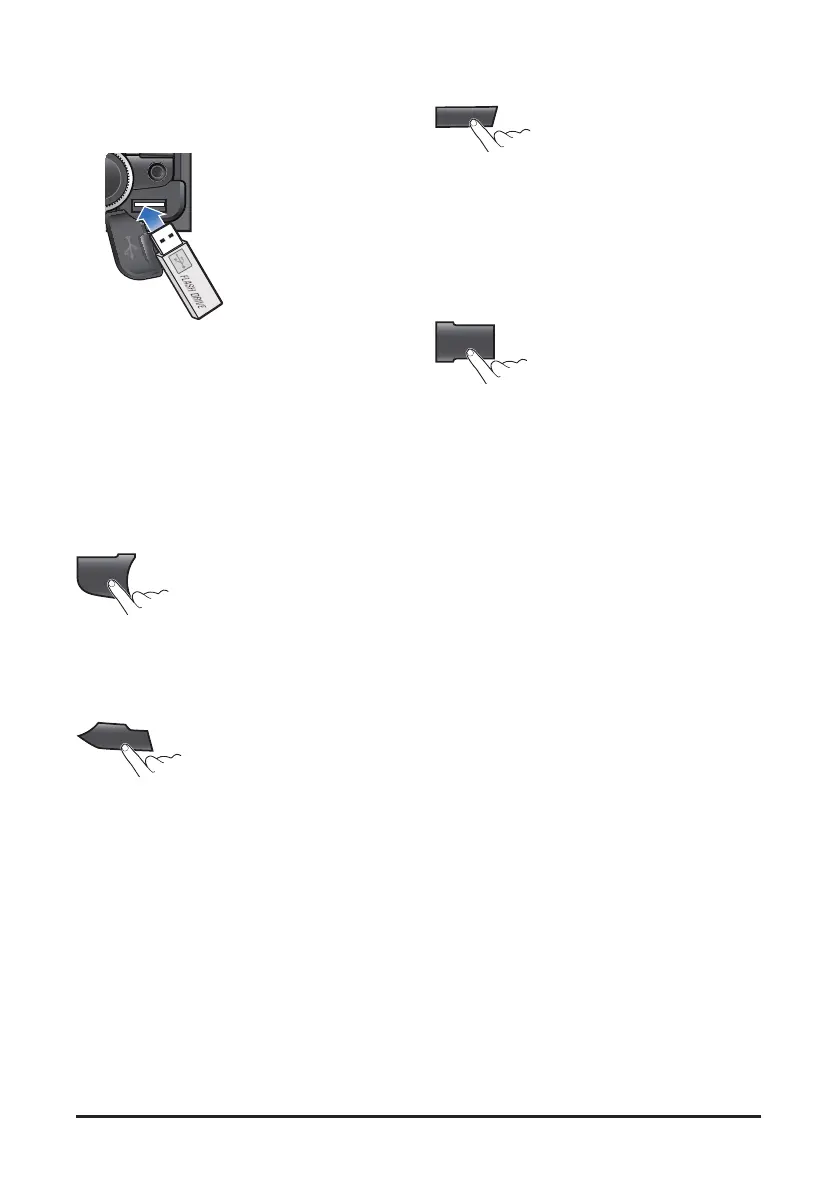
1. Open the cover, plug the USB device to the USB
port.
Once a USB is connected, USB will automatically
start playing from the first file within the USB.
If a previously played USB is reconnected, then
the file after the most recently played file is played.
If a different USB is connected or the file
information within the USB was changed, then the
USB will start playing from the first song within the
USB.
2. When a USB device to be played is already
connected, press the USB button to play USB
device.
The previously selected file is played.
3. While playing, press the [1∥] button to pause the
file.
Press the button again to play the current file.
4. Press the [4 INFO] button repeatedly to display
information about the file being played.
The information displayed includes the file name,
playing time, ID3 Tag or folder name information
saved with the song.
If there is no information on the playing file, then
the unit will display "NO INFO".
5. Press MENU button repeatedly to select the Scroll
setting mode. Tum the VOLUME dial to changes
the display method between Scroll On/Off.
• SCROLL ON: activate the scroll function
• SCROLL OFF: deactivate the scroll function
USB
1
II
4
INFO
MENU



 To Next Page