Service Manual
Ophthalmic Surgical System
Chapter 2 - Maintenance instructions
N° doc.: 30204400-B - Version date: Nov. 01, 2013 - 15
2.7.2 Covers
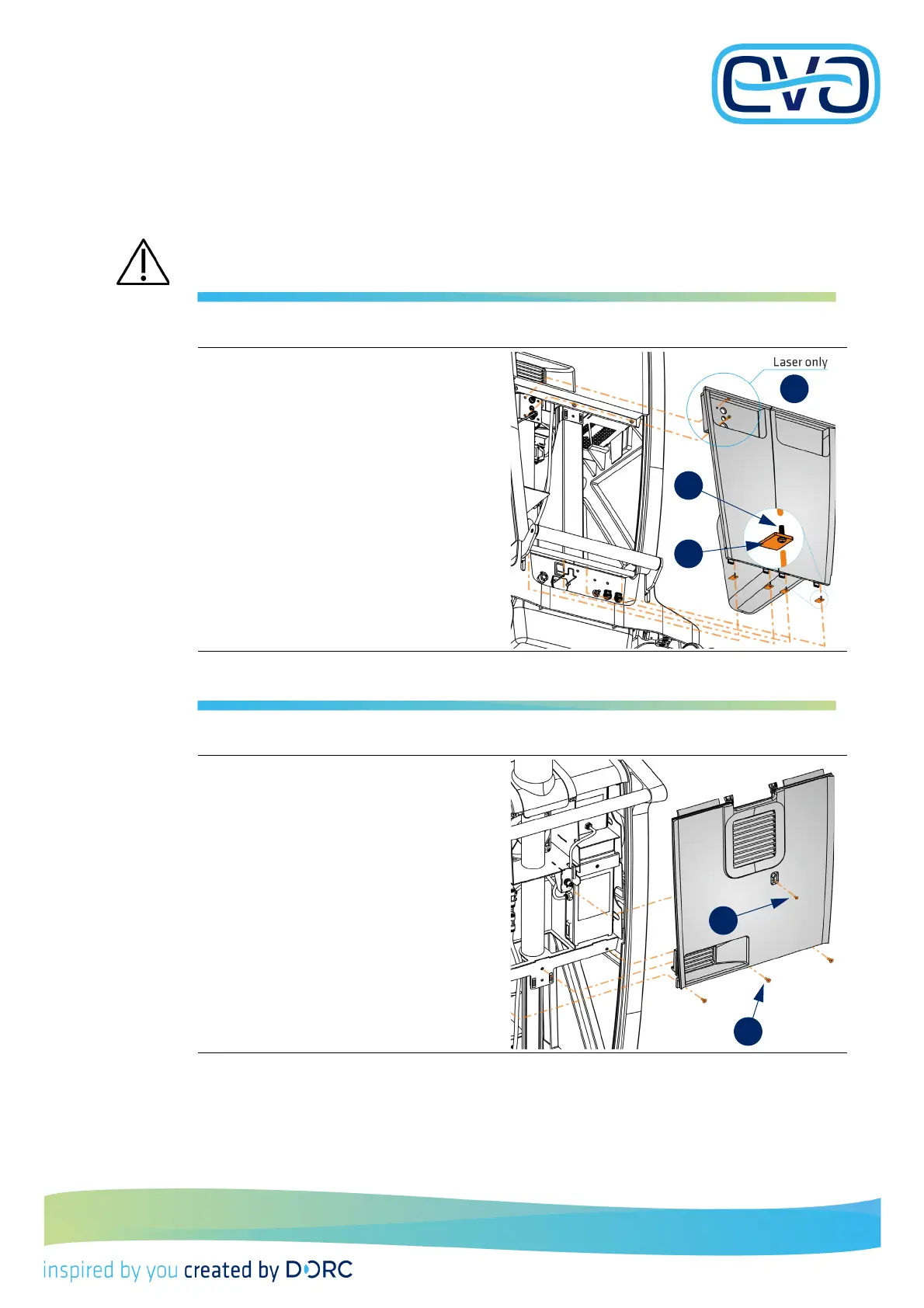
This paragraph describes the disassembly of the 4 covers. Assembling is carried out in the
opposite way.
Use Threebond to fix the screws?
Drawer
Back Cover
1. Unscrew the 4 screws at the bottom side
of the drawer.
2. Remove the 4 sealing plates.
Laser only:
3. Remove the 2 screws near to the laser
connections
4. Remove the drawer.
5. Unscrew the 3 screws at the bottom side
of the back cover.
6. Unscrew the screw beneath the VGPC
connection.
7. Remove the back cover.


 To Next Page