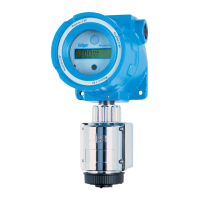
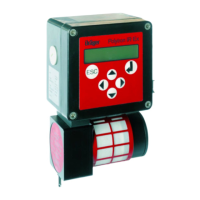
39
Start-up
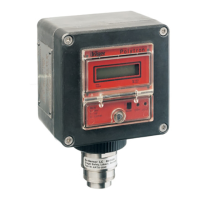
Activating info mode
The info mode is used to display information on general unit settings and on the
unit status.
● Press and hold the » « key (longer than 3 seconds) – information about the
units is displayed on several screens.
— Briefly press the » « key to move to the next screen.
— Briefly press the » « to move back to the previous screen.
— The info mode can be terminated at any time by pressing the » « key.
— If no key is pressed for 30 seconds, the unit automatically returns to its
previous state.
Example of info mode:
Screen 1
Instrument information
Line 1 – Date and time
Line 2 – Software version
Line 3 – Unit Part No.
Line 4 – Unit Serial No.
Line 5 – Unit code
Screen 2
Sensor information:
Line 1 – Sensor name
Line 2 – Sensor Part No.
Line 3 – Sensor Serial No.
Line 4 – EEPROM type
Line 5 – EEPROM version
Screen 3
Sensor configuration:
Line 1 – Gas name
Line 2 – Measuring range (can not be change) and unit of measurement
Line 3 – Measuring range for the analogue interface.
Displayed only, if the analogue interface card is installed
Line 4 – A1 alarm threshold and unit of measurement
1)
Line 5 – A2 alarm threshold and unit of measurement
1)
1)
Displayed only if a relay module is fitted!
Screen 4
2)
Pump Infos:
Line 1 – Pump flow
Line 2 – Threshold error
Line 3 – Threshold warning
Line 4 – Pump run time
2)
Displayed only if a pump module is fitted!
04323758_1.eps
Polytron
OK
M
H
2
S
ppm
0.0
M
OK
A009_en.eps
07.11.2003 12:34
SW Version
: 1
Part No.
: 8317778
Serial No.
: ARUA0001
DeviceCode: 00006317
Instrument Info
1/4
A010_en.eps
2/4
Sensorname: O2
Part No. : 6809630
Serial No.
: XXXXXXX
EEPROM Typ : 1
EEPROM Vers.: 1
Sensor Info
A011_en.eps
3/4
Gasname : O2
Range : 25.00 Vo
4–20 SP
: 25.00 Vo
Alarm A1
: 19.00 Vo
Alarm A2
: 23.00 Vo
Sensor Config.
A014_en.eps
4/4
Power : XXX %
Fault : X.X l/min
Warning : X.X l/min
Op.time : XXXX h
Pump info



 To Next Page