Drobo 5D3 User Guide 10
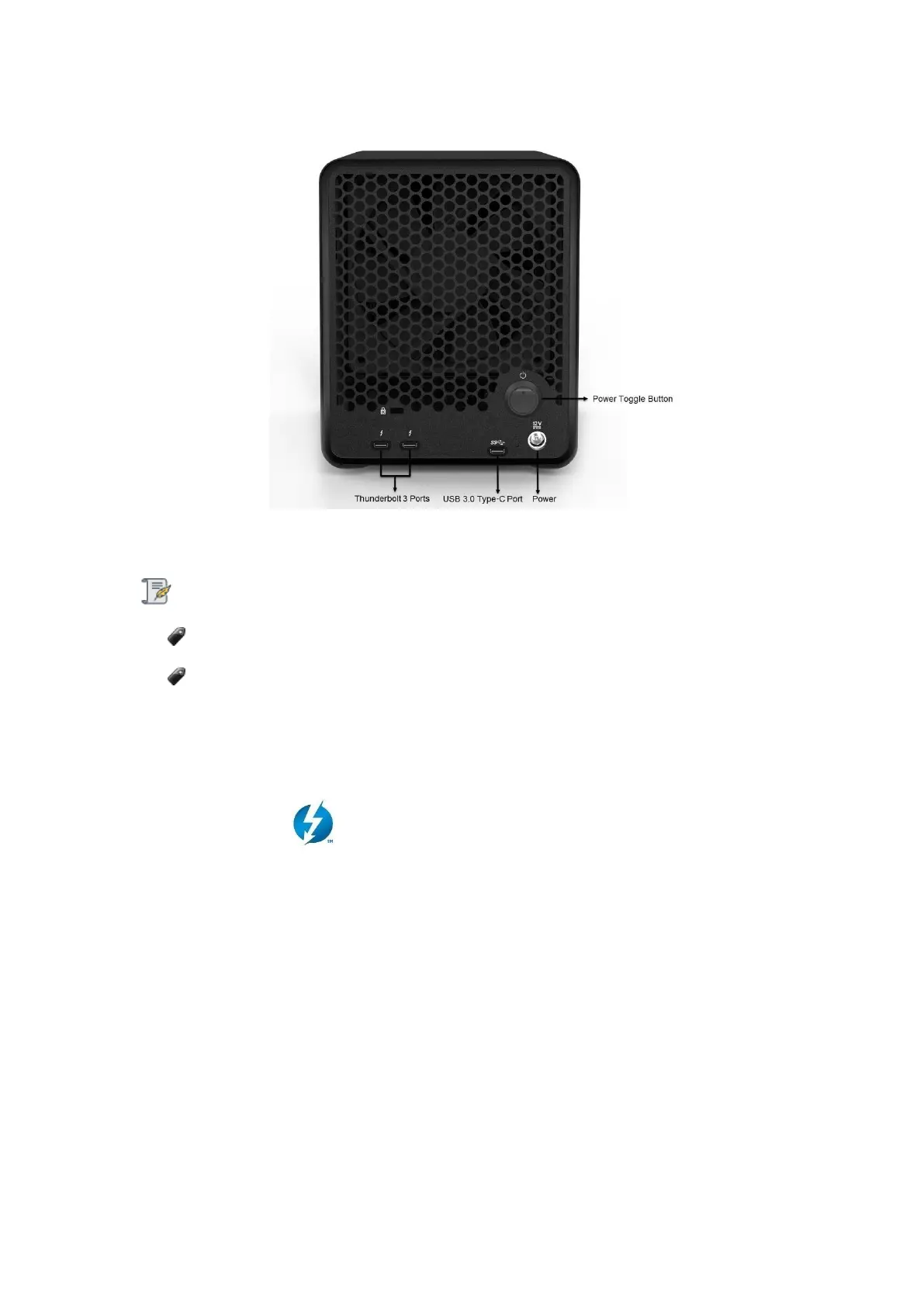
Figure 1: Back of the Drobo 5D3
Notes:
You can only use one connection at a time.
Drobo provides Thunderbolt 3 cable with the device. Depending on the model of
your computer, it may have USB Type-A or Type-C interface. You have to buy a Type-
A to Type-C cable if your computer has a Type-A interface. Speed of data
communication is limited by the slowest interface of your computer and the Drobo
device.
Thunderbolt 3
The Drobo 5D3 has two Thunderbolt ports, enabling you to take advantage of
Thunderbolt's daisy-chaining capabilities. With Thunderbolt, you can daisy-chain up to
six peripheral devices and one display from a single computer. Note that because
Thunderbolt has dual-protocol support (with DisplayPort and PCI Express), you can
connect your computer to Thunderbolt devices or DisplayPort products. You can also
connect non-Thunderbolt devices at the end of a daisy-chain by using Thunderbolt
technology adapters.
Here is the illustrative examples of your Drobo 5D3 in a daisy-chain:



 To Next Page