Drobo 5D3 User Guide 79
6.2 Modifying the Disk Drive Spin Down Time
When the disk drives spin down, it helps to save electricity and can prolong the life of
the drives. Note, however, it will take your Drobo 5D3 a few moments to spin the drives
back up again when accessed. The default setting for this feature is 15 minutes on most
Drobo devices.
Note:
When drives spin down, the lights on the Drobo device will dim. When the drives
spin back up again, the lights will fully illuminate.
To modify the disk drive spin down time:
1. In Drobo Dashboard on the All Drobos page, select the appropriate Drobo device.
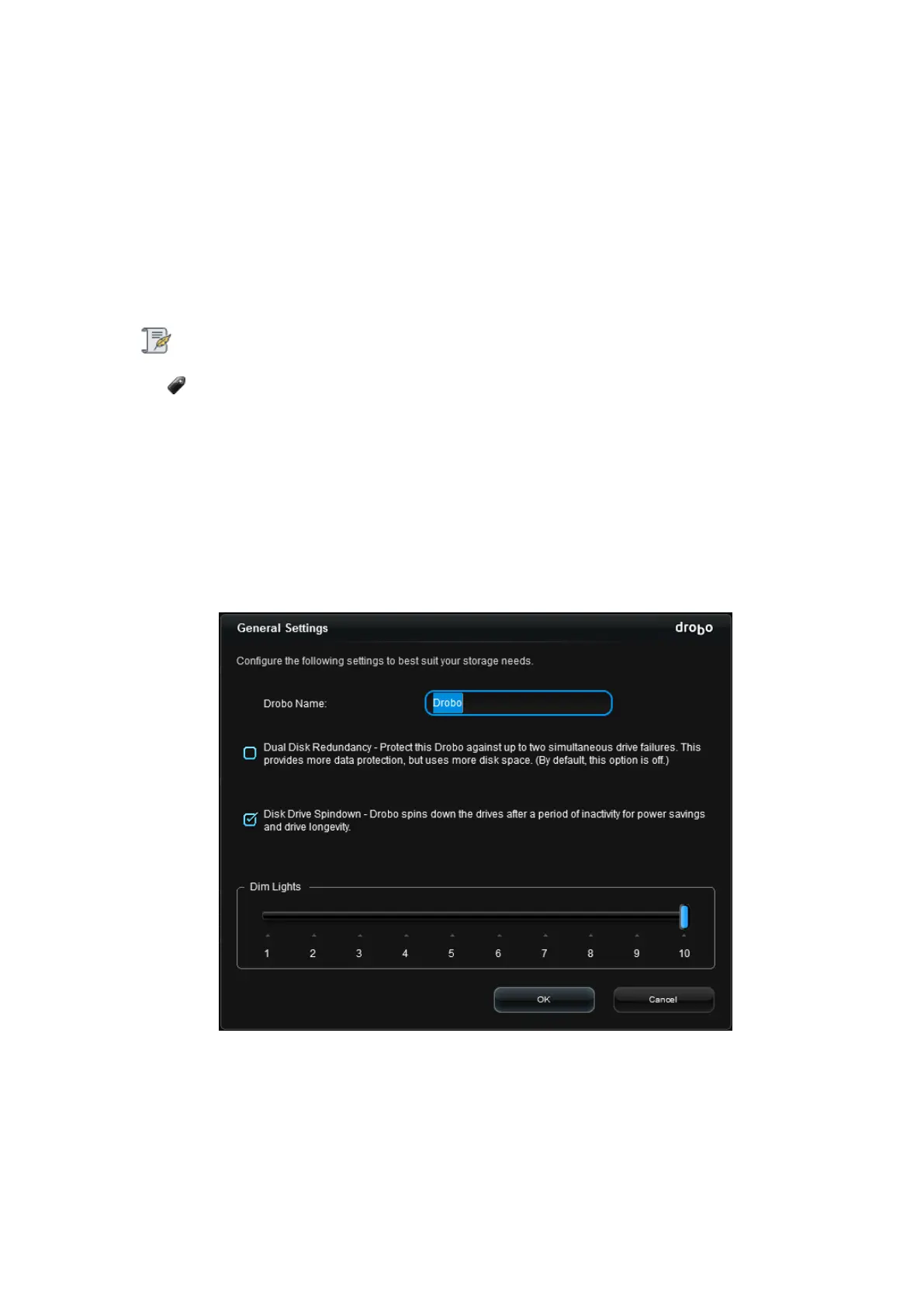
2. Click the Drobo Settings option on the Navigation menu, and click General. The
General Settings page opens.
3. Select the Disk Drive Spindown check box to enable it, or de-select it to disable Disk
Drive Spindown.
4. Click the OK button. The setting is changed.



 To Next Page