Drobo 5D3 User Guide 32
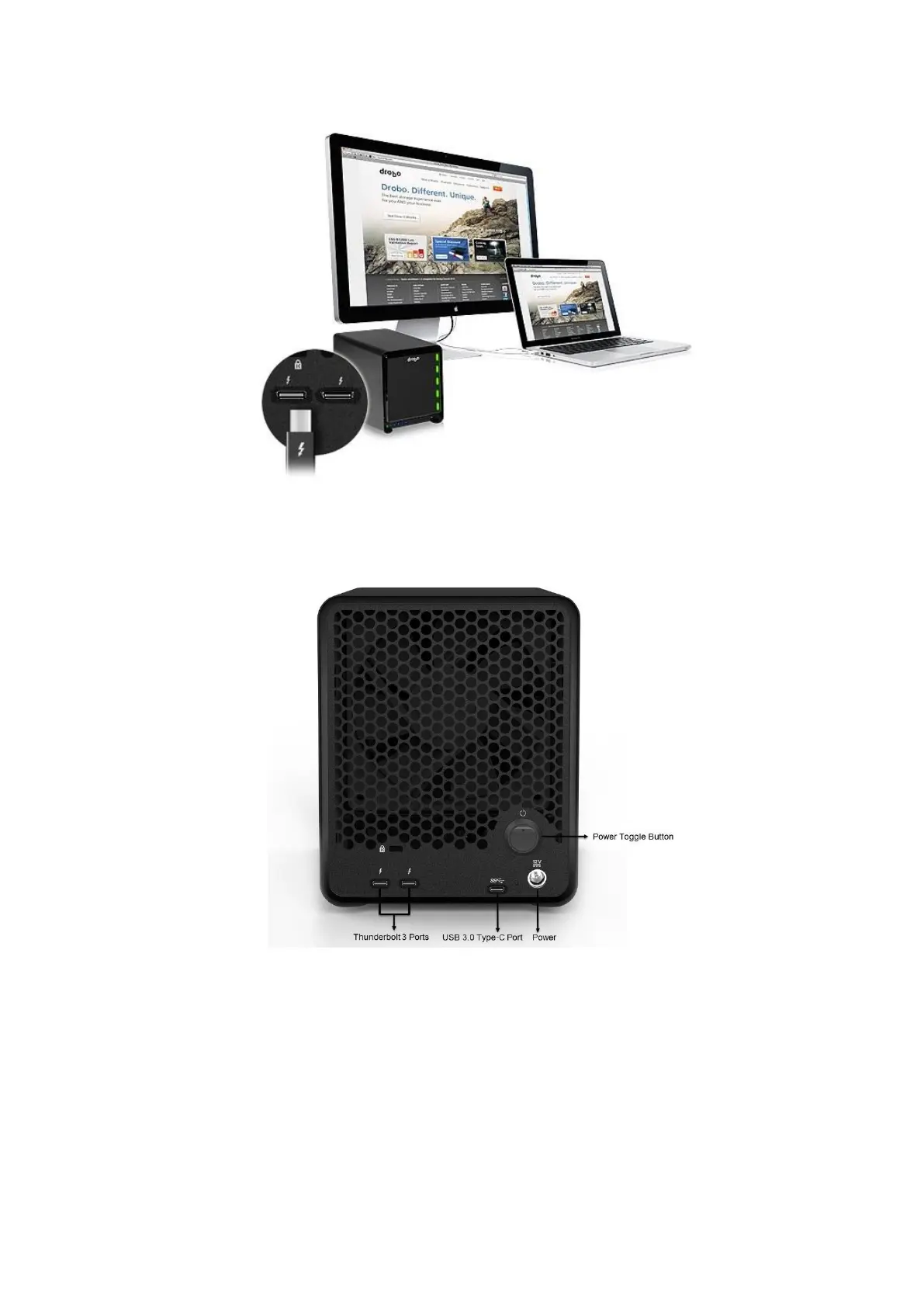
As you follow the steps below, refer to the following image.
1. Plug one end of the Thunderbolt cable into the back of your Drobo 5D3.
2. Do one of the following:
● Plug the other end of the cable into your host computer, so that the Drobo
5D3 is the first peripheral in the daisy-chain. Be sure to connect the next
Thunderbolt-enabled peripheral or non-Thunderbolt display monitor to the
second port on your Drobo 5D3, as needed to extend the chain.



 To Next Page