Drobo 5D3 User Guide 43
You will need to be connected to the Internet to perform this action.
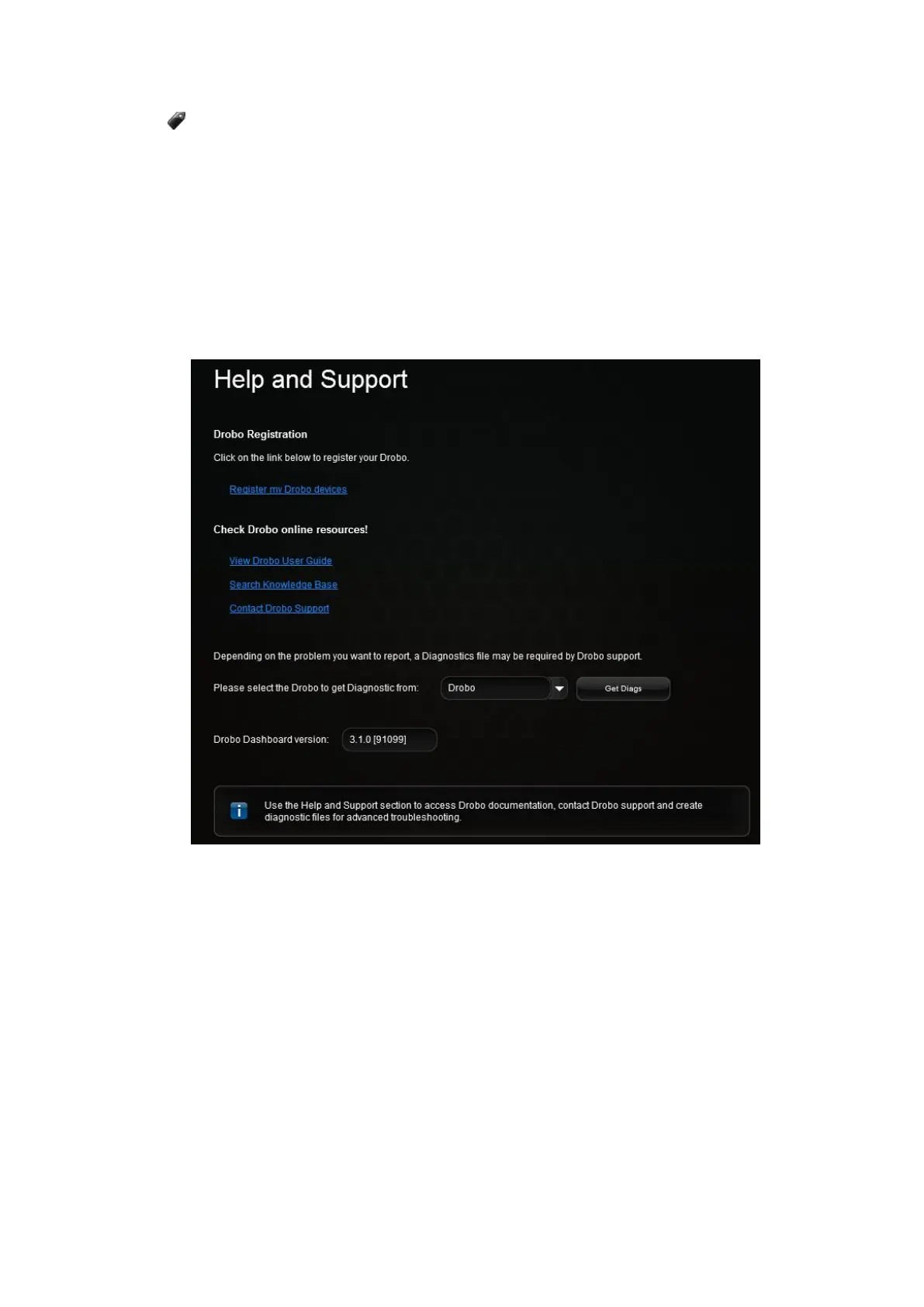
To register your Drobo 5D3 follow the steps shown below:
1. Open the Drobo Dashboard and from the All Drobos page, click the Drobo device you
need to register.
2. Then, click the Help and Support option in the Navigation menu. This opens the Help
and Support page for that Drobo device.
3. From the Drobo Registration area, click on the Register my Drobo devices link to
open the Registration page.



 To Next Page