Drobo 5D3 User Guide 86
Important Notes:
It is important to ground yourself before installing the mSATA SSD in order to
discharge static electricity. To do so, touch a grounded metal object just before
installation.
Warning:
If there is any pre-existing data on the mSATA SSD, it will be erased. If you wish to
keep the data, copy it to another drive or medium before using with your
Drobo device.
To install an mSATA SSD, perform these steps:
1. Your Drobo device must be powered off and unplugged before the mSATA
installation.
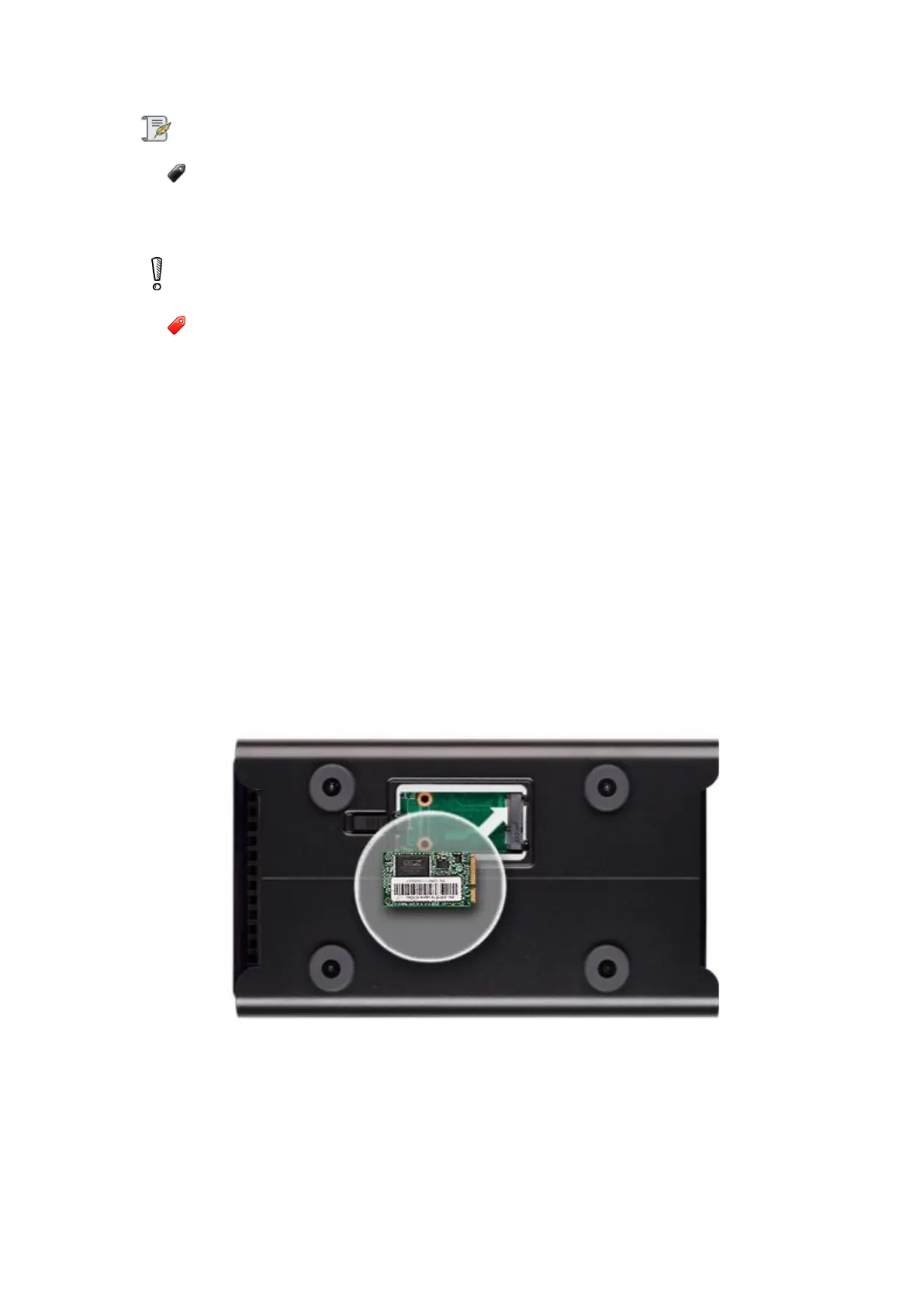
2. Gently turn the Drobo 5D3 on to its side to access the bottom of the Drobo 5D3, and
open the Drobo Accelerator Bay door by turning the latch from lock to unlock using a
coin.
3. Slide the mSATA SSD into the slot as depicted in the image below.
4. Push the mSATA SSD down to lock in place by using the two pins on the mSATA latch.



 To Next Page