EasyManua.ls Logo

DSE 335 - 4 DESCRIPTION OF CONTROLS; Control Panel Overview; S1;S2 Status Indicators

Default Icon
90 pages
Print Icon
To Next Page IconTo Next Page
To Previous Page IconTo Previous Page
Loading...
Description of Controls
057-233 ISSUE: 1 Page 44 of 90
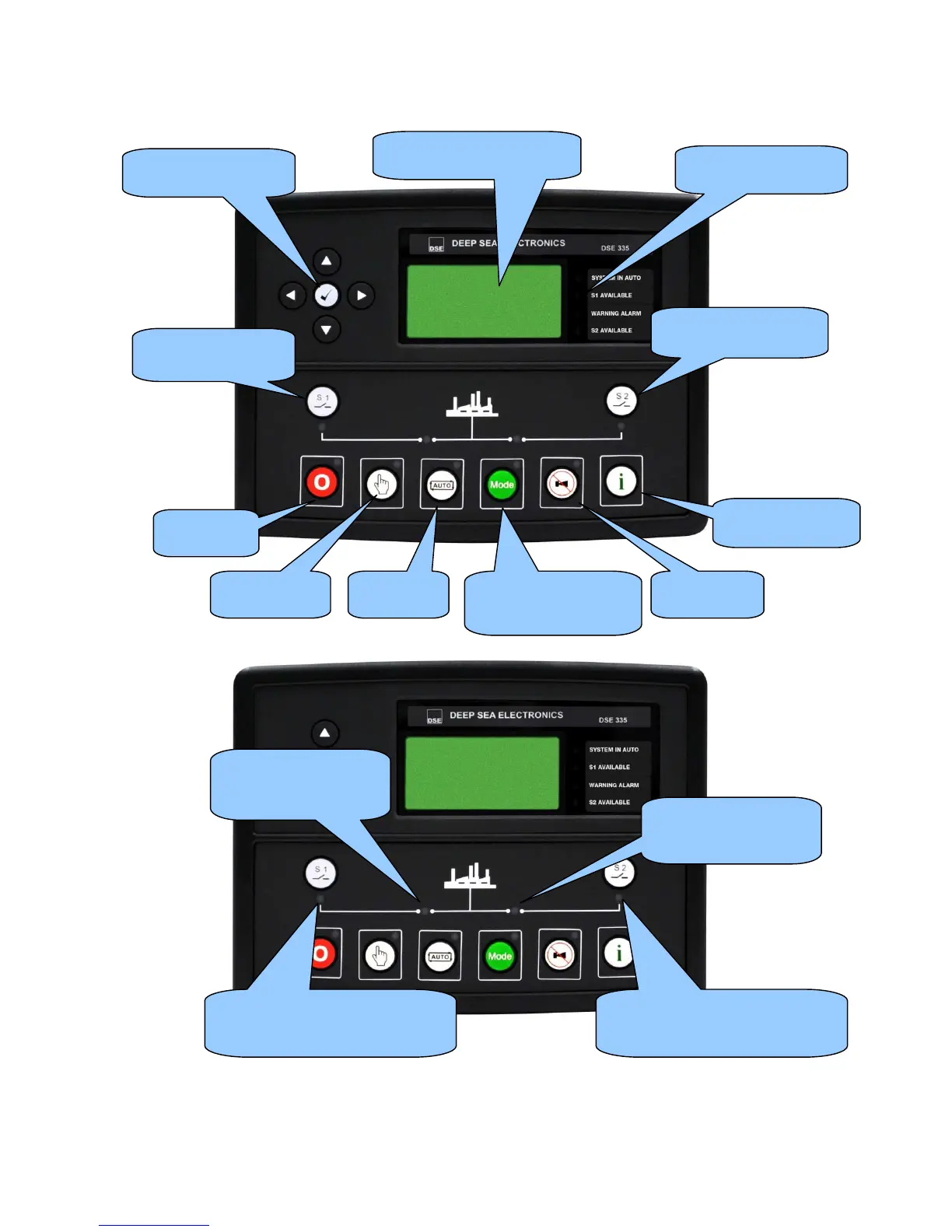
Menu navigation
buttons
Four configurable
LEDs
Select Stop
mode
Select
Manual mode
Select mode: Test On
Load, Test Off Load &
Prohibit Return
Alarm Mute /
Lamp Test
Latest Transfer
Information (Info)
Open/Close S2
(manual mode only)
Open/Close S1
(manual mode only)
Main status and
instrumentation display
Select
Auto mode
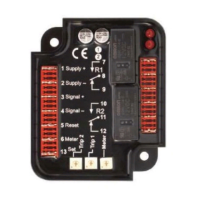
S2 status LED.
Illuminated when S2
is supplying the load.
S2 Available LED.
Illuminated when the S2 is within
limits and able to take load.
S2 Available LED.
Illuminated when the S2 is within
limits and able to take load.
S1 status LED.
Illuminated when S1
is supplying the load.

Table of Contents