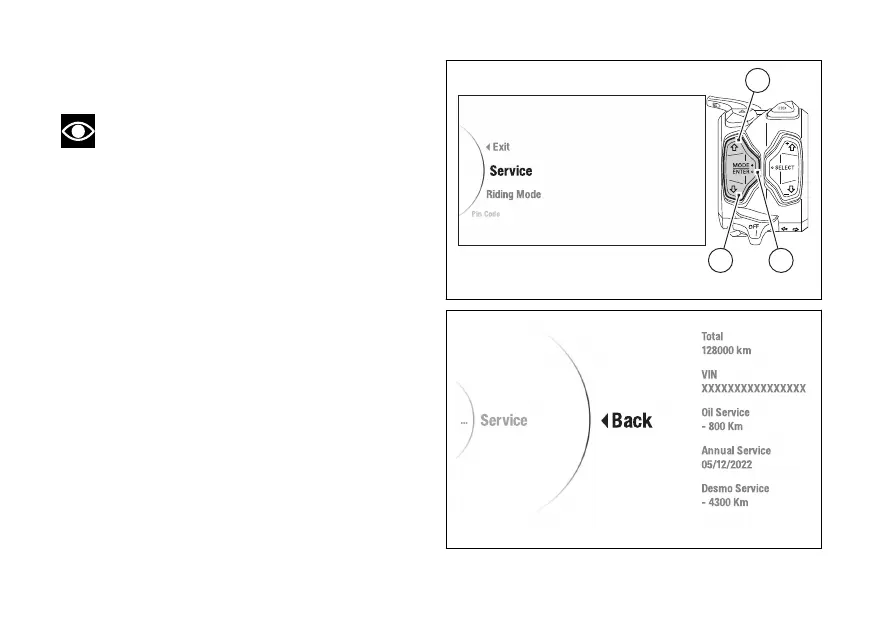
Menu - Service
This function allows displaying service coupons.
Note
When entering the Menu, the first item
selected is "Riding Mode".
●
Enter the menu.
●
Use (1) and (2) to select item “Service”
and press the ENTER (3).
The following information will be displayed:
●
Odometer
●
Vehicle identification number
●
Oil Service (remaining kilometres or miles)
●
Annual Service (date)
●
Desmo Service (remaining kilometres or miles)
This function does not allow any kind of changes.
Press the ENTER (3) to quit.
When a service is due, it is highlighted in colour.
Fig 84
Fig 85
132













 To Next Page