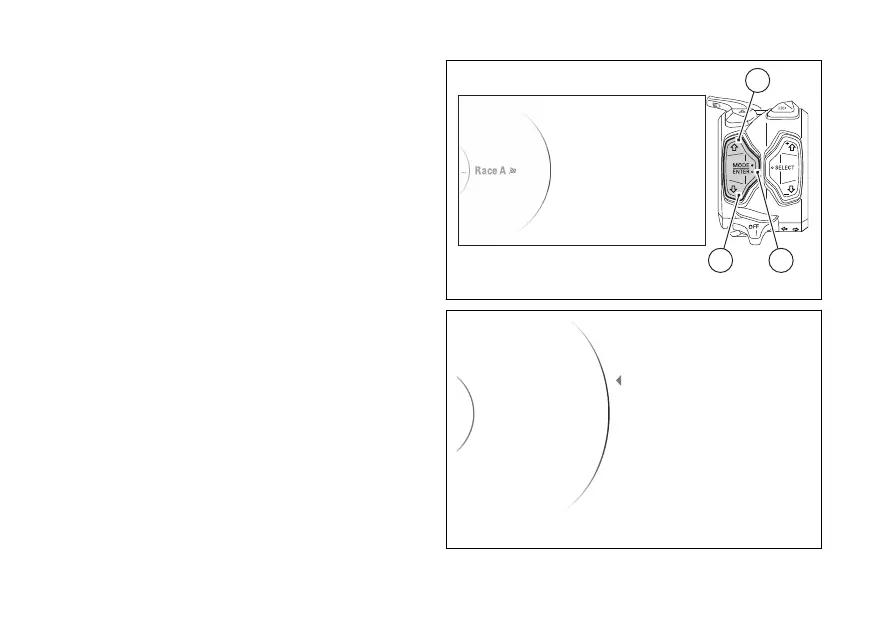
Menu - Riding Mode - DAVC
This function allows the levels of functions
DTC DWC DSC grouped in the DAVC function
associated to each riding mode.
The DAVC function is the package of electronic
controls (DTC, DWC, DSC) managing motorcycle
traction during the acceleration phase.
●
Enter the menu.
●
Use (1) and (2) to select item “Riding
Mode” and press the ENTER (3).
●
Select the Riding Mode you wish to customise
and press ENTER (3).
●
Select the “DAVC” item and press ENTER (3).
The following items will be displayed in this menu:
“DTC”, “DWC”, “DSC”, “Default” (visible only if one or
more parameters are from the default
ones).
Use (1) and (2) to scroll and select the desired
item. Press the ENTER (3) to confirm.
To exit the menu and return to the previous screen,
select the “Back” item and press the ENTER
(3).
For the DTC function, refer to paragraph page 164.
For the DWC function, refer to paragraph page 170.
For the DSC function, refer to paragraph page 176.
Fig 111
Fig 112
162













 To Next Page