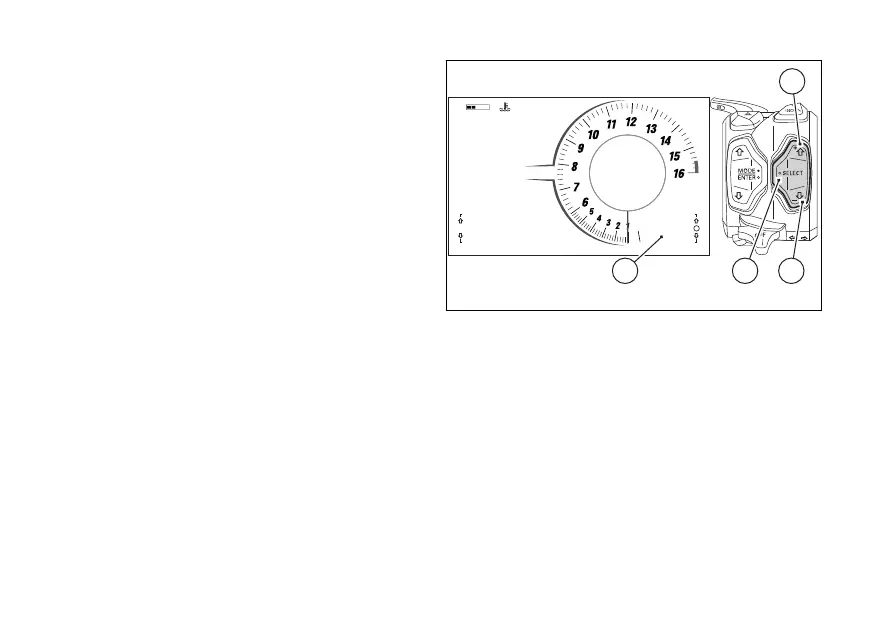
Parameter menu and quick level
change
In the lower right corner of the main screen the
parameter menu (A) that allows a quick level change
for the selected parameter is displayed.
The following parameters and their currently set
values are displayed in scrolling mode:
●
DTC
●
DWC
●
DSC
●
EBC
With the quick selection UP (1) and DOWN
(2) it is possible to scroll through the list of available
parameters.
When the empty circle symbol at the right of the
parameter is displayed, it is possible to change level
by pressing the quick selection “SELECT” (3).
0
11:34
A.M.
SPORT
RPM X 1000
Gear
km/h
N
DWC 3
DTC 3
DSC 2
SETTING MENU
TRIP 1
TOT km
1245
137.4 km
LO HI
Lap Off
A
1
23
Fig 66
110













 To Next Page