Oil change
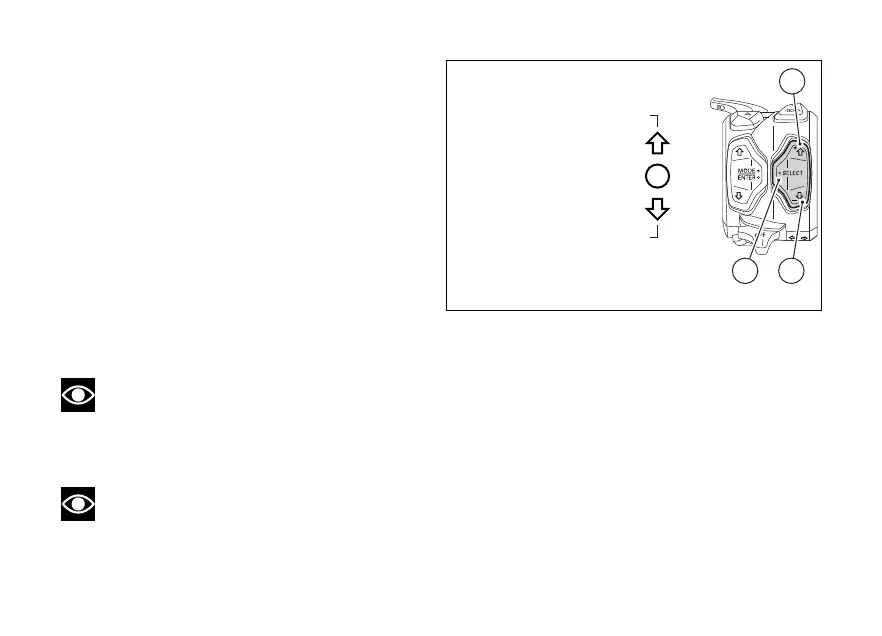
Pressing the SELECT (3) displays the
selected parameter and its currently set level
together with the available values.
The UP (1) and DOWN (2) navigation can be
used to scroll through and select the available levels.
By pressing the SELECT (3), you confirm the
selected level and the instrument panel shows the
previous screen.
The set level is memorised for the currently use
Riding Mode.
For a correct choice of the levels for the parameters
indicated and to customise the parameters for each
available Riding Mode, refer to the "Riding Mode"
function in the Menu (see page 130) .
Note
If a parameter has been set to through the
Menu (e.g. DTC, DWC, DSC), status is
displayed and it is not possible to its quick
change.
Note
Through the quick change it is not possible to
disable the parameter by an level.
Fig 67
111













 To Next Page