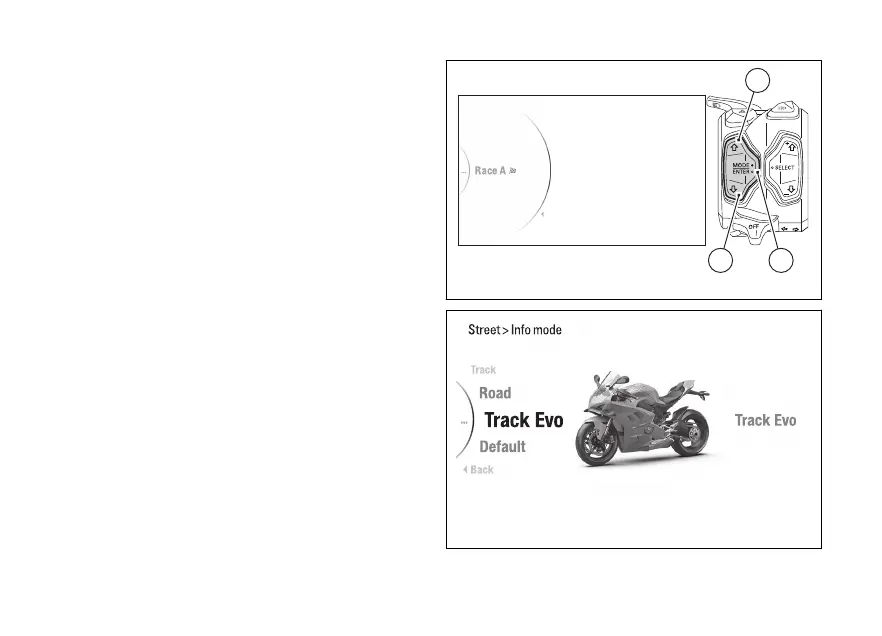
Menu - Riding Mode - Info
Mode
This function allows rider to select the main screen
displaying mode associated with every Riding Mode
(see page 98).
●
Enter the menu.
●
Use (1) and (2) to select item “Riding
Mode” and press the ENTER (3).
●
Select the Riding Mode you wish to customise
and press ENTER (3).
●
Select the "Info Mode" item and press ENTER
(3).
The "Track", "Road", "Track Evo", "Default" Info
Modes are displayed on the (visible only if the
currently set Info Mode is not the default one). The
currently set Info Mode is displayed on the right side.
The bike is displayed in the centre with the
being set highlighted.
Use (1) and (2) to scroll and select the desired
Info Mode. Press the ENTER (3) to confirm.
To exit the menu and return to the previous screen,
select the “Back” item and press the ENTER
(3).
Info Mode
Default
DQS
EBC
Back
1
32
Fig 123
Fig 124
187













 To Next Page