38 | 8.2 Installing a Driver for the Ethernet Port
DuraLabel.com | 800.788.5572
CONFIGURING ETHERNET CARD
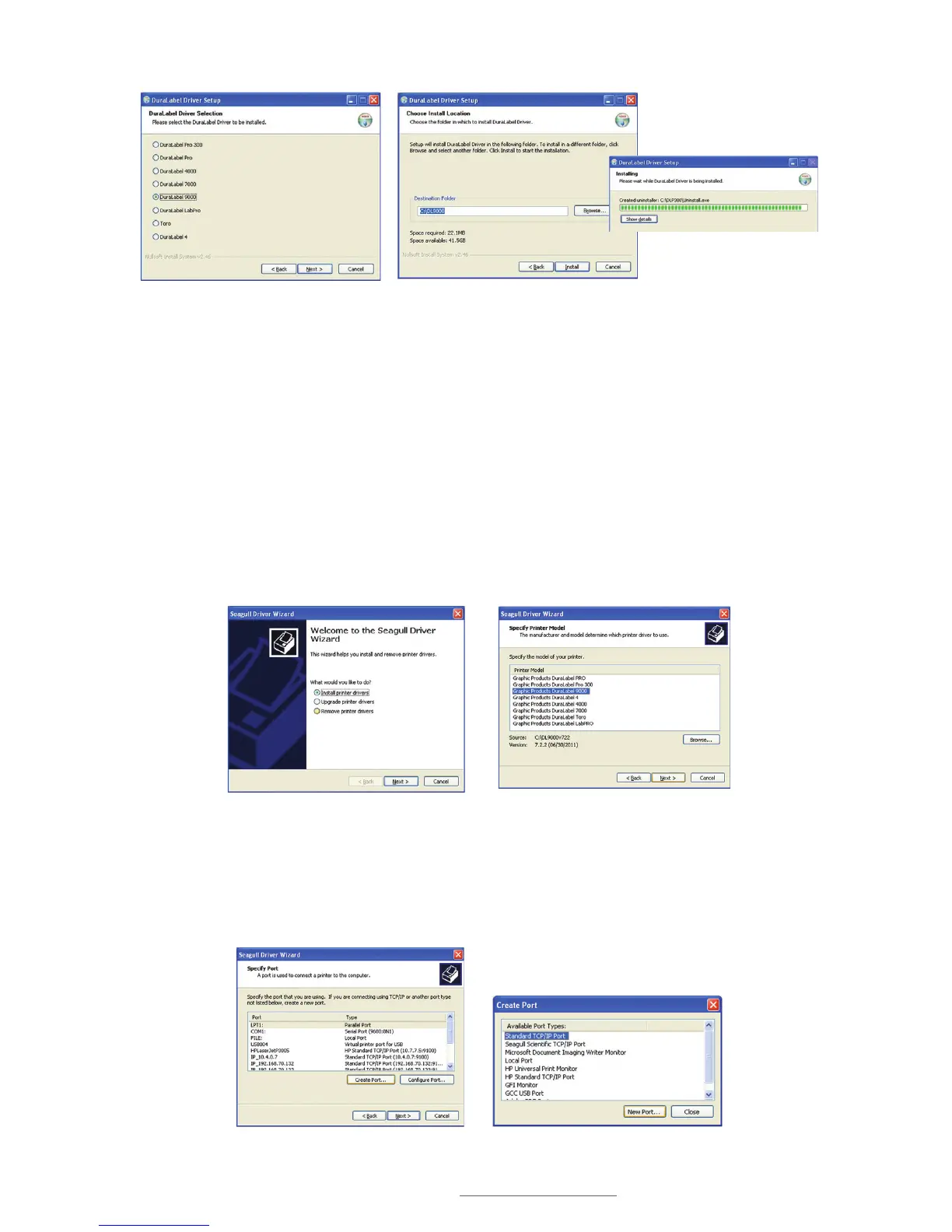
D. Select DuraLabel 9000 and click Next on the DuraLabel Driver Selection window
that appears.
E. Choose the install location and click Install on the Choose Install Location window
that appears. An Installing window shows installation progress.
F. Select Install printer drivers on the Driver Wizard window that appears and click
Next.
G. Select Graphic Products DuraLabel 9000 on the Specify Printer Model window
that appears and click Next.
H. Click Create Port on the Specify Port window that appears. A Create Port selection
box will now appear.
I. Select Standard TCP/IP Port on the Create Port selection box and click New Port.
Selecting a DuraLabel Driver
Driver Install Location Window
Installing Window
Install Printer Driver Window
Specify Printer Model Window
Specify Port Window Create Port Selection Box



 To Next Page