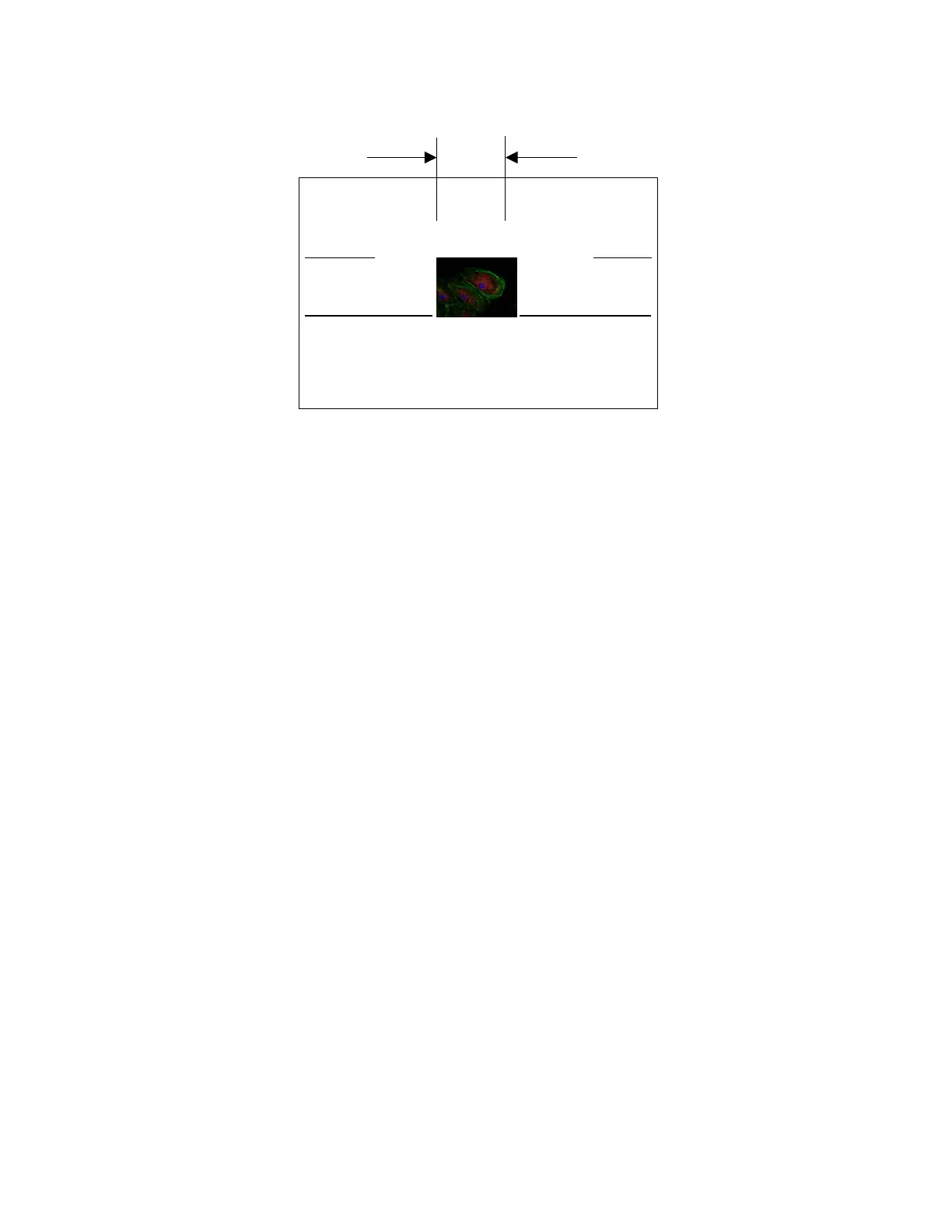
unwanted - fast scan
wanted
wanted
unwanted - fast scan
trimmed in display with software
[normal scan]
[normal scan]
7.7.2 Advantages
ROI allows faster frame rate without compromising spatial resolution. The benefit of ROI is that
fewer lines are scanned instead of scanning all lines of the CCD. Thus, a higher number of frames
per second are achieved. Instead of getting 10 frames per second, the user could view the selected
pixels at full-resolution at a faster frame rate.
7.7.3 Disadvantages
The downside of ROI is that as one reduces the ROI, the frame duration is lowered leading to lower
exposures per frame, causing less image brightness. For example, if the exposure time went from
1/10 second to 1/100 of second, the image would be a significantly lower duration of
exposure/frame.
7.7.4 What can be done to overcome this disadvantage?
One can sacrifice the lack of brightness or can compensate for brightness in another way. This can
be done by making the lamp brighter in a microscope or by opening-up the iris of a lens. Thus,
ROI is especially advantageous where one has control of the light
7.7.5 What applications should ROI be used for?
In applications such as bright field microscopy and single molecule tracking, the user can select an
area of interest and improve the effective frame rate. The Intensicam-1412 is based on the 1412
and is used for low-light images where the user wants speed.
7.7.6 ROI Commands
ROI {0,1} .. {OFF,ON}
BTY yyy .. Bottom Y co-ordinate; three digit Hex; should be divided by 2 TPY YYY ..
Top Y co-ordinate; three digit Hex
The Y co-ordinate starts from the bottom of the screen at 0 and counts up to 1032 where it hits the
top of the screen. Due to its internal implementation, BTY needs to be divided by 2. For example:
ROI 1
TPY 100 (H’100=>256)
BTY 100 (H’100=>256*2=512)
Will set an ROI from pixel row 256 to pixel row 512
28


 To Next Page