8.1.4 Gamma Correction
In order to compensate for the non-linearity of monitors, a gamma correction curve needs to be
applied to the color corrected digitized pixel values. A default value of 0.6 may be provided,
although in some applications, this may need to be a user-supplied number.
8.1.5 Color Coding
For each digitized pixel value (after color correction AND gamma correction) it is necessary to
generate the remaining two values to complete that pixel’s representation in the R-G-B color space.
This can be done in several ways - it might be a good idea to provide all the following
implementations and then allow the user to select the one that best suits the application.
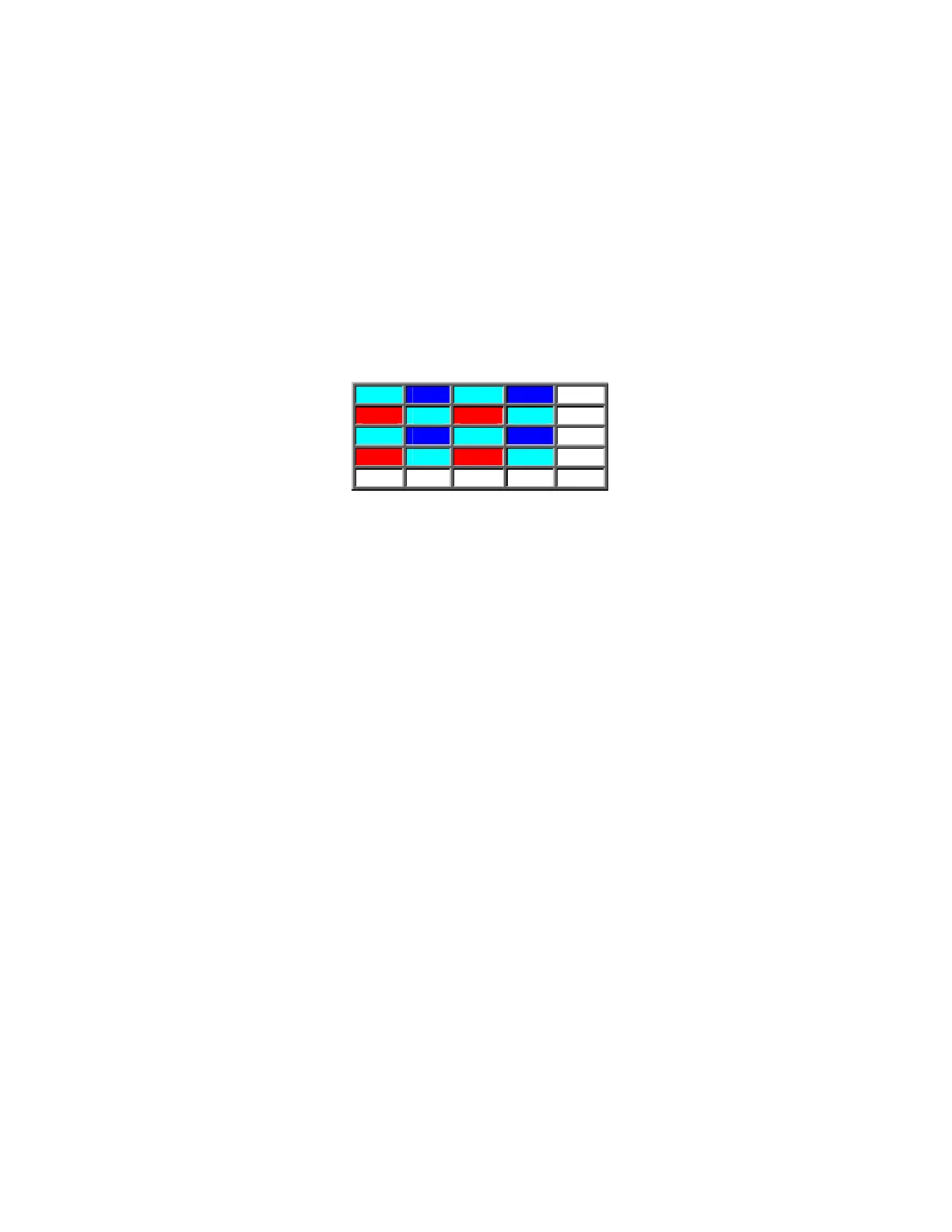
In the following example, the G11, B11 … represent color-corrected and gamma-corrected
digitized pixel values. Several different color-coding algorithms are possible:
G11 B12 G13 B14 . .
R21 G22 R23 G24 . .
G31 B32 G33 B34 . .
R41 G42 R43 G44 . .
: : : : : :
Figure 8.1-3: Bayer Pattern CFA (color coding example)
8.1.6 Suggested Algorithm
"Green pix" PIX22 = Avg(R21, R23); G22; Avg(B12, B32)
"Red pix" PIX23 = R23; Avg(G13, G22, G33, G24); Avg(B12, B32, B34, B14)
"Blue pix" PIX32 = Avg(R21, R41, R43, R23); Avg(G31, G42, G33, G22); B32
For pixels on the edge of the imager, the following algorithm can be used:
PIX11 = R21; G11; B12
LHS column
PIX21 = R21; Avg(G11, G22, G31); Avg(B12, B32)
PIX31 = Avg(R21, R41); G31; B32
Top row:
PIX12 = Avg(R21, R23); Avg(G11, G13); B12
PIX13 = R23; G13; Avg(B12, B14)
A similar approach can be taken with pixels on the bottom row and the RHS column.
45


 To Next Page