In the present implementation, ROI and BIN are mutually exclusive commands. This will be
changed in later versions.
7.8 SLOW SCAN
Slow scan: The read noise of a CCD is significantly affected by the scanning rate. Some users
wish to improve the read noise by slow-scanning the CCD. This is provided in the camera by
means of a clock multiplexer scheme; the user selects which one of the four (4) clocks is to be used
as the pixel clock.
NOTE: This selection affects all the internal clocks, since the entire timing logic runs on the
selected clock. Therefore, all exposure values etc. will be scaled accordingly.
The slow-scan mode of the camera is set via the SLW command. There are four valid arguments to
this command {01, 02, 04, 08}. When one of these commands is issued by the host-side software,
the mode control bits are set as shown in the table for 2µsec. The mode control bits then revert to
the setting (1 x x x) just prior to the slow-scan command.
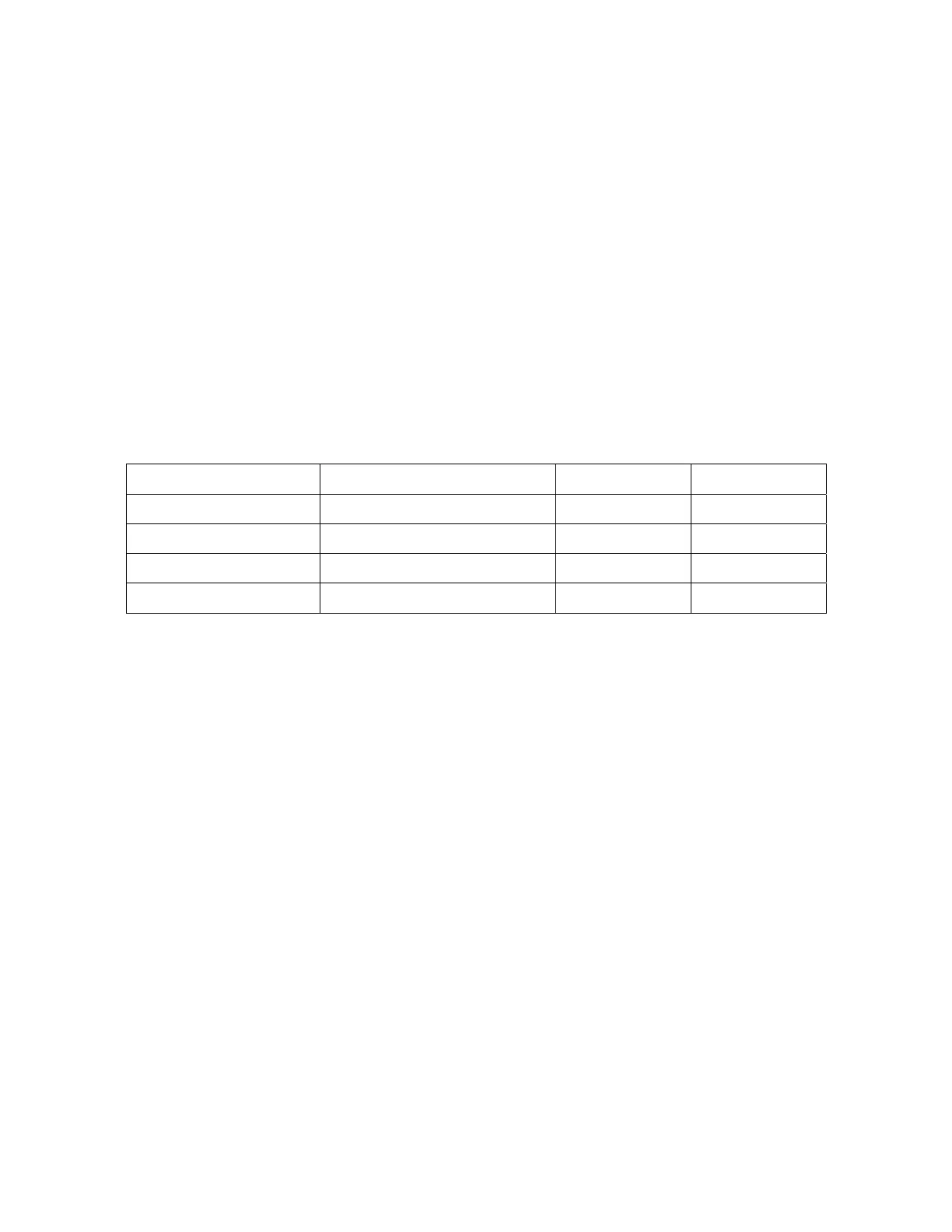
Command Code Description Frame Rate Clock
SLW 01 Fast pixel clock divided by 1 10f/sec 18 MHz
SLW 02 Fast pixel clock divided by 2 5f/sec 9 MHz
SLW 04 Fast pixel clock divided by 4 2.5f/sec 4.5 MHz
SLW 08 Fast pixel clock divided by 8 1.25f/sec 2.21 MHz
Table 7.8-1: Slow-scan mode commands
29


 To Next Page