Point registration
117
Point
registration
3.
Registering, correcting or deleting a special memory point
Up to 5 special memory points can be registered on one map.
A special memory point is different from other memory points in that, when registered, they
can be retrieved with one-touch from the screen appearing when retrieving a map. Also,
when setting a destination, a route search can be initiated with one-touch from the destination
setting screen. (Refer to page 67)
Registering a special memory point
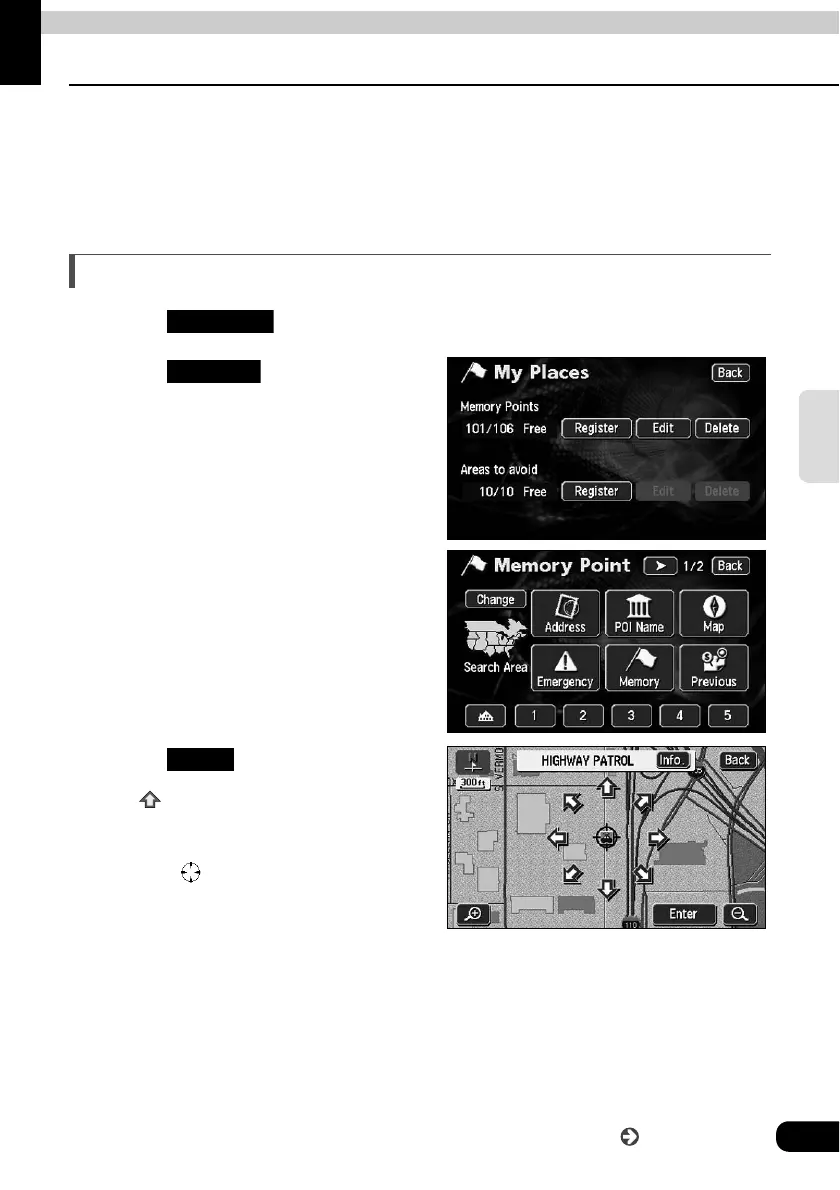
Touch in the Menu screen.
Touch for Memory
Points.
Select a map retrieval method and
the map corresponding to the
special memory point to be
registered appears.
• See pages 47 and 63, "How to
retrieve maps" and "
Performing
operations on a retrieved map
".
Touch .
• If is displayed, touch it to move the
map.
• The special memory point will appear
on the position.
My Places
Register
Enter
Go to the next page



 To Next Page