82
3. Changing the search result route
Navigation guidance
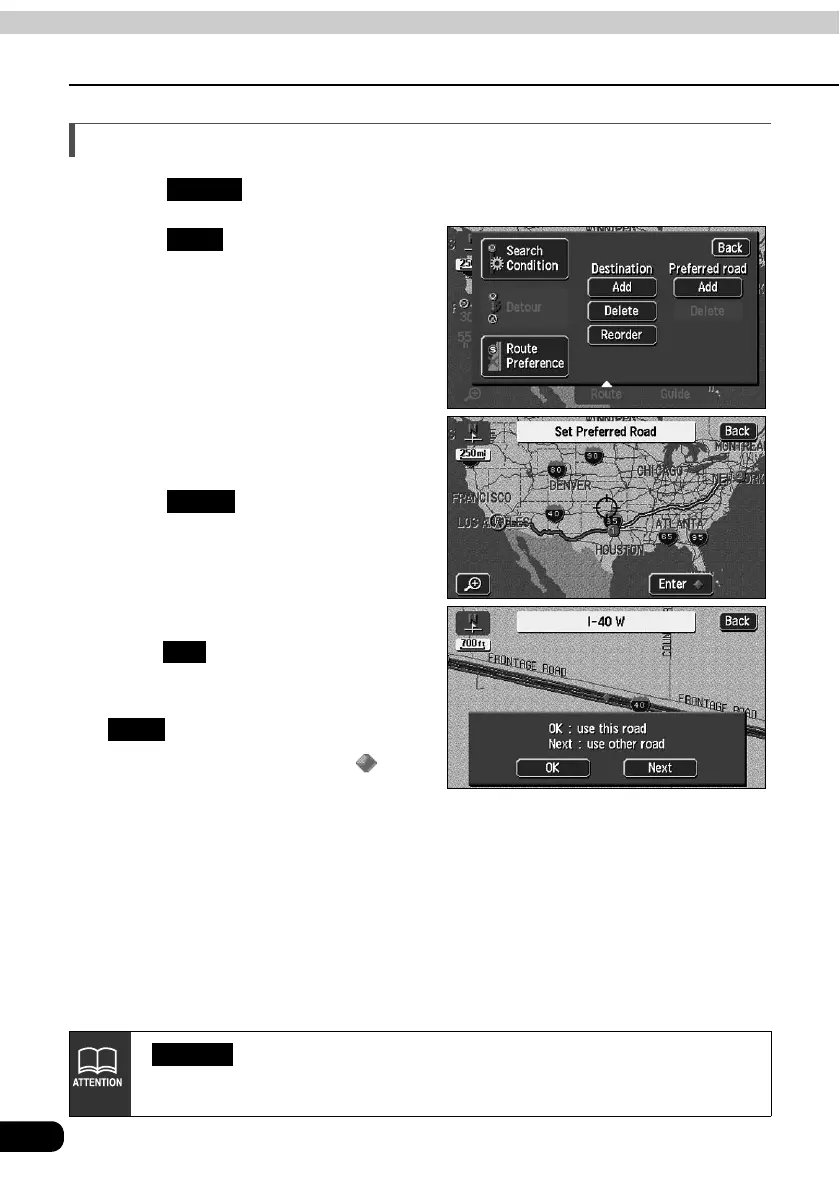
Indicating a transit road
Touch .
Touch for Preferred Road.
The map will move to the position
of the indicated transit road.
Touch .
To indicate the road displayed,
touch .
To specify another road, touch
.
• Transit roads are marked with .
• If only one destination is set and there
are no interchanges or transit roads
indicated, the screen in will appear.
Route
Add
Enter
OK
Next
• will appear if there is a transit road already indicated.
• If a map with a reduction scale wider than 0.5 miles is displayed, switch to a 0.5
mile reduction scale.
Delete



 To Next Page