48
4. How to retrieve maps
Basic operation
Item (touch switch) Function
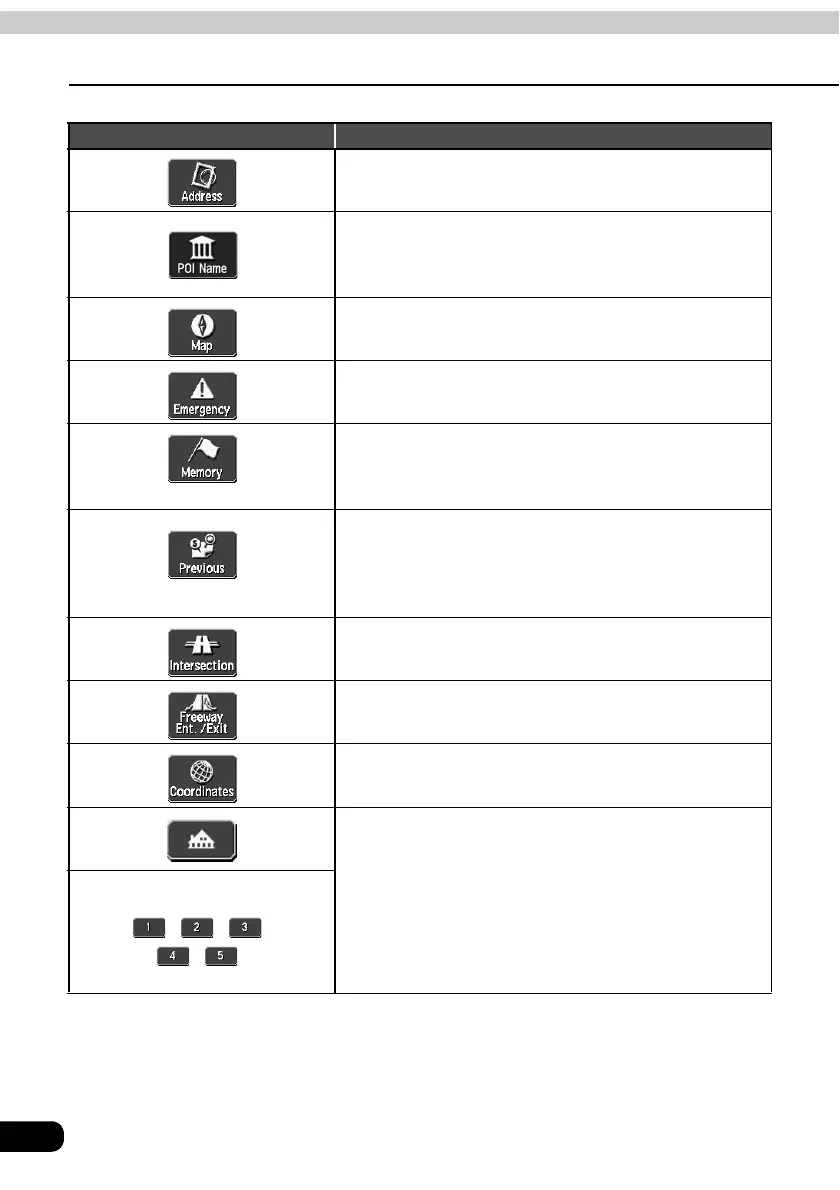
By entering an address, the map corresponding to that
point (or area) can be displayed. (Refer to page 50)
By entering the name of a POI, the map corresponding to
that POI's vicinity of can be displayed. Also, enter the
name of an address to display the map of that area. (Refer
to page 52)
The map displayed on the screen before having opened
the Menu screen can be returned.
Police stations, hospitals are displayed in the order of
proximity to the present location. (Refer to page 58)
The map of the vicinity of a memory point can be displayed.
(Refer to page 58) [Only for when memory points are
registered. For information concerning memory points, see
page 102.]
The map of the vicinity of a previously set destination or
the previous start point can be displayed.
(Refer to page
59) [Only for when an entry in the destination archive is
registered. For information concerning the destination
archive, see Page 125.]
Intersections can be displayed by entering the names of
two roads that cross each other. (Refer to page 59)
A map can be displayed by indicating a freeway entrance/
exit. (Refer to page 61)
A map can be displayed by entering latitude and longitude
coordinates. (Refer to page 62)
[When setting a destination]
A route search is started for a registered geographical
point. [Only when each respective point is registered.]
[When registering a memory point]
The map for a registered point can be displayed. [Only
when each respective point is registered.]
• Registering your home (Refer to page 103)
• Registering 1 to 5 special memory points
(Refer to page 117)
Vicinity of special memory point
/ / /
/ /



 To Next Page