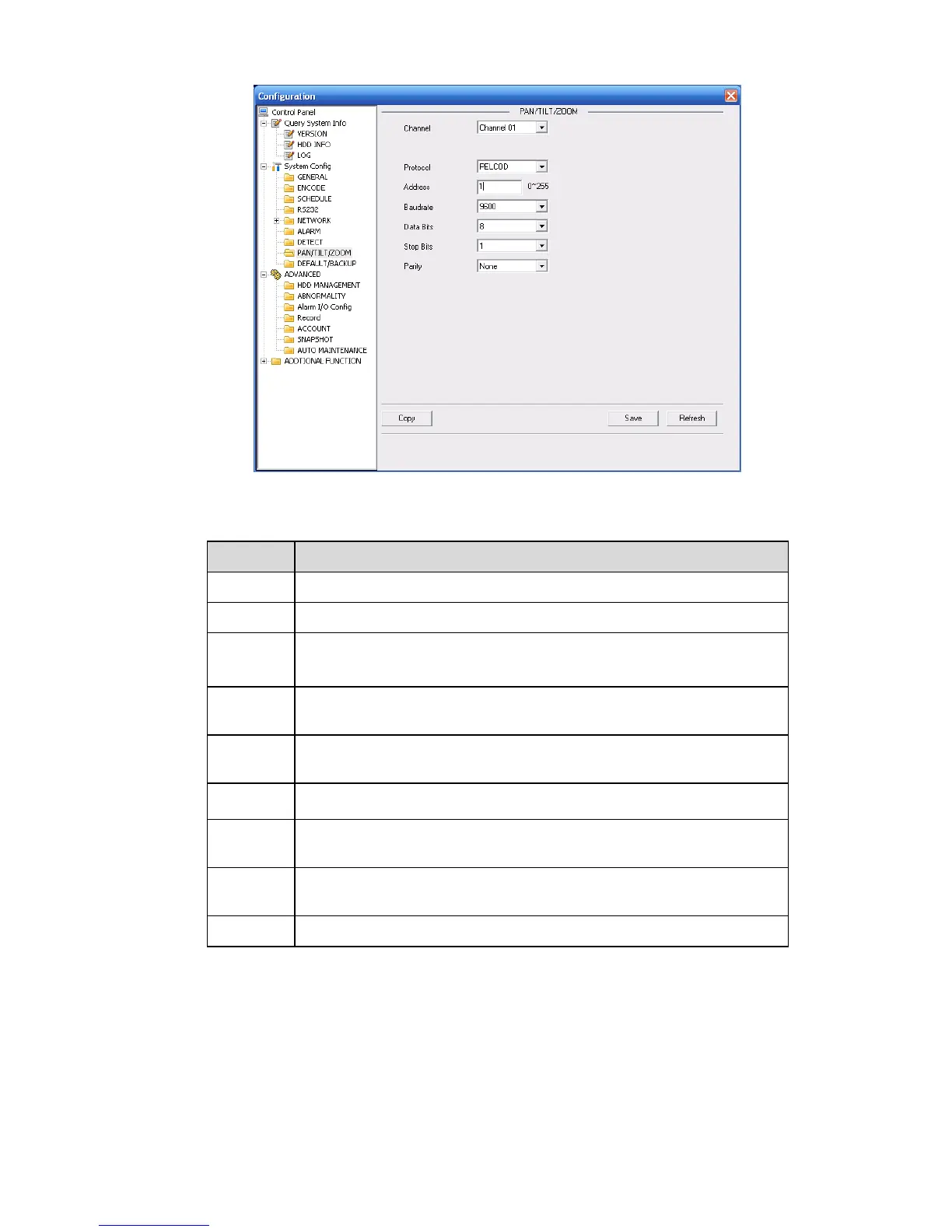
Figure 7-42
Please refer to the following sheet for detailed information.
You can select monitor channel from the dropdown list. .
Select the corresponding dome protocol.(such as PELCOD)
Set corresponding dome address. Default value is 1. Please note your
setup here shall comply with your dome address; otherwise you can
not control the speed dome.
Select the dome baud rate. Default setup is 9600.
Default setup is 8. Please set according to the speed dome dial switch
setup.
Default setup is 1. Please set according to the speed dome dial switch
setup.
Default setup is none. Please set according to the speed dome dial
switch setup.
You can click save button after you complete setup for one channel,
or you can complete the whole setups and then click save button.
Click this button to get device latest configuration information.
7.3.2.9 Default & Backup
Default: Restore factory default setup. You can select corresponding items.
Backup: Export current configuration to local PC or import configuration from current PC.
Please refer to X471H471H471HFigure 7-43X.
Please note system cannot restore some information such as network IP address.



 To Next Page