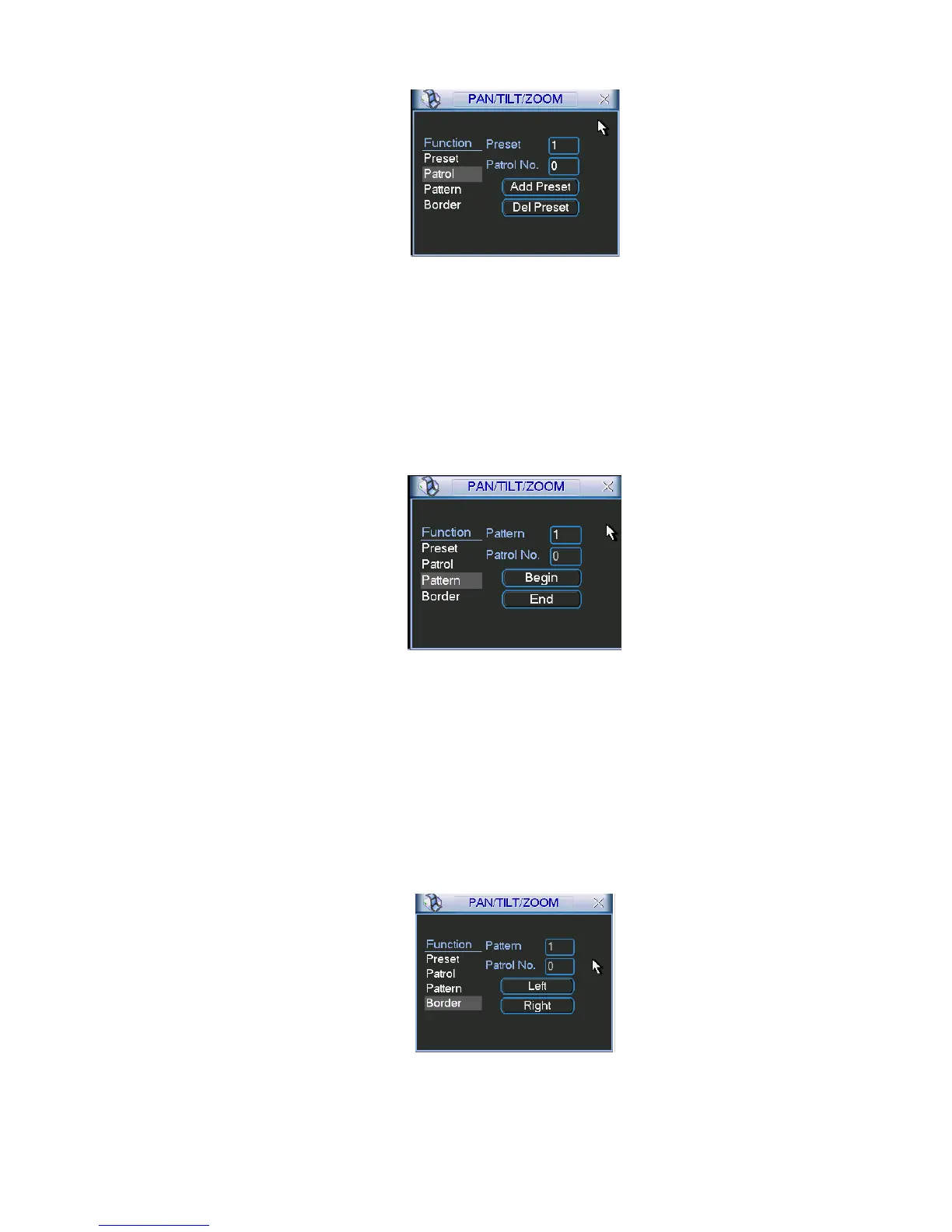
Figure 4-39
4.9.4 Activate Patrol (tour)
In Figure 4-39, input patrol (tour) number in the No. blank and click patrol button
4.9.5 Pattern Setup
In Figure 4-38 click pattern button and then click “begin” button. The interface is shown as in Figure
4-40. Then you can go to Figure 4-33 to modify zoom, focus, and iris.
Go back to Figure 4-40 and click “end” button. You can memorize all these operations as pattern 1.
Figure 4-40
4.9.6 Activate Pattern Function
In Figure 4-37, input mode value in the No. blank, and click pattern button.
4.9.7 Auto Scan Setup
In Figure 4-36, click border button. The interface is shown as in Figure 4-41. Please go to Figure 4-33,
use direction arrows to select camera left limit
Then please go to Figure 4-41 and click left limit button
Repeat the above procedures to set right limit.
Figure 4-41
4.9.8 Activate Auto Scan



 To Next Page