6.2.1 Preset Setup
Note: The following setups are usually operated in the X405H405H405HFigure 6-2X, X406H406H406HFigure 6-5X and X407H407H407HFigure 6-6X.
In X408H408H408HFigure 6-2X, use eight direction arrows to adjust camera to the proper position.
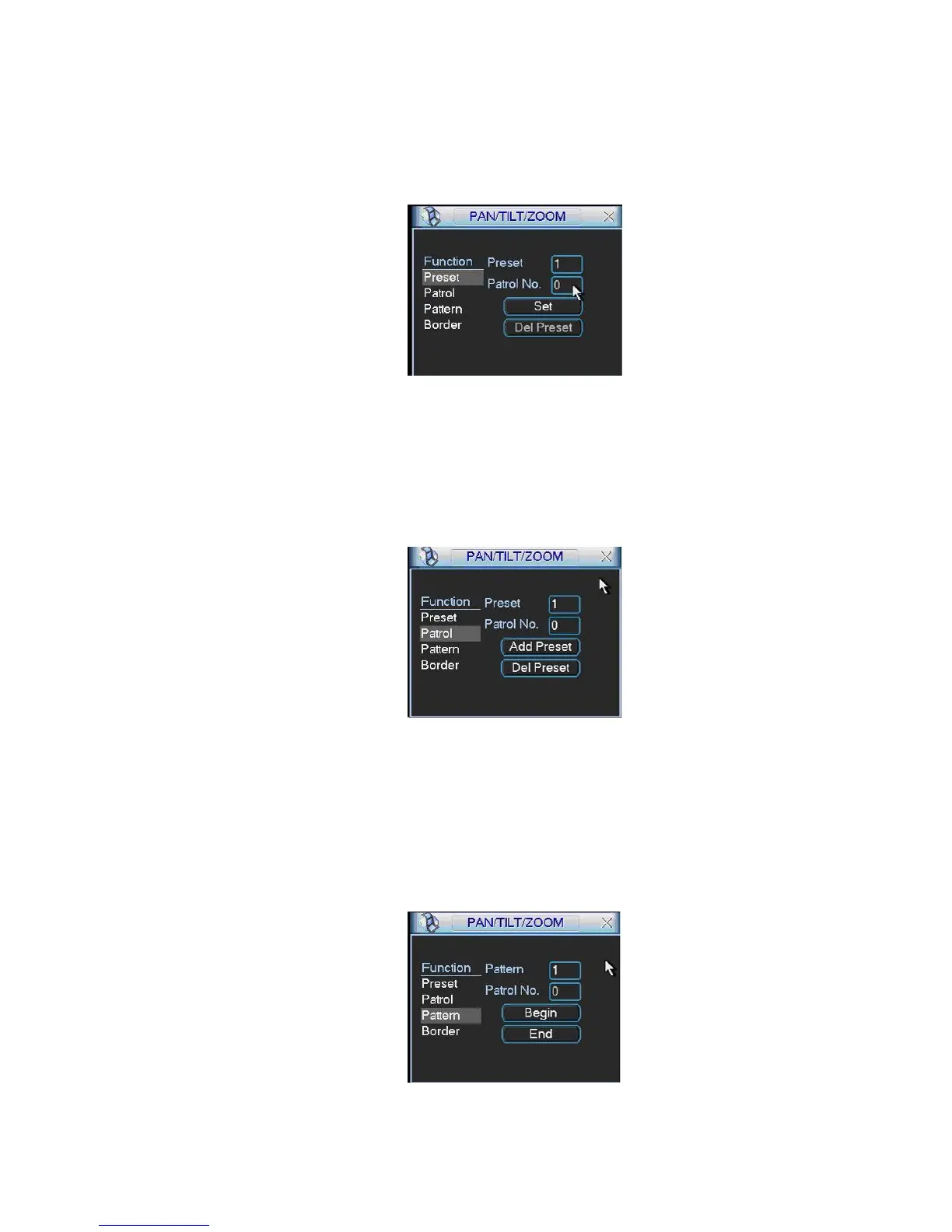
In X409H409H409HFigure 6-5X, click preset button and input preset number. The interface is shown as in X410H410H410HFigure 6-7X.
Add this preset to one patrol number
Figure 6-7
6.2.2 Activate Preset
In X411H411H411HFigure 6-6X please input preset number in the No. blank, and click preset button.
6.2.3 Patrol Setup
In X412H412H412HFigure 6-5X, click patrol button. The interface is shown as in X413H413H413HFigure 6-8X.
Input preset number and then add this preset to one patrol.
Figure 6-8
6.2.4 Activate Patrol
In X414H414H414HFigure 6-6X, input patrol number in the No. blank and click patrol button
6.2.5 Pattern Setup
In X415H415H415HFigure 6-5X, click pattern button and then click begin button. The interface shows like X416H416H416HFigure 6-9X.
Please go to X417H417H417HFigure 6-2X to modify zoom, focus, and iris. Go back to X418H418H418HFigure 6-9X and click end button.
You can memorize all these setups as pattern 1.
Figure 6-9
6.2.6 Activate Pattern Function



 To Next Page