Figure 5-18
Please highlight the icon in front of Enable to activate FTP function.
Here you can input FTP server address, port and remote directory. When remote directory is null,
system automatically create folders according to the IP, time and channel.
User name and password is the account information for you to login the FTP.
File length is upload file length. When setup is larger than the actual file length, system will upload the
whole file. When setup here is smaller than the actual file length, system only uploads the set length
and auto ignore the left section. When interval value is 0, system uploads all corresponding files.
After completed channel and weekday setup, you can set two periods for one each channel.
5.3.5.8 Alarm Centre
This interface is reserved for you to develop.
5.3.6 Alarm
Please refer to chapter 4.6 Alarm Setup and Activation.
5.3.7 Detect
Please refer to chapter 4.5 Detect.
5.3.8 Pan/Tilt/Zoom
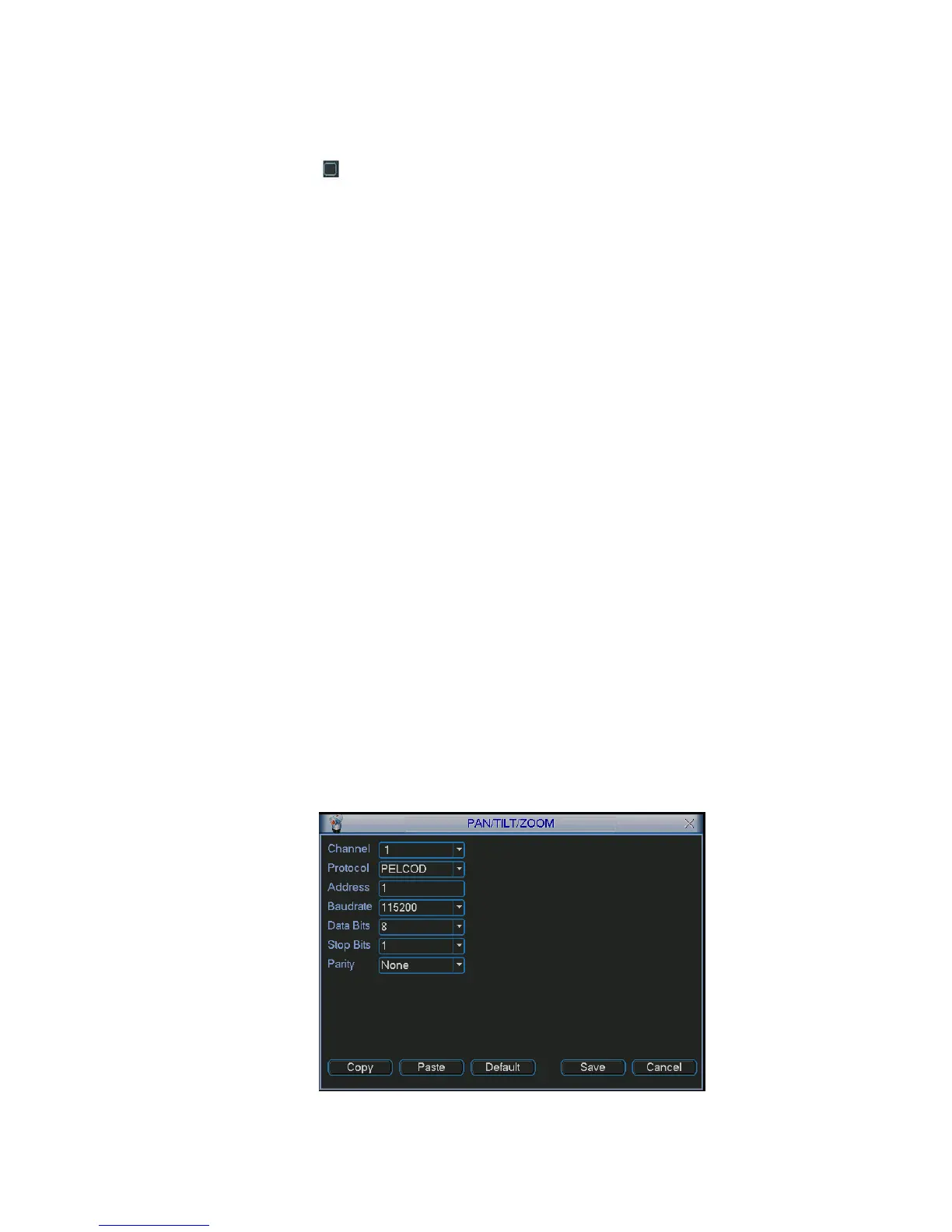
The pan/tilt/zoom setup includes the following items. Please select channel first. See Figure 5-19.
Protocol: Select corresponding PTZ protocol such as PELCOD.
Address: input corresponding PTZ address.
Baud rate: Select baud rate.
Data bit: Select data bit.
Stop bit: Select stop bit.
Parity: There are three choices: none/odd/even.
After completed all the setups please click save button, system goes back to the previous menu.
For detailed setup, please refer to chapter 4.9 preset/patrol/pattern/scan.
Figure 5-19



 To Next Page