Figure 4-13
4.4.1.1 Quick Setup
This function allows you to copy one channel setup to another. After setting in channel 1, you can click
paste button and turn to channel 2 and then click copy button. You can finish setting for one channel
and then click save button or you can finish all setup and then click save button to memorize all the
settings.
4.4.2 Snapshot
4.4.2.1 Schedule Snapshot
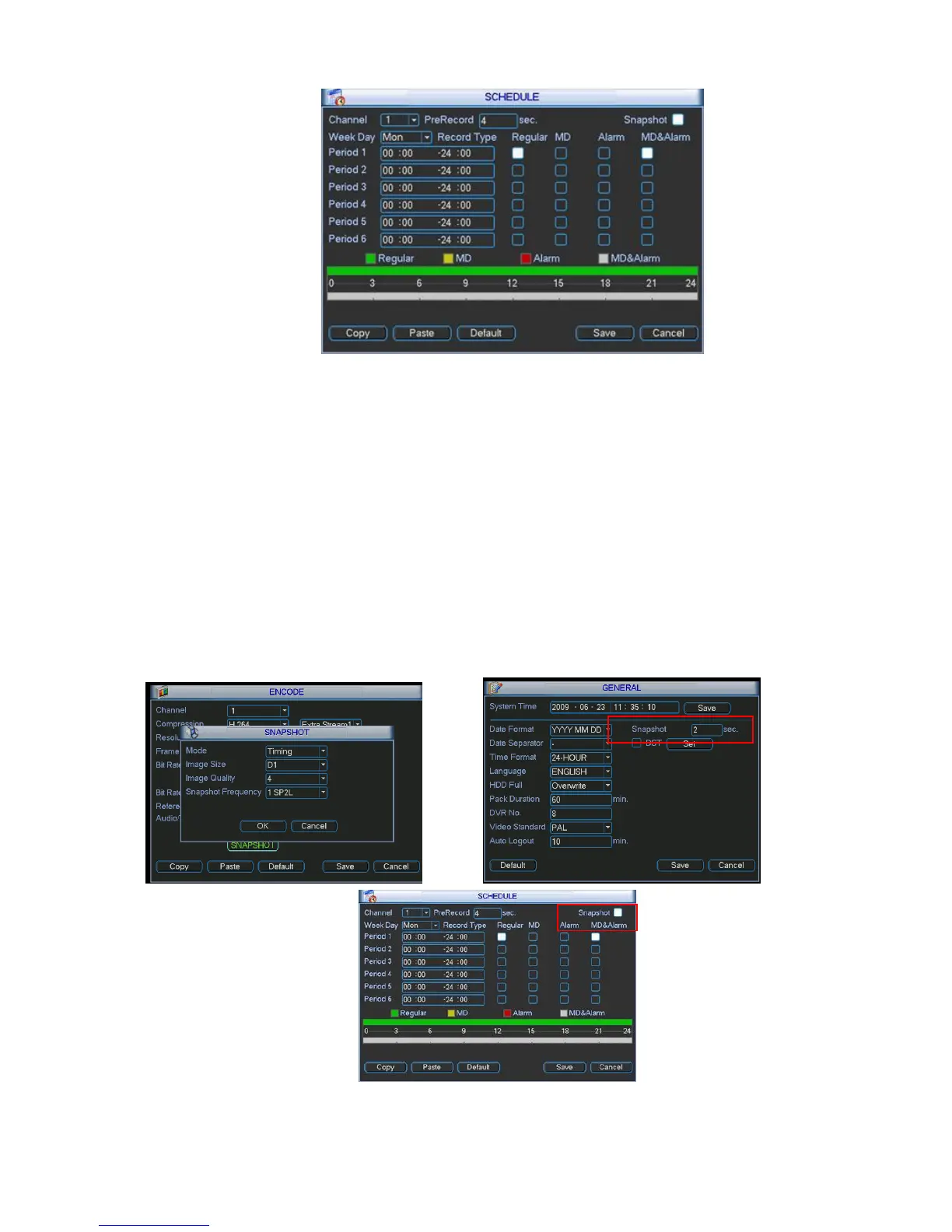
In Encode interface, click snapshot button to input snapshot mode, size, quality and frequency.
In General interface please input upload interval.
In Schedule interface, please enable snapshot function.
Please refer to the following figure for detailed information. See Figure 4-14.
Figure 4-14



 To Next Page