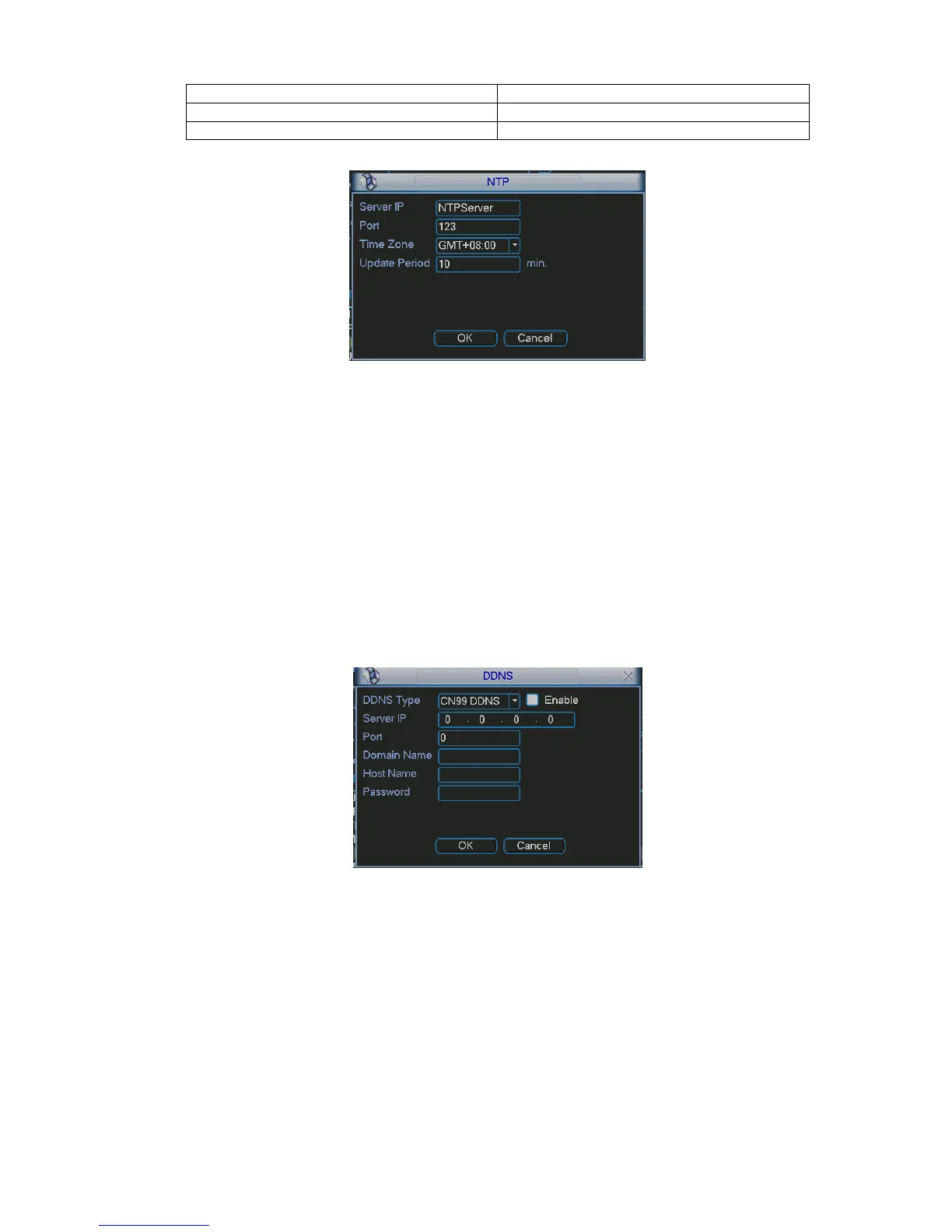
Figure 5-14
5.3.5.6 DDNS Setup
DDNS setup interface is shown as in Figure 5-15.
You need a PC of fixed IP in the internet and there is the DDNS software running in this PC. In other
words, this PC is a DNS (domain name server).
In network DDNS, please select DDNS type and highlight enable item. Them please input your PPPoE
name you get from you IPS and server IP (PC with DDNS ) . Click save button and then reboot system.
Click save button, system prompts for rebooting to get all setup activated.
After rebooting, open IE and input as below:
http://(DDNS server IP)/(virtual directory name)/webtest.htm
e.g.: http://10.6.2.85/DVR _DDNS/webtest.htm.)
Now you can open DDNSServer web search page.
Figure 5-15
Please note NNDS type includes: CN99 DDNS、NO-IP DDNS、Private DDNS、Dyndns DDNS and
sysdns DDNS. All the DDNS can be valid at the same time, you can select as you requirement.
Private DDNS function shall work with special DDNS server and special Professional Surveillance
Software (PSS).
5.3.5.7 FTP
You need to download or buy FTP service tool (such as Ser-U FTP SERVER) to establish FTP service.
Please install Ser-U FTP SERVER first. From “start” -> “program” -> Serv-U FTP Server -> Serv-U
Administator. Now you can set user password and FTP folder. Please note you need to grant write right
to FTP upload user. See Figure 5-16.



 To Next Page