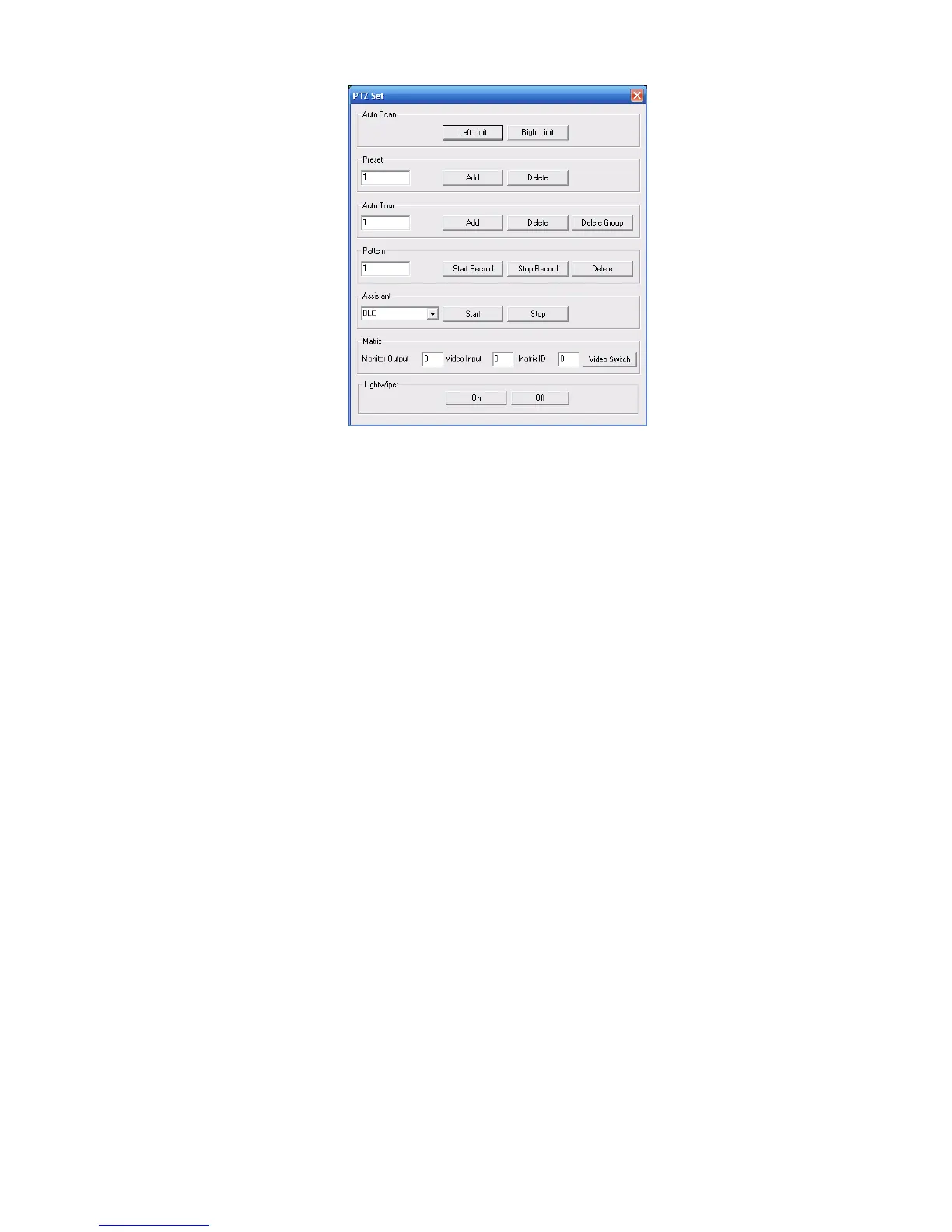
Figure 7-12
7.2.2.4 Auto Scan
In X439H439H439HFigure 7-12X, move the camera to you desired location and then click left limit button.
Then move the camera again and then click right limit button to set a right limit.
7.2.2.5 Pattern
In X440H440H440HFigure 7-12X, you can input pattern value and then click start record button to begin PTZ movement.
Please go back to Figure 7-11 to implement camera operation. Then you can click stop record button.
Now you have set one pattern.
7.2.2.6 Preset
In X441H441H441HFigure 7-12X, move the camera to your desired location and then input preset value. Click add
button, you have set one preset.
7.2.2.7 Auto tour
In X442H442H442HFigure 7-12X, input auto tour value and preset value. Click add button, you have added one preset in
the tour.
Repeat the above procedures you can add more presets in one tour.
7.2.2.8 Assistant
You can select the assistant item from the dropdown list. See X443H443H443HFigure 7-13X.
7.2.2.9 Matrix
This series product supports matrix extension function. You can control the video input and output
switch
7.2.2.10 Light and wiper
If your PTZ protocol supports the light and wiper control function. You can enable/disable the light or
the wiper.



 To Next Page