16 Installation and Service Guide
Installing Hardware
3 In the Server Language drop-down list, select a language.
4 Click Save.
5 Click Continue, then click Reboot.
Wait until the E-35A reboots and becomes Idle. It may take up to 15 minutes to complete the system language change.
To change the E-35A language from Fiery QuickTouch
1 On the Fiery QuickTouch display screen, press the Quick launch icon on the bottom-left corner (seepage 32).
2 Select Settings, and log in to the server as admin user (the default password is Fiery.1).
3 In the Language drop-down list, select a language.
4 Save the settings and then reboot the E-35A.
Wait until the E-35A reboots and becomes Idle. It may take up to 15 minutes to complete the system language change.
Checking the customer site
Before you install the E-35A, check site conditions and inform the customer of any installation requirements.
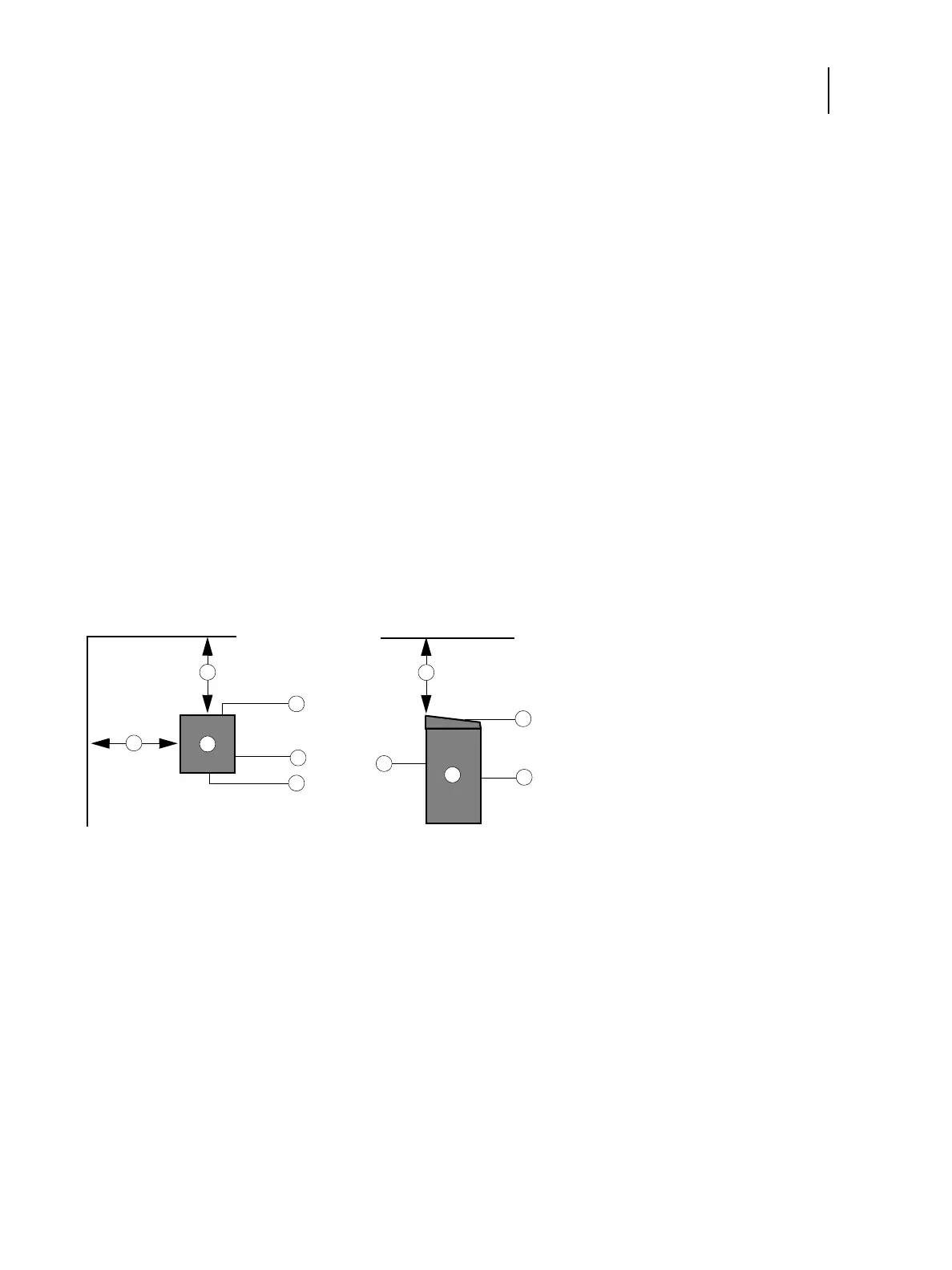
Figure 2: Space requirements for the E-35A without optional furniture
Printer readiness
•
Is the printer configured for use with the E-35A? (For the proper settings, see the documentation that accompanies
the printer.)
120cm+ (8 in.)
2 E-35A
3 Connector panel
4Side panel
5 Fiery Quick Touch display panel
6 Front panel
1
3
4
1
2
2
1
3
6
6
5
Top view Left view



 To Next Page