52 Installation and Service Guide
Replacing Parts
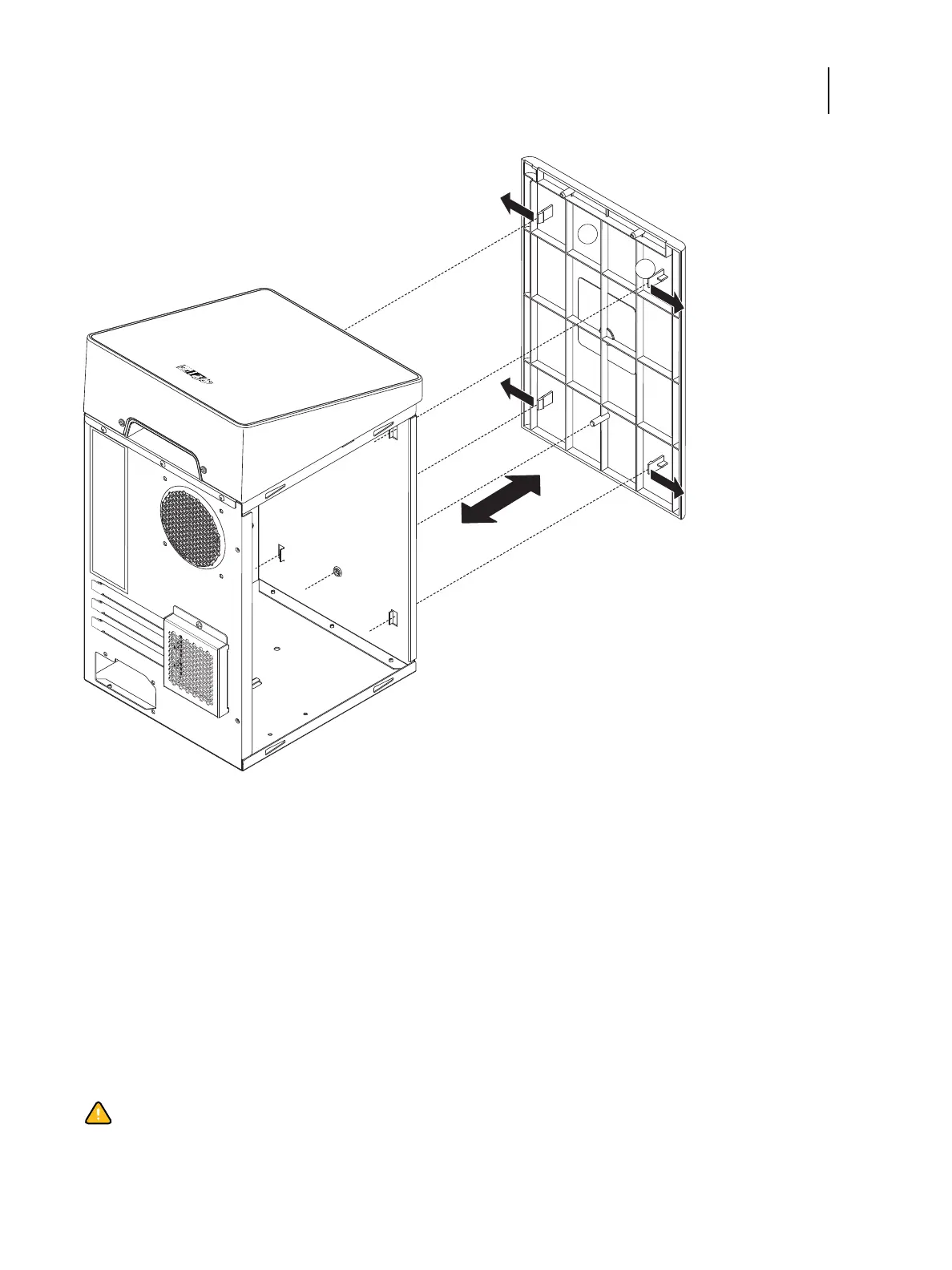
Figure 26: Removing/replacing the front panel
2 To replace the front panel, align the four tabs on the front panel to the tab holes at the front side of the chassis.
3 Press the front panel against the chassis and snap it into place.
Snap the tabs into place one at a time until all four tabs have engaged the chassis.
Fiery QuickTouch display module
Fiery QuickTouch is attached to the top side of the chassis.
You will need to remove the chassis cover and the front panel before you will be able to remove the Fiery QuickTouch.
1 Front panel
2 Tab (1 of 4)
Caution: It is highly recommended that you use a screwdriver with a magnetic tip when removing or replacing
the screws used to attach the Fiery QuickTouch. If you do not, the screws you remove or replace might fall inside
the E-35A.



 To Next Page