80 Installation and Service Guide
Replacing Parts
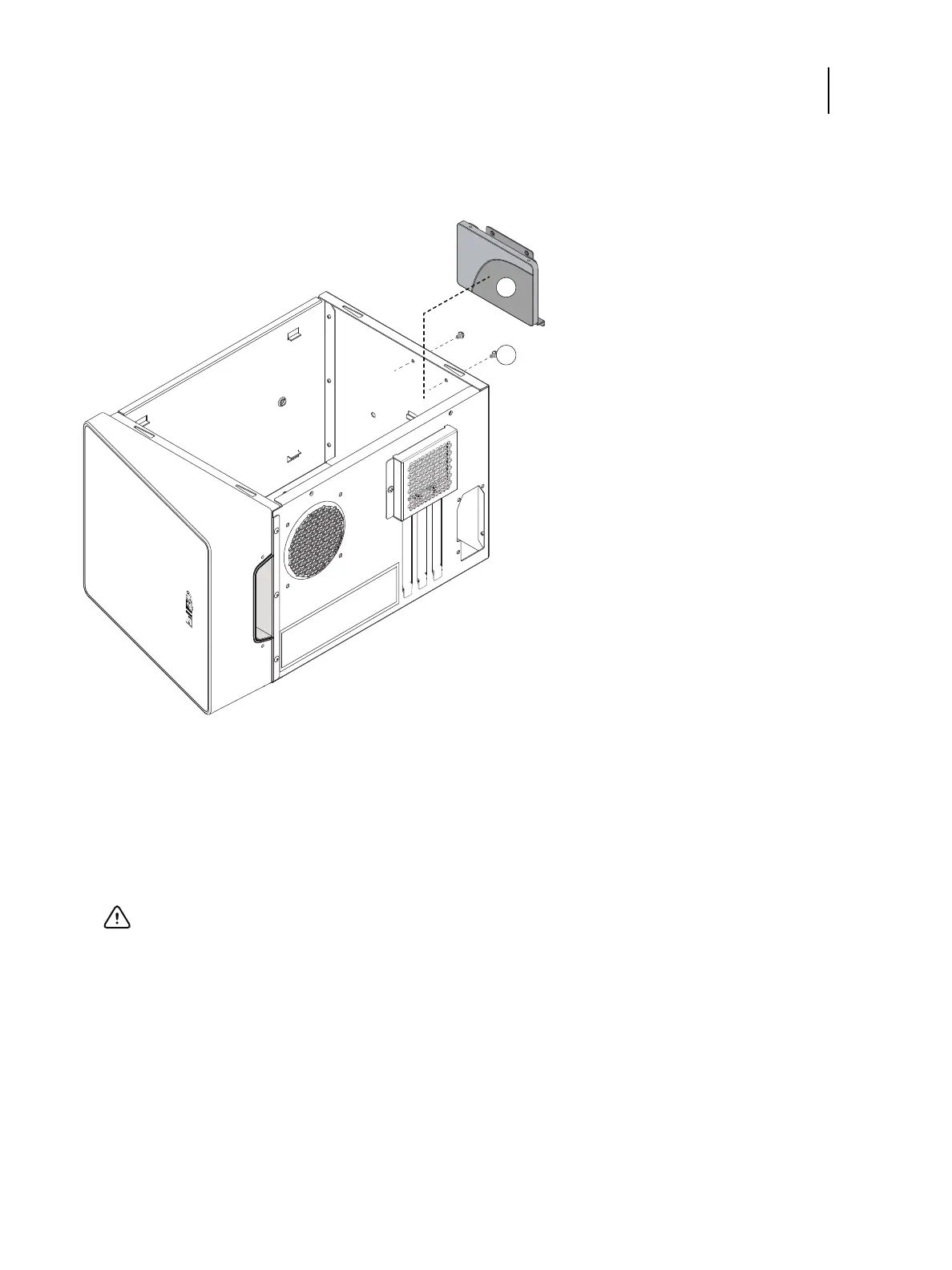
6 Carefully lift the HDD assembly to release its lower edge from the mounting posts in the chassis, and then remove
the HDD assembly from the chassis.
Figure 39: Removing the HDD assembly
7 If you are replacing the HDD with a new HDD, remove the HDD from its bracket.
Remove the four screws that secure the HDD to the HDD bracket (see Figure 39). Remove the HDD bracket and
set it aside so that you can replace it later.
Do not touch the HDD with magnetic objects (such as magnetic screwdrivers), and avoid placing magnetic-
sensitive items, such as credit cards and employee ID cards, near the HDD.
1 HDD assembly
2 Screws, HDD bracket (x2)
Important: Make sure to support the HDD as you remove the screws. Do not loosen or remove the screws on
the HDD covers. Loosening or removing these screws will break the seal and void the HDD warranty.



 To Next Page