22 Installation and Service Guide
Installing Hardware
2 Connect the Printer interface (Crossover Ethernet) cable to the correct port on the printer and to the Lower RJ-45
port on the E-35A.
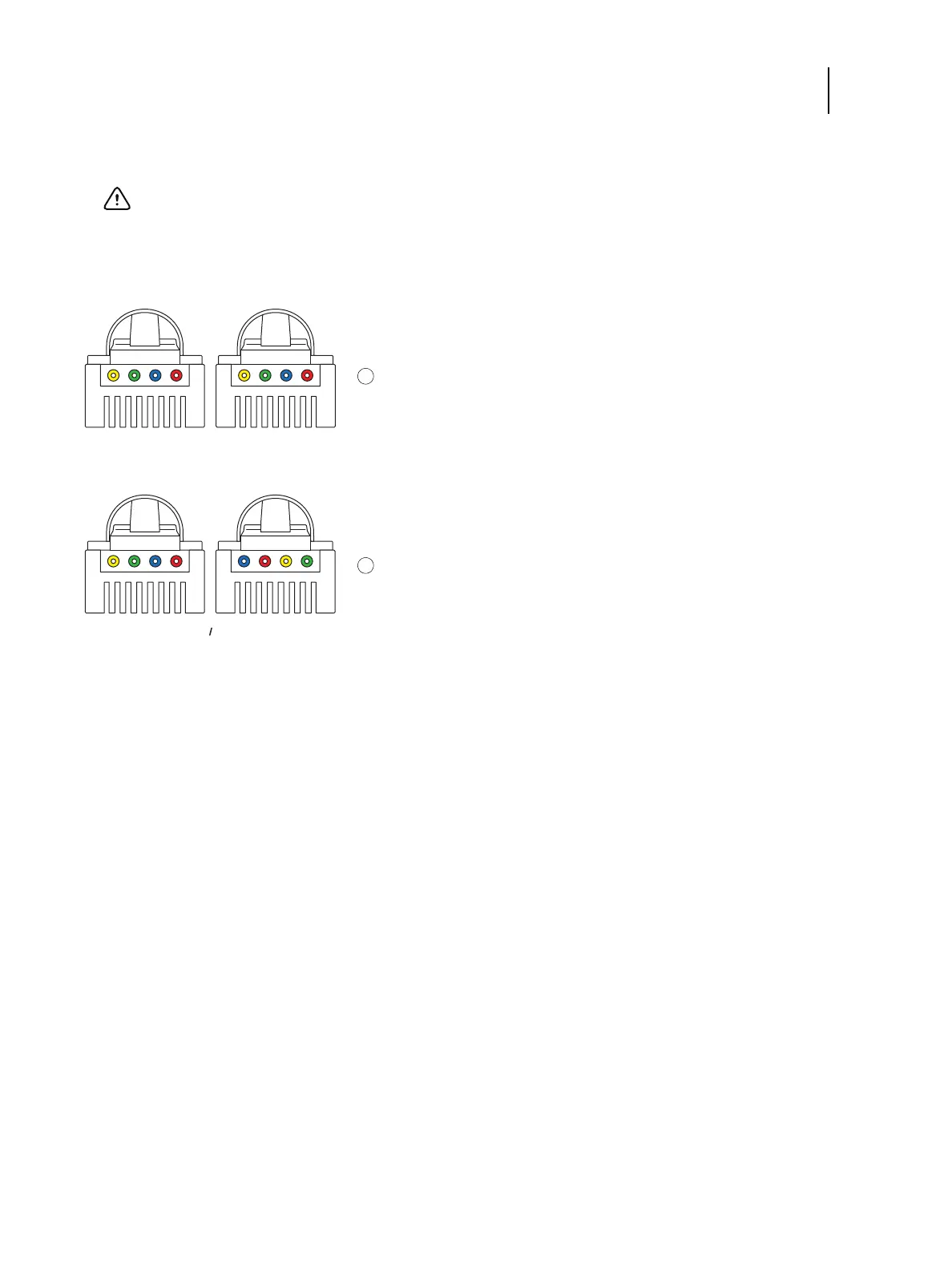
Figure 5: Straight-through and crossover Ethernet cables
Note: To prevent risk of cross-talk, make sure the Ethernet cable does not touch the power cables for the system.
Image quality problems or E-35A shutdowns could result.
Important: The crossover Ethernet cable and the straight-through network cable (included with the E-35A)
look similar, but are not interchangeable. Make sure that you connect the straight-through Ethernet cable to
the Lower RJ-45 port on the E-35A connector panel.
1 Straight-through cable: wire arrangements are identical on both connectors
2 Crossover Ethernet cable: wire arrangements are different
Note: Align cables side by side and examine wires.



 To Next Page