53 Installation and Service Guide
Replacing Parts
To remove the Fiery QuickTouch
1 Remove the chassis cover (See page 50).
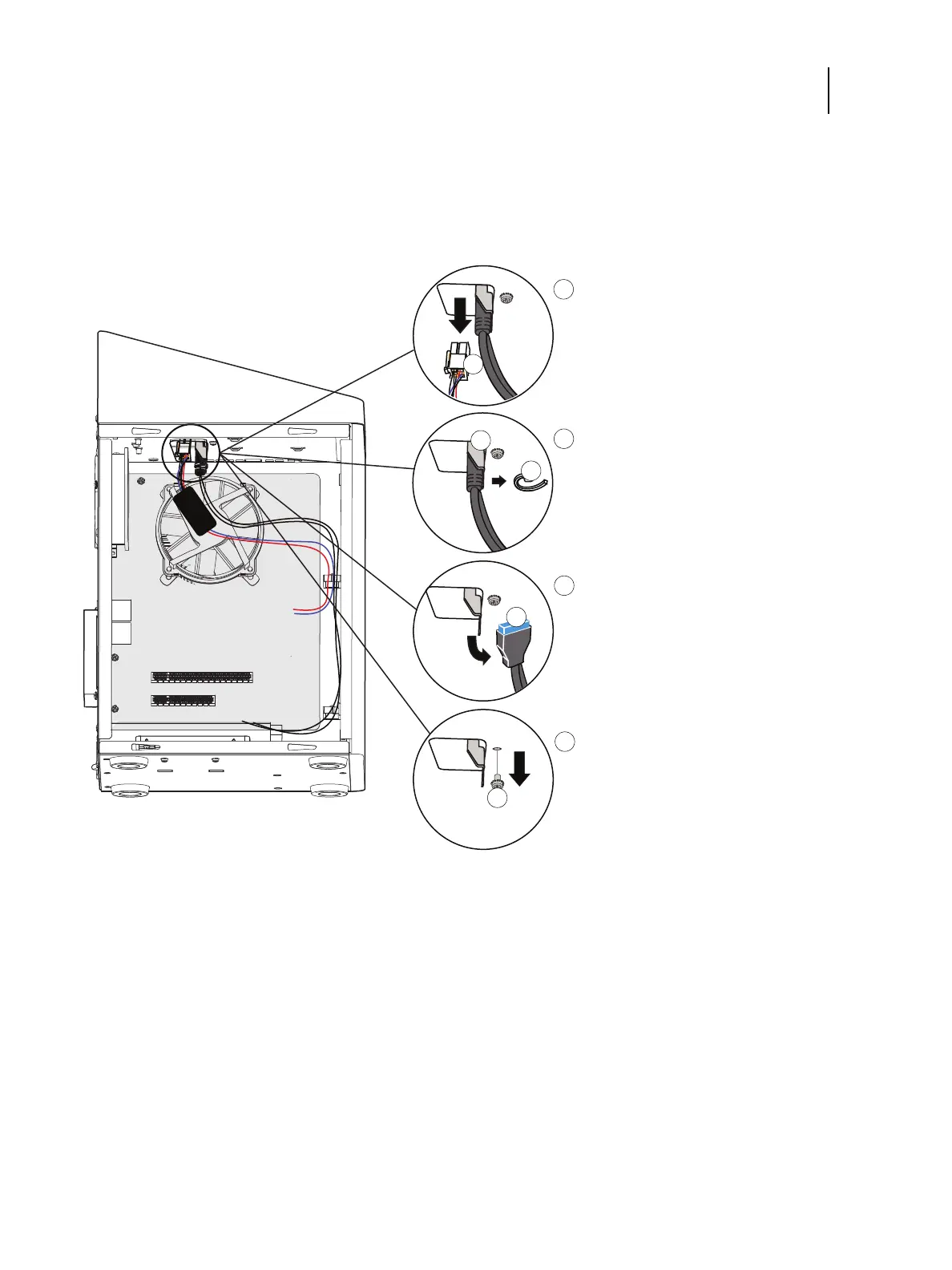
2 Remove the two connectors attached to the Fiery QuickTouch.
Figure 27: Removing Fiery QuickTouch connectors
a Remove the power harness by unplugging it.
b Remove the tie-wrap that bundles the USB connector to the support bracket.
c Remove the USB connector.
1 Power harness 4 USB connector
2 Support bracket 5 Screw, bracket
3 Tie-wrap



 To Next Page