Printer Operations
Document ID: OMM-00165 Rev. C Pro 32r Operations Guide 115
6.6.1 Multi-Job Printing
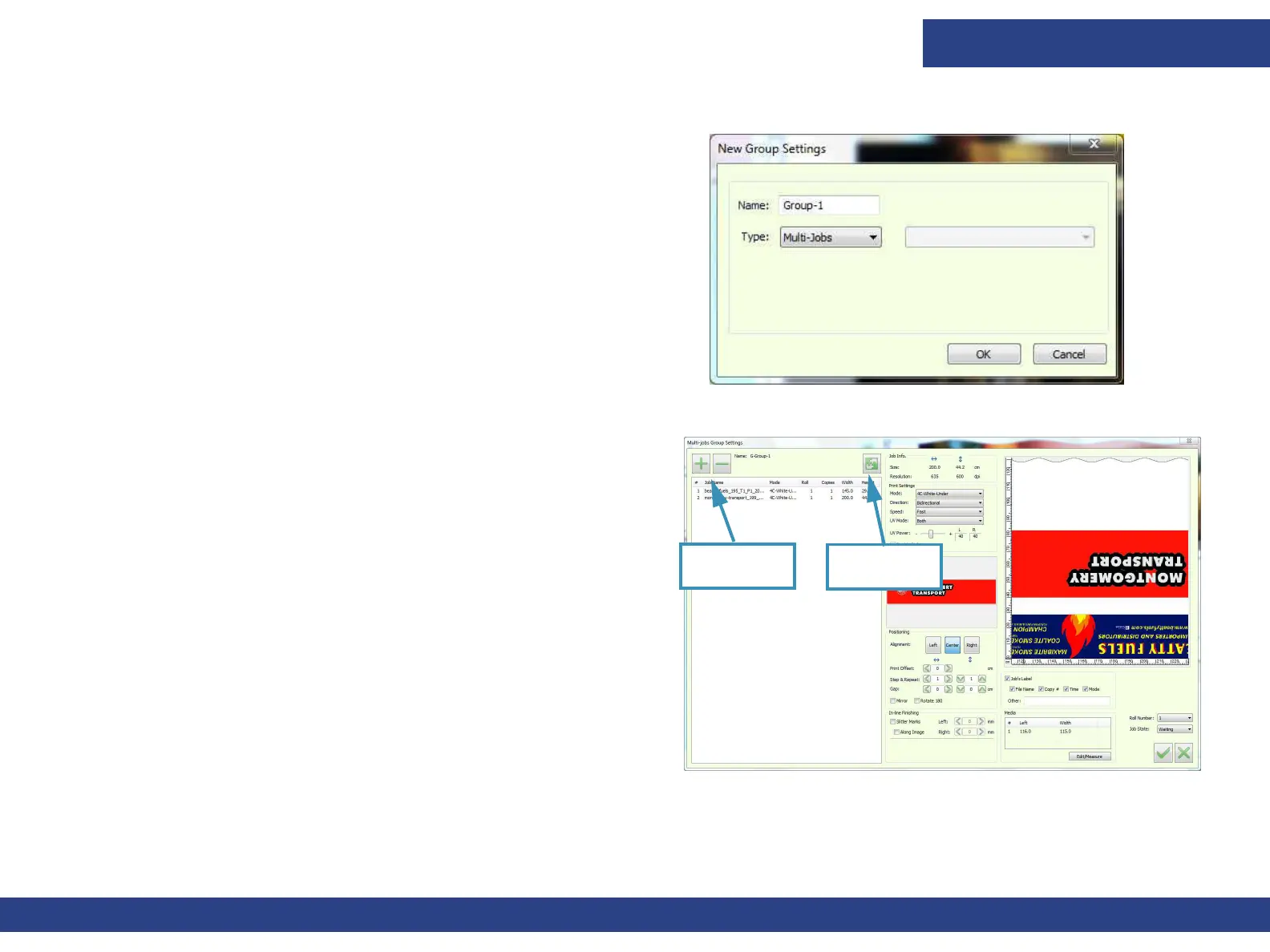
1. Name the Group and select the Multi-Jobs Type.
2. Click OK.
The Multi-Jobs Group Settings dialog opens.
3. In the Multi-Jobs Group Settings dialog, click “+” to add a job
or click “-“ to remove selected jobs.
All the Job Settings apply to all the Jobs in the Queue, except
for Step & Repeat, Mirror, Rotate180 and the label.
4. To optimize the jobs layout, click the Multi-Job Optimizer icon.
5. Click OK to add the group to the print queue.
6. To reopen the Multi-Jobs Group Settings dialog, double-click
the group in the print queue.
NOTE: All jobs in a group must have the same print mode
Figure 6-13
Figure 6-14
Add/Remove
Jobs
Multi-Job
Optimizer



 To Next Page