3
1
2
4
5
6
7
8
9
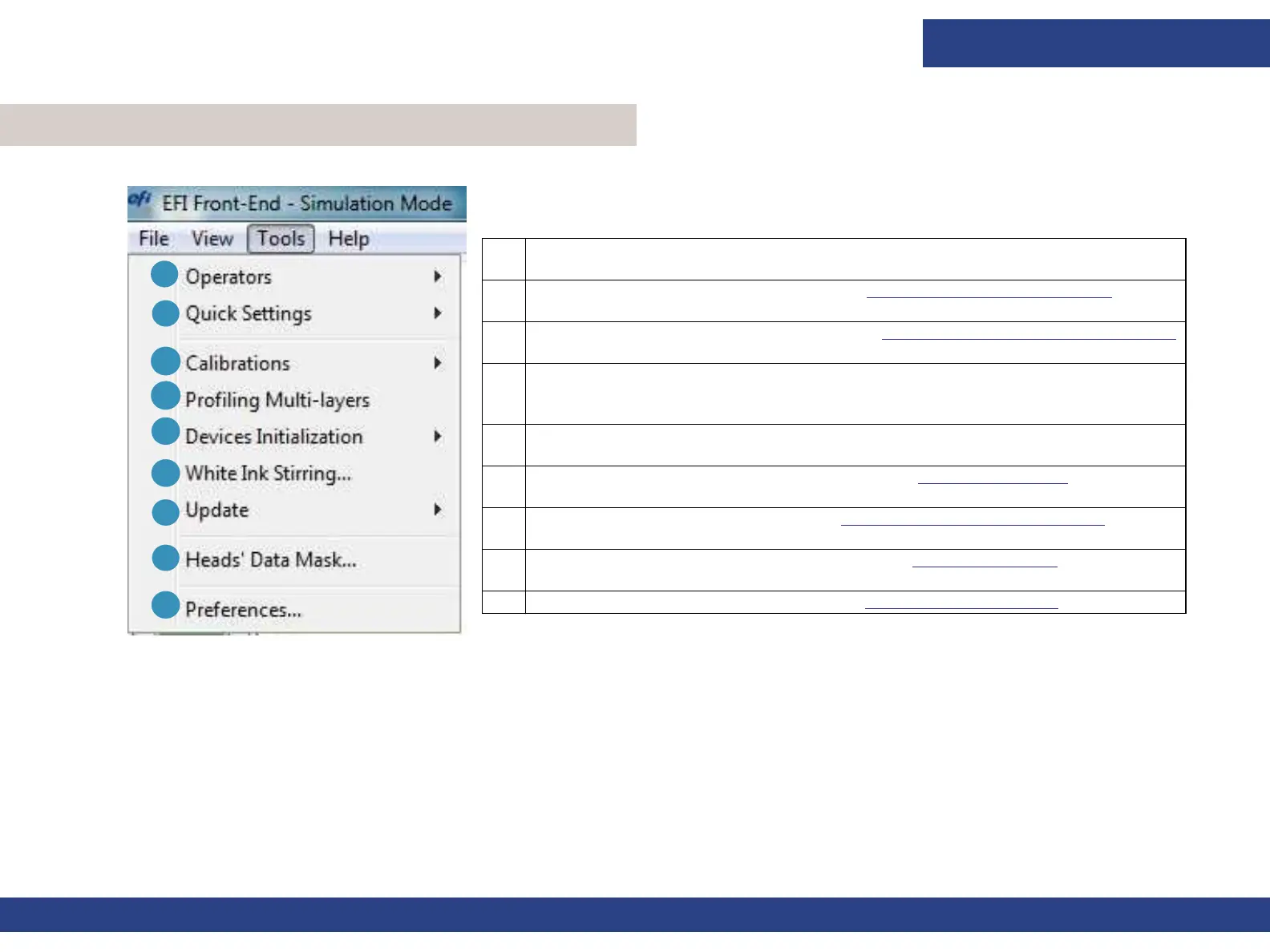
Figure 4-17 Front-end Window - Tools Menu
1 Switch and manage Operators (See User’s Login section).
2 Opens the Quick Settings sub-menu. See Quick Settings Setup Feature.
3 Expands the Calibrations sub-menu. See Tools Menu - Calibration Sub-menu.
4 Use this feature when creating an ICC Profile for multi-layer print Modes
(such as C1WC2; CWBWC).
5 Carries out an initialization to the carriage Height motor.
6 Opens the White Ink Stirring dialog box. See White Ink Stirring.
7 Expands the Update sub-menu. See Tools Menu - Update Sub-menu.
8 Opens the Heads Data Mask dialog box. See Heads Data Mask.
9 Opens the Preferences dialog box. See Preferences Dialog Box.
Software Overview
Document ID: OMM-00165 Rev. C Pro 32r Operations Guide 63
4.6 Front-end Window - Tools Menu



 To Next Page