Printer Setup
Document ID: OMM-00165 Rev. C Pro 32r Operations Guide 99
5.5.2 Quick Settings Setup Feature
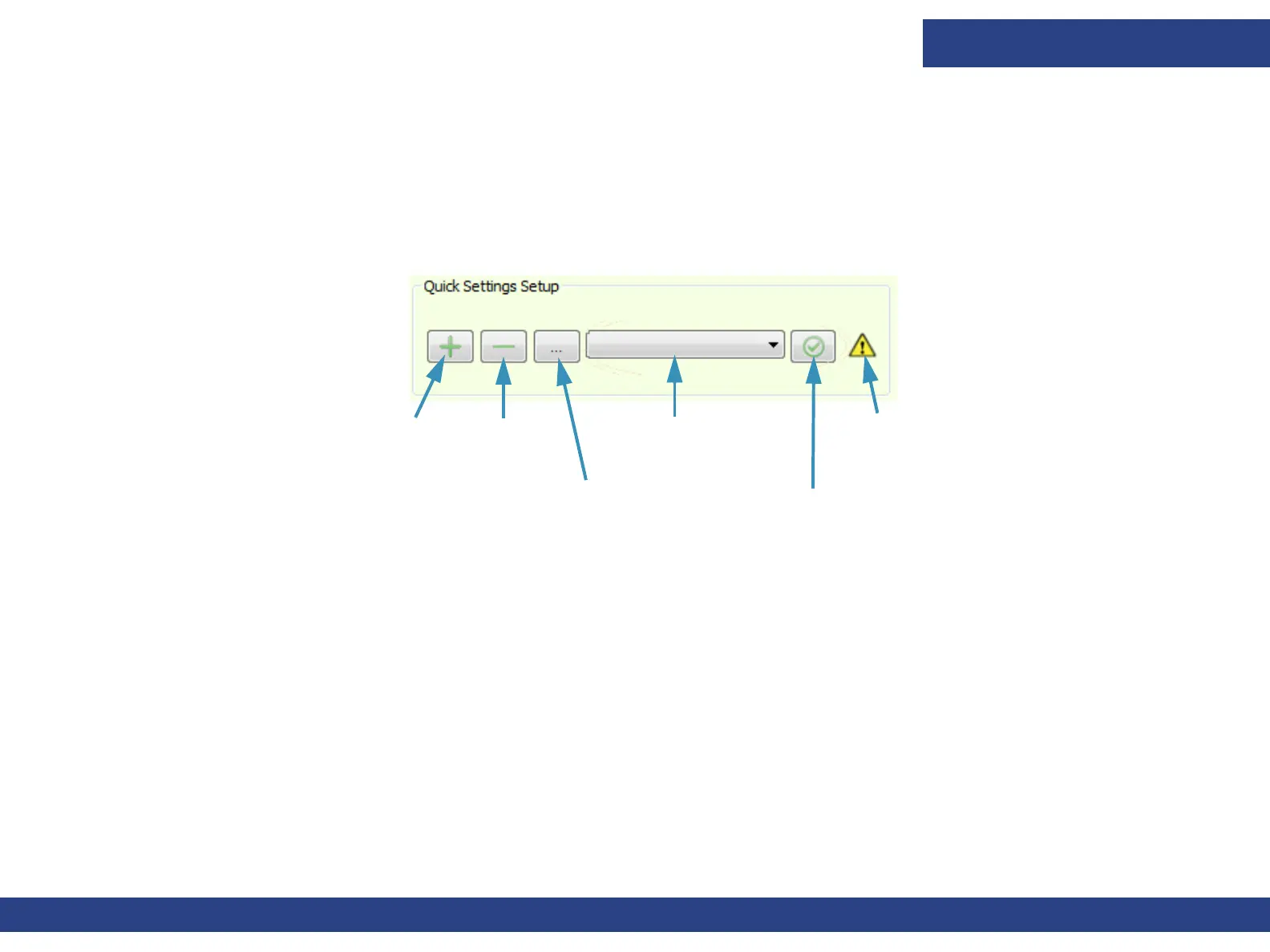
Quick Setup is a 1-stop tool for defining all the settings for a particular media. Each media requires a different set of
printer settings. Using this feature, you can save the printer settings for each media; thus creating a media list. Each time
you want to print with media that appears on the list, load it onto the printer, select it from the Quick Settings drop-
down list, and choose Apply.
5.5.2.1 Create/Apply Settings in the Media List
Figure 5-29 : Quick Settings Set Up
Media list
Apply settings
Warning
Add a new
media
Remove
media
Edit a media’s
settings
1. Load the media and step-by-step, set the printer’s parameters:
• Feeder configuration
• Left – Right
• Freefall Continuous Collector (Z)
• Tension
• Carriage Height
• Carriage Movement margin
• Media backward distance
• Freefall Pistons Pressure (Currently disabled in the dialog)
• Press Roller Pressure (S) (Currently disabled)
• Press Roller Pressure (C) (Currently disabled)
• Vacuum (Currently disabled)
• Advance Fine Tuning



 To Next Page