Printer Operations
Document ID: OMM-00165 Rev. C Pro 32r Operations Guide 108
The Remaining Media option helps you reduce waste by inserting a signature at the end of a print job, with the following
data printed on the media:
• Media Type
• Remaining media on the roll
• Date and time
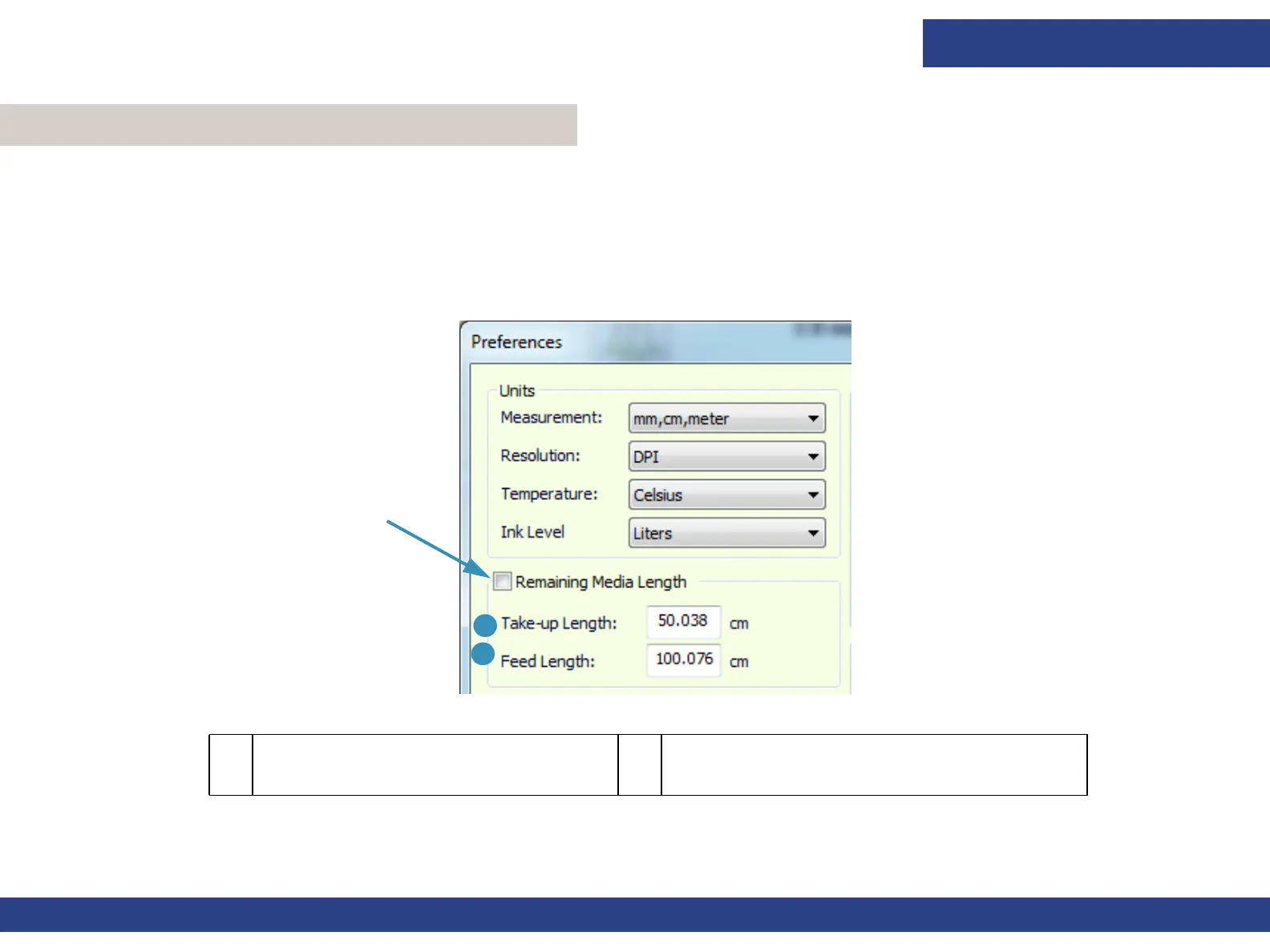
1. Choose Tools > Preferences and check the Remaining Media Length option in the top left corner of the dialog box.
6.3 Remaining Media
Figure 6-4 : Preferences Dialog Box
1 The Take-up Length is the length between
the front edge of the media and the place
where it begins to unroll.
2 The Feed Length is the spacing between the end
of the printing and the end of the media.
1
2



 To Next Page