Printer Operations
Document ID: OMM-00165 Rev. C Pro 32r Operations Guide 112
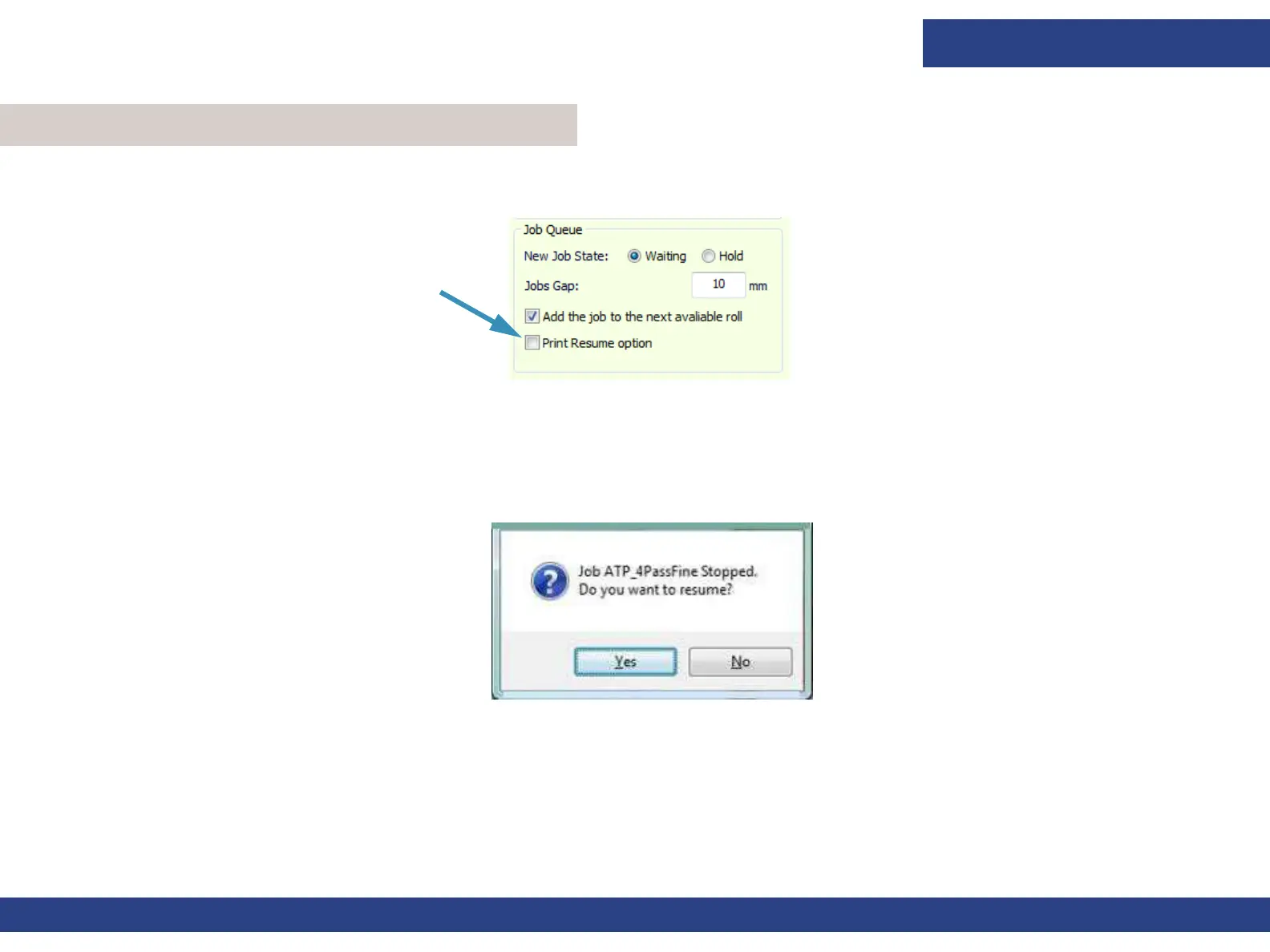
Using the Print Resume option enables you to resume printing from where it stopped due to a
malfunction.
1. In the Preferences dialog box, check the Print Resume option.
When the machine stops, the job is automatically sent to the queue's red pane.
2. Choose the job and drag it back to the green pane.
3. To resume printing where it stopped, choose Yes.
6.5 Resuming Print
Figure 6-9 : Print Resume Option Check Box
Figure 6-10 : Resume Job Prompt



 To Next Page