Double-sided Printing
Document ID: OMM-00165 Rev. C Pro 32r Operations Guide 156
The Blockout feature provides accurate double-sided printing on opaque media. In addition to the contents of the job,
the front side of the media is printed with two horizontal stripes which, when printing the back side, are read by a sensor
and the registration between both sides is calculated. Blockout sensor is located at center rear section of print table.
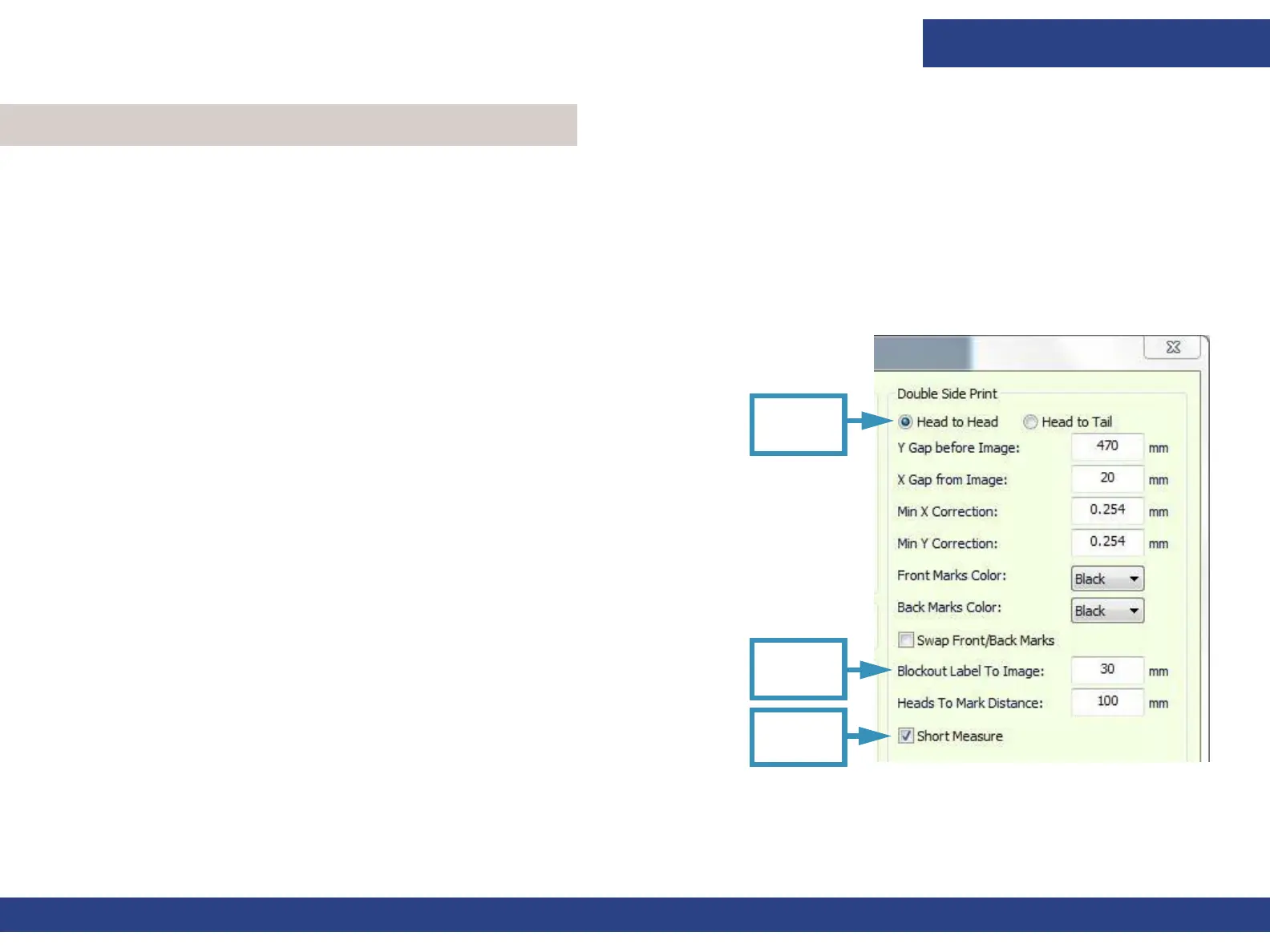
Short
Measure
Figure 7-20
Head to
Head
Blockout
Label
NOTE: In order to facilitate the correct registration on the back side. It is very important to collect the
media straight
and tightly onto the roll.
7.3.1 Blockout - Head-to-Head - Print Side A
1. From the Preferences dialog box, in the Double Side Print group,
select the Head-to-Head option.
2. In the Blockout Label To Image field, enter the required distance
between the stripes and the image, at a minimum of 30 mm.
3. EFI recommends that you check the Short Measure check box.
Short Measure
In Blockout printing there is a Measure Media procedure that takes
place before and during printing, between copies.
Taking these measurements ensures the correct printing registration
between Side A and Side B.
In a regular measurement, the carriage moves along the print table,
and measures both the first edge of the media (i.e., the media
location) and the media width. It then returns to its home position,
and the printing starts or continues.
Short Measure is designed to maintain efficiency. When the Short
Measure option is activated, the carriage only takes the first edge
measurement and returns to its home position, and the printing
continues. This measurement is only taken between copies.
To activate this option, go to Double Side Print group in Preferences dialog, and check Short Measure check box.
7.3 Blockout Printing



 To Next Page