Double-sided Printing
Document ID: OMM-00165 Rev. C Pro 32r Operations Guide 157
4. Load the media onto the printer.
5. Perform Measure Media.
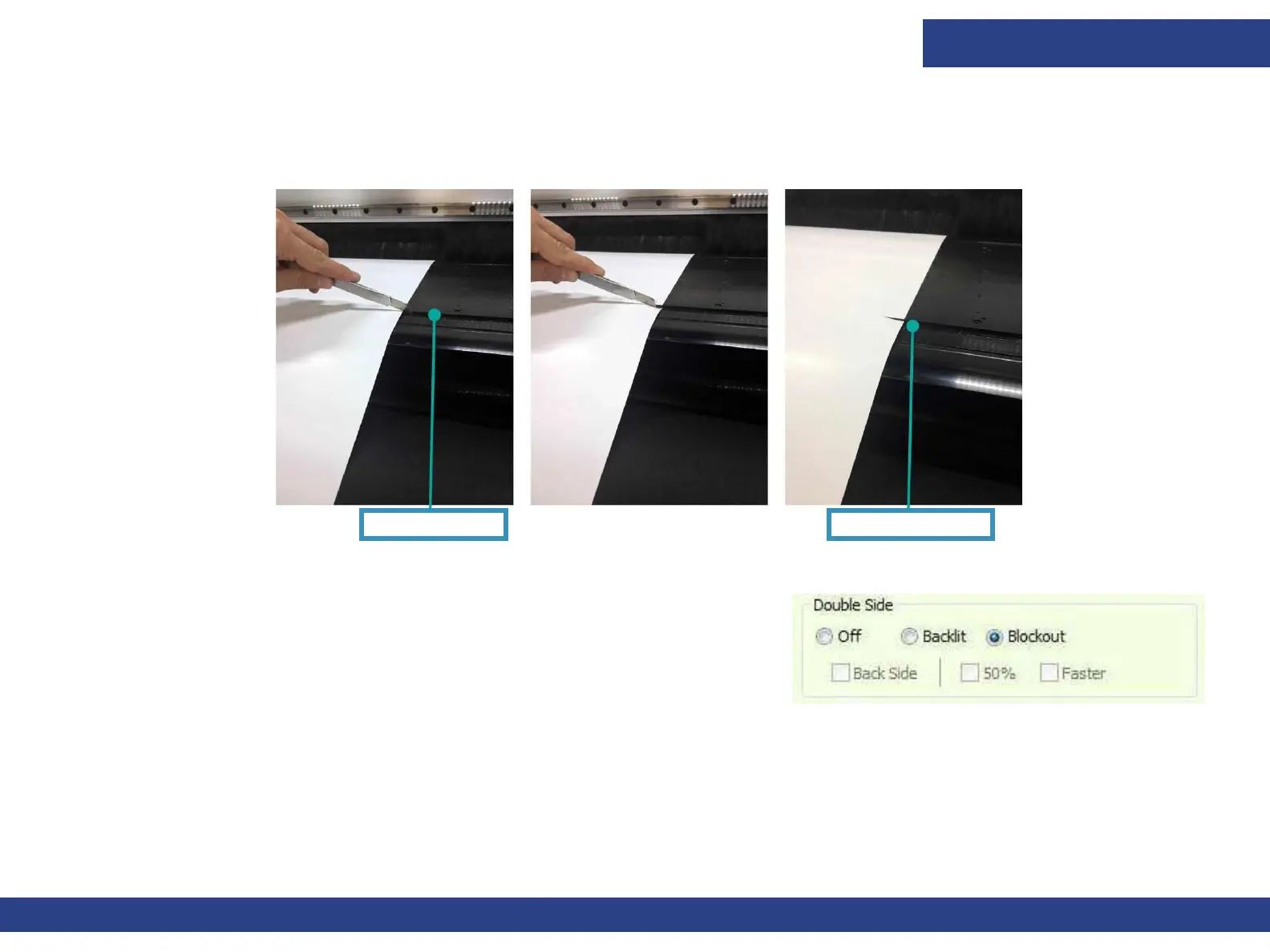
6. Make slits on the left and right side of the media, at the front edge of the print table.
Figure 7-21
Print Table Edge
Print Starting Point
7.
Figure 7-22
Open a job (Side A), and in the Job Settings dialog, select Blockout option.
NOTE: Be sure the job is centered.
8. Start printing.
The media automatically advances and two black horizontal stripes are printed on it.
The media is automatically measured again.
The job starts printing. This procedure is carried out for each copy.
9. Collect the printed media on a media core, using the front limiters.
10. After printing, roll the media back onto its roll.



 To Next Page