Double-sided Printing
Document ID: OMM-00165 Rev. C Pro 32r Operations Guide 155
7.2.5 Backlit - Head-to-Tail - Print Side B
1. Load the media for printing Side B. Remove the air shaft with the printed media, and load it to the rear side of the
printer without flipping or turning it.
2. Align the slits to the edge of the Print Table.
3. Perform Measure Media.
4. Turn the Backlit illumination ON.
5. In the EFI FE, take the mjob from the Done pane to the printing queue. Double-click the mjob to open the Job Settings.
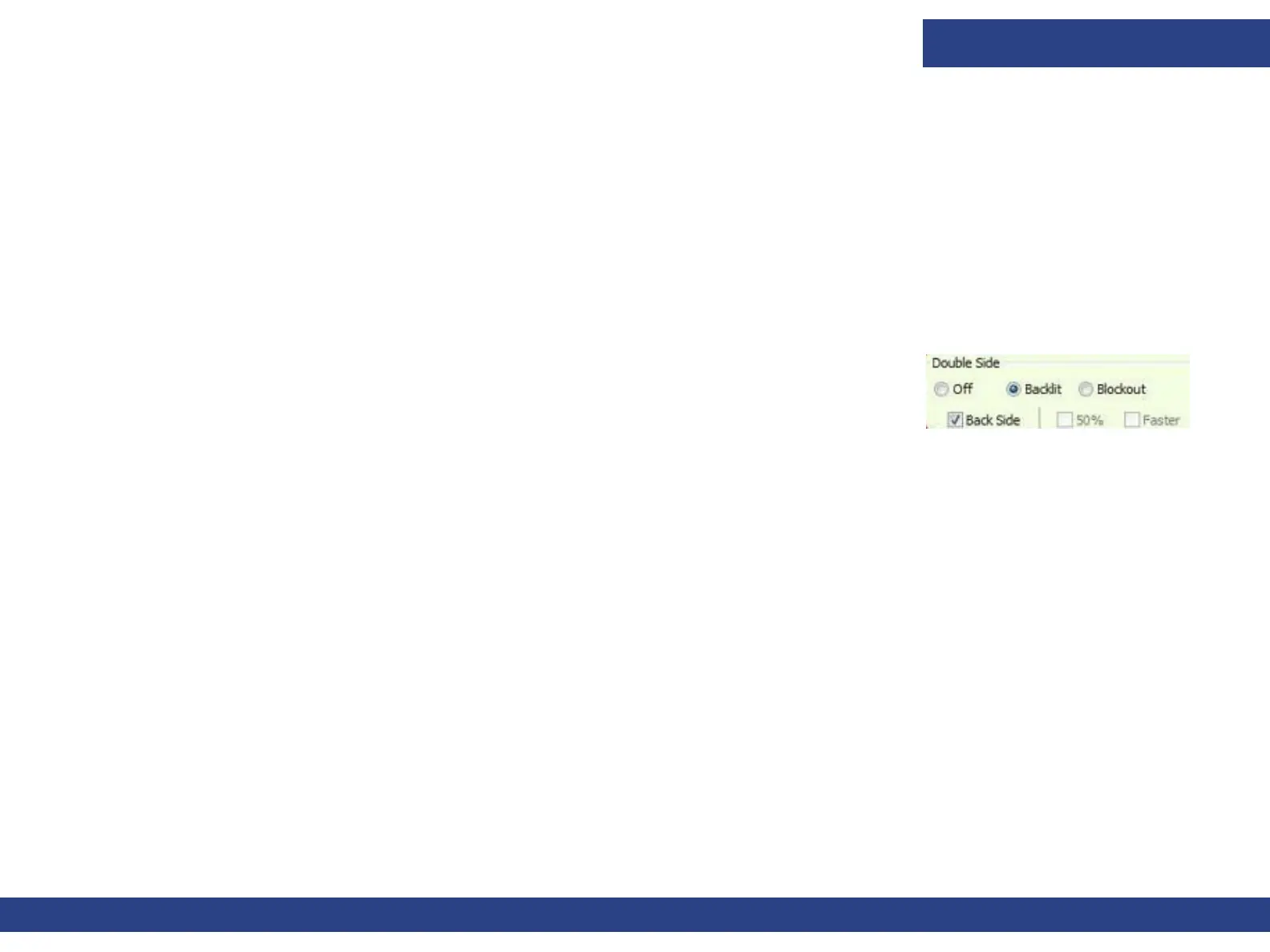
6. In Job Setting window’s Double Side group, check Backside check box, and click OK.
7. Start printing Side B. Printing starts with Back side marks and pausing for adjustments.
8. Click Yes. The Carriage docks at home position. You can open the printer’s cover and check
the registration between the front and the back marks.
9. The Printer Status window opens. The goal is to align the marks of Side B to the center of the marks of Side A.
10. In the Image Position spin boxes, set the required adjustment according to the print result.
11. Resume printing, constantly checking the registration. If required, you can adjust the image position during printing.
Figure 7-19



 To Next Page